What Is Software Testing? A Complete Beginner's Guide


Software ships with bugs. The question is never if something will go wrong. It is when, and how much damage it causes before someone catches it. Software testing is the discipline that answers that question before your users do.
Modern software testing has evolved far beyond manual bug checking. Today's teams use a mix of manual testing, automation, AI-assisted workflows, CI/CD pipelines, and continuous quality practices to catch defects earlier and release software faster.
This guide covers everything you need to know about software testing, from the core definition and fundamentals to the types, techniques, tools, and lifecycle that every developer, QA engineer, or product professional should understand.
What Is Software Testing?
Software testing is the process of evaluating and verifying that a software application or system behaves as expected. It involves executing a program or application with the intent to find defects, ensure correctness, and confirm that the software meets its specified requirements.
At its core, software testing answers three fundamental questions:
Does the software do what it is supposed to do?
Does it avoid doing what it is not supposed to do?
Does it perform reliably under real-world conditions?
Software testing is a critical component of software quality assurance (SQA), the broader practice of ensuring that software products and processes meet defined quality standards throughout the development lifecycle.
A simple definition: Software testing is the act of checking whether actual software behavior matches expected behavior and reporting the gaps.

Get the Mobile Testing Playbook Used by 800+ QA Teams
Discover 50+ battle-tested strategies to catch critical bugs before production and ship 5-star apps faster.
Why Is Software Testing Important?
The cost of a bug grows exponentially the later it is found. A defect caught during development might take an hour to fix. The same defect discovered in production can cost thousands of dollars in lost revenue, customer trust, and emergency patches.
Beyond cost, consider real-world consequences. Bugs in medical devices, financial systems, or aviation software have historically caused serious harm. Software testing is not bureaucratic overhead. It is a professional and ethical responsibility.
Key reasons organizations invest in testing:
Prevent defects from reaching end users
Reduce development costs by catching issues early
Ensure compliance with regulatory and security standards
Build user confidence through a reliable product
Support continuous delivery in modern DevOps pipelines
In modern engineering teams, testing is no longer something that happens only before release. It is embedded into every sprint, every pull request, and every deployment pipeline. Teams that test continuously move faster, release more confidently, and spend less time fixing production issues.
Software Testing Basics: Core Concepts
Before diving into types and techniques, it is important to establish the foundational vocabulary of the field.
Bug / Defect: A flaw in the software that causes it to produce an incorrect or unintended result.
Test Case: A set of conditions and inputs used to determine whether a specific feature of an application works correctly. For more on writing strong test cases, see: How to Write Test Cases
Test Suite: A collection of test cases grouped together for a specific testing objective.
Test Plan: A formal document describing the scope, approach, resources, and schedule of testing activities. Read more here: How to Write a Test Plan?
Test Environment: The hardware, software, and network configuration on which tests are executed.
Regression Testing: Re-running existing test cases after code changes to ensure nothing that was working has broken. Learn more: Regression Testing: The Complete Guide (2026)
Defect Life Cycle: The stages a bug passes through, from discovery to resolution, including New, Assigned, Open, Fixed, Retested, and Closed. More here:Software Testing Life Cycle (STLC)
The Software Testing Life Cycle (STLC)
The Software Testing Life Cycle is a sequence of specific activities performed during the testing process to ensure software quality goals are met. It runs in parallel with the Software Development Life Cycle (SDLC).
Phase 1: Requirement Analysis
Testers review the business and functional requirements to identify what is testable. This is where test feasibility is assessed. Modern teams increasingly adopt shift-left testing practices to identify quality risks earlier in the process. Learn more: Shift Left Testing Explained
Phase 2: Test Planning
The QA lead prepares a Test Plan that defines the testing scope, objectives, resource allocation, schedule, and risk assessment. More on test planning here: How to Write a Test Plan?
Phase 3: Test Case Development
Testers write detailed test cases and test scripts. Test data is also prepared at this stage. For guidance, see:
Phase 4: Test Environment Setup
The testing infrastructure is configured. Servers, databases, browsers, and devices are prepared to mirror the production environment as closely as possible. Test Environment Innovation: Automated Testing Insights
Phase 5: Test Execution
Test cases are executed against the software build. Defects are logged, tracked, and reported to the development team. More here: The Ultimate Guide to Mobile App Testing in 2026
Phase 6: Test Cycle Closure
The team reviews test metrics, documents lessons learned, and formally closes the testing phase with a summary report.
Types of Software Testing
There are dozens of recognized testing types. They are broadly organized into two major categories: functional testing and non-functional testing.
Functional Testing
Functional testing verifies that each feature of the software works in conformance with the requirements. It tests what the system does.
Type | Description |
Unit Testing | Tests individual components or functions in isolation. Usually written by developers. Learn more: |
Integration Testing | Verifies that multiple components work correctly when combined. More here: |
System Testing | Tests the complete and integrated software system against requirements. |
Acceptance Testing (UAT) | Conducted by end users or clients to confirm the software meets business needs before go-live. |
Regression Testing | Ensures that new code changes have not broken existing functionality. Learn more: |
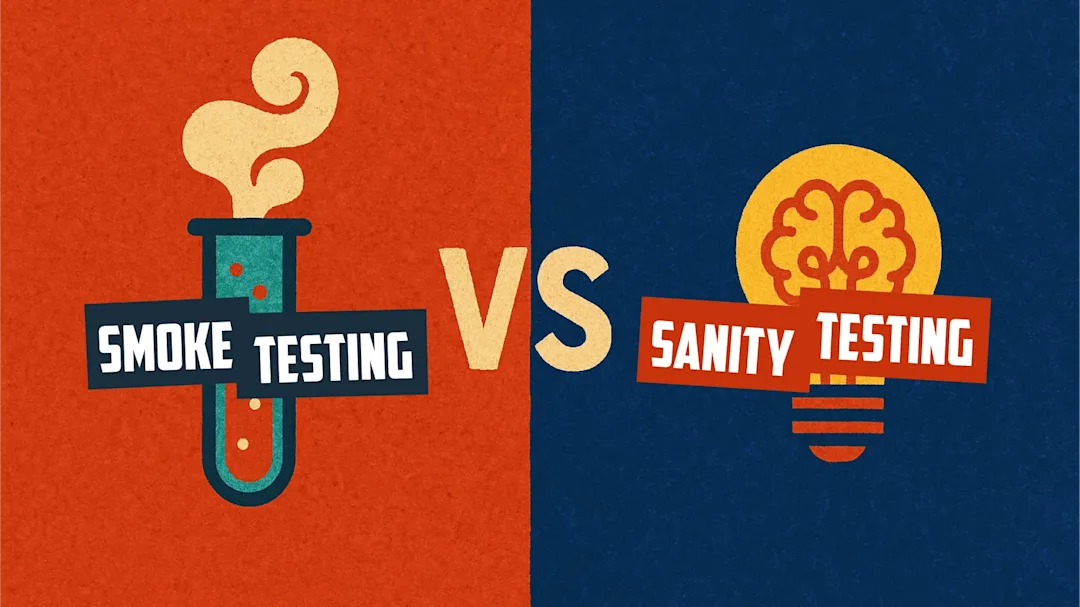
Smoke Testing | A shallow, rapid check to confirm that the critical path of the application works after a new build. More here: |
Sanity Testing | A focused re-check of a specific functionality after a bug fix. |
Non-Functional Testing
Non-functional testing evaluates how the system performs. It addresses quality attributes beyond feature correctness.
Type | Description |
Performance Testing | Assesses responsiveness, throughput, and stability under a given workload. More here: |
Load Testing | Tests behavior under expected peak load conditions. |
Stress Testing | Pushes the system beyond its limits to find the breaking point. |
Security Testing | Identifies vulnerabilities, threats, and risks in the application. More here: |
Usability Testing | Evaluates the ease of use and user experience of the interface. |
Compatibility Testing | Verifies the software works correctly across different browsers, devices, and operating systems. Learn more: |
Reliability Testing | Measures the ability of the software to perform consistently over time. |
For mobile-specific testing, read: The Ultimate Guide to Mobile App Testing in 2026
Manual Testing vs. Automation Testing
Two primary software testing methods exist for how tests are executed: manually and through automation.
Manual Testing
Manual testing is the process where a human tester executes test cases step by step without the use of automation tools. The tester plays the role of the end user and verifies the application's behavior directly.
When to use manual testing:
Exploratory or ad-hoc testing
Usability and user experience evaluation
Short-term projects where automation setup is not justified
Test cases that require human judgment
Limitations: It is time-consuming, prone to human error, and not efficient for repetitive tasks.
Automation Testing
Automation testing uses specialized software tools to execute pre-scripted test cases automatically. Once a test script is written, it can be run repeatedly with minimal human intervention.
When to use automation testing:
Regression test suites that run with every build
Performance and load testing
Data-driven testing across many input combinations
Continuous integration / continuous delivery (CI/CD) pipelines
Modern automation is increasingly moving toward AI-assisted and no-code approaches that reduce script maintenance and make automation accessible beyond developers. Rather than writing and maintaining hundreds of brittle scripts, teams are increasingly using tools that generate, execute, and self-heal tests automatically.
Popular automation testing tools:
Selenium: Selenium Alternatives 2026
Cypress: Best Test Automation Tools 2026
JUnit / TestNG : JUnit Testing Guide
Pytest : Pytest vs unittest
Appium: Appium Alternatives
Postman / REST Assured : ost-API Testing in Mobile Apps
For more on modern automation, read:
Software Testing Techniques
Software testing techniques are strategies used to design effective test cases. They are divided into three main categories.
1. Black-Box Testing
The tester has no knowledge of the internal code structure. Tests are based entirely on inputs and expected outputs. Techniques include Equivalence Partitioning, Boundary Value Analysis, and Decision Table Testing.
Black-box testing is the most common approach for business-focused QA teams because it validates user-facing behavior without requiring knowledge of the underlying code.
Example: Testing a login form by entering valid and invalid credentials without knowing how authentication logic is implemented in the backend.
2. White-Box Testing
Also called clear-box or structural testing, this technique requires knowledge of the internal code. Testers design test cases based on code paths, branches, and logic flows.
White-box testing is usually developer-led because it requires direct access to the application's internal structure and codebase.
Example: Writing unit tests that directly call internal functions and verify their outputs at the code level.
3. Grey-Box Testing
A combination of both black-box and white-box approaches. The tester has partial knowledge of the system's internals, often used in integration testing and web application testing.
Software Testing in Software Engineering
In software engineering, testing is not an afterthought. It is built into every phase of development. Modern methodologies treat quality as a shared responsibility across the entire team.
Testing in Agile: In Agile development, testing is continuous and iterative. Testers work alongside developers within each sprint, and test automation is integral to the definition of done. Learn more: Creating Regression Test Suites in Agile Teams
Testing in DevOps: DevOps pipelines integrate automated testing into the CI/CD workflow. Every code commit can trigger a test suite, ensuring immediate feedback on regressions. More here: Continuous Testing in DevOps: Benefits, Challenges & Best Practices
Shift-Left Testing: A modern practice that advocates for moving testing activities earlier in the development cycle, catching defects during requirements and design phases rather than after coding is complete. Learn more: Shift Left Testing: Beginner's Guide to Catching Bugs Early
CI/CD Pipelines: Read more on integrating testing into deployment pipelines here: Integrating Mobile Testing Frameworks into Your CI/CD Pipeline
Software Quality Assurance vs. Software Testing
These terms are often used interchangeably but refer to distinct concepts.
Software Quality Assurance (SQA) is a process-oriented practice. It establishes and enforces processes, standards, and methodologies to prevent defects from entering the software in the first place. It is proactive.
Software Testing is a product-oriented activity. It evaluates a specific build of software to detect defects. It is reactive.
In a mature engineering organization, software testing is one component of a broader software quality assurance strategy that also includes code reviews, process audits, standards compliance, and continuous improvement.
Software Testing Examples
To make these concepts tangible, here are brief real-world examples:
E-commerce checkout (Functional): Verifying that a discount code reduces the cart total correctly before payment is processed.
Banking API (Integration): Confirming that a fund transfer between two accounts updates both balances atomically and consistently.
Social media feed (Performance): Load testing to confirm the feed loads in under 2 seconds for 100,000 concurrent users.
Healthcare portal (Security): Penetration testing to identify whether patient records are accessible without proper authentication.
Mobile app (Compatibility): Ensuring the app renders correctly on both iOS 17 and Android 14 across multiple screen sizes.
Frequently Asked Questions (FAQs)
Q1. What is the difference between testing and debugging?
Testing is the process of finding defects. It identifies that something is wrong. Debugging is the process of fixing those defects. It diagnoses and resolves the root cause. Testing is typically done by QA engineers, while debugging is typically done by developers.
Q2. What is the difference between QA and QC?
Quality Assurance (QA) is process-focused. It ensures that the development process follows the right practices to produce quality software. Quality Control (QC) is product-focused. It involves the actual inspection and testing of the software product to find defects.
Q3. Can automation testing fully replace manual testing?
No. Automation excels at repetitive, data-driven, and regression testing. Manual testing remains essential for exploratory testing, usability evaluation, and any scenario that requires human judgment. A balanced strategy uses both.
Q4. What is a test case, and what should it include?
A test case is a formal document that specifies a testing scenario. A well-written test case includes a unique test case ID, a clear description, preconditions, test steps, test data, expected results, actual results, and pass/fail status.
Q5. What is regression testing and when is it performed?
Regression testing is performed after any code change, such as a bug fix, a new feature, or a configuration update, to verify that the change has not broken existing functionality. In CI/CD environments, regression suites are often run automatically on every commit.
Q6. Which software testing tool is best for beginners?
For web application testing, Selenium with Python or Cypress are excellent starting points. For API testing, Postman requires no coding knowledge and is widely recommended for beginners. For unit testing in Python, Pytest is the industry standard.
Q7. Is software testing a good career?
Software testing and QA engineering are in strong and growing demand, especially with the rise of DevOps and automation. Roles range from Manual QA Analyst to Automation Engineer to SDET, with competitive salaries and clear career progression paths.
Q8. What is the most important type of software testing?
There is no single answer. It depends on the context. For most teams, regression testing is the highest-leverage activity because it protects existing functionality as the codebase grows. Security testing is non-negotiable for any application that handles user data.
Summary
Software testing is one of the most important disciplines in modern software engineering. It is the practice of evaluating software to find defects, verify correctness, and ensure that the product meets both functional and non-functional requirements.
A well-rounded testing strategy combines manual and automated approaches, covers functional and non-functional concerns, and is embedded throughout the Software Testing Life Cycle, from requirement analysis through test closure.
Whether you are a developer writing your first unit tests, a QA analyst building a regression suite, or a product manager trying to understand why testing takes time, the fundamentals remain the same: define what correct looks like, verify that the software delivers it, and report what it does not.
Testing is also becoming increasingly automated, AI-driven, and integrated into the full product lifecycle. Teams that embrace that shift will move faster and ship more confidently.
Continue reading
More articles from the Quash editorial desk.