Selenium Alternatives: Modern Web Testing Frameworks in 2026

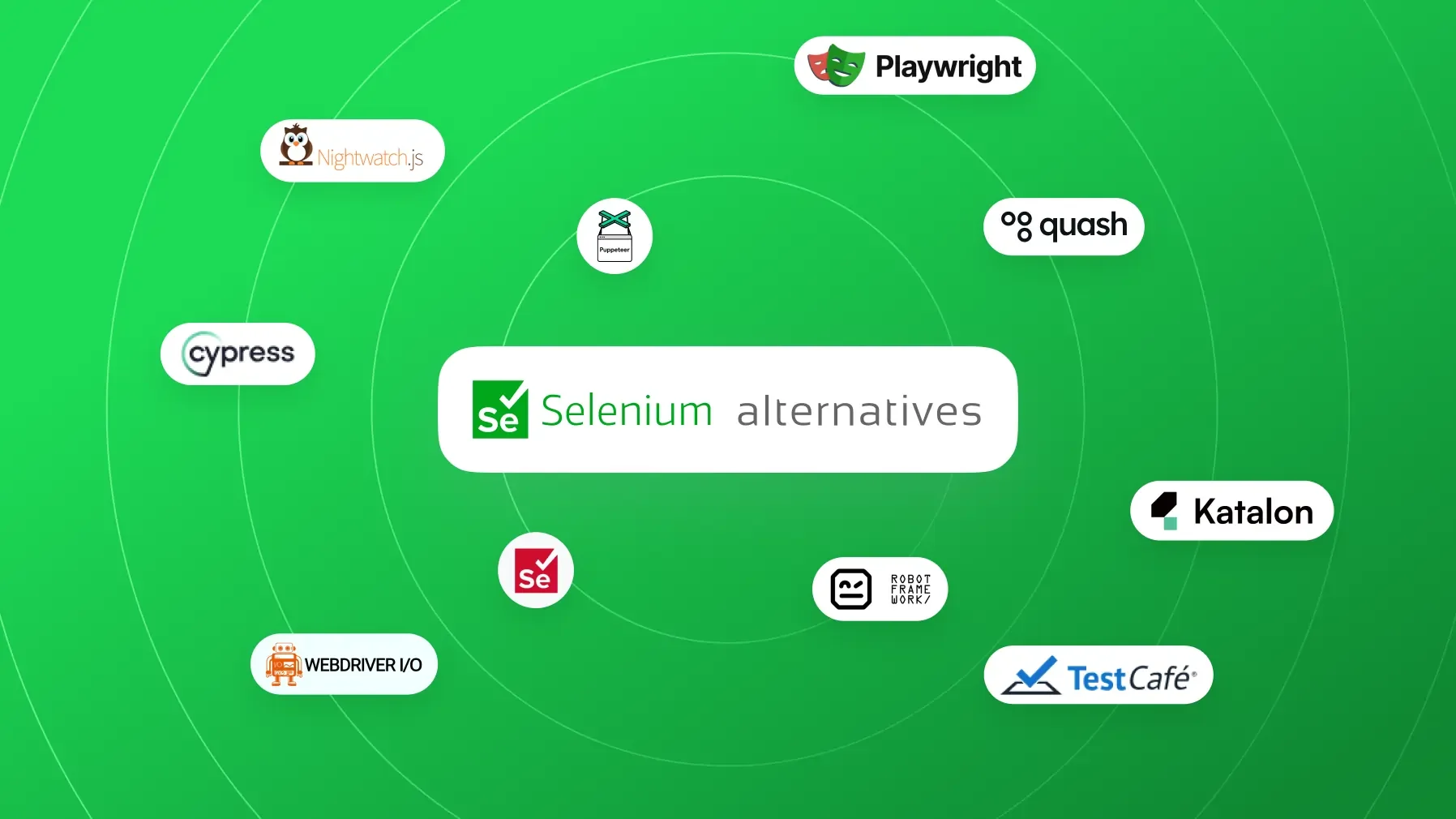
Ever since Selenium set the standard for browser automation, teams have relied on it as the go-to solution for end-to-end web testing. But in 2026, a new wave of modern web testing tools is challenging Selenium’s dominance. From developer-friendly frameworks to AI-driven platforms, these Selenium alternatives promise faster tests, easier maintenance, and improved reliability for modern web applications. In this comprehensive guide, we’ll explore why many teams are looking beyond Selenium, compare popular tools (like Playwright vs Selenium, Cypress vs Selenium, TestCafe, and more), and provide practical advice for migrating your test suites to the best web automation frameworks of 2026.
When narrowing that broader field, choosing between Playwright and Puppeteer helps separate two closely related browser automation choices.
When evaluating Playwright’s role after Selenium, this comparison maps modern Selenium alternatives to migration and maintenance trade-offs.
For teams weighing Playwright or Selenium, modern web testing frameworks clarify how each fits current automation trade-offs.
That comparison clarifies which modern browser-testing capabilities can reduce maintenance burdens Selenium alternatives guide when teams move beyond Selenium.
That broader automation shift matters when evaluating Choosing an Xray alternative because framework compatibility affects how test results move through QA workflows.
For teams weighing frameworks against managed platforms, Virtuoso alternatives show how modern web automation choices shape that distinction.
That perspective helps distinguish modern Selenium alternatives from broader test automation platform choices.
Teams weighing Selenium replacements can use our full comparison of the best codeless testing tools in 2026 to assess platforms designed for nontechnical test creation.
For teams evaluating a broader test stack, our detailed Appium vs Selenium comparison helps position these tools alongside newer web automation options.
This guide frames the broader shift away from classic WebDriver, while independent 2026 benchmark comparison of Playwright vs Selenium helps teams assess whether Playwright is the right next step.
That broader migration decision should also account for Selenium alternatives when browser suites remain part of the roadmap.
When framework integrations shape workflow design, TestRail alternatives guide helps teams evaluate the management layer alongside evolving web automation options.
When Cypress is part of that decision, comprehensive guide to cypress alternatives maps its trade-offs against the other modern options.
Teams that want less infrastructure overhead alongside modern test execution should assess mabl alternatives for hosted automation rather than separately operating runners, dashboards, and environments.
Why Look for Selenium Alternatives?
Selenium WebDriver is a powerful, open-source framework that supports multiple languages and browsers, making it a cornerstone of UI test automation for over a decade. However, seasoned testers often encounter recurring pain points with Selenium that drive them to consider alternatives:
High Maintenance Overhead: Selenium tests can be brittle. UI changes (like updated layouts or new element paths) frequently break locators, especially when relying on fragile XPath/CSS selectors. As one practitioner put it, “brittle automation breaks whenever websites change their layouts,” leading to constant script fixes.
Synchronization and Flakiness: Dynamic web content and JavaScript-heavy pages can be tricky for Selenium. Testers often struggle with explicit waits or encounter race conditions where elements aren’t loaded in time. This flakiness means wasted time writing waits and re-running tests.
Browser/Driver Issues: Selenium’s dependency on browser drivers (Chromedriver, geckodriver, etc.) can introduce version mismatch headaches. A common gripe is having to troubleshoot WebDriver errors due to browser updates.
Lack of Built-in Features: Selenium is a low-level library. It lacks niceties like automatic waiting, integrated reporting, visual testing, or network request interception – all of which require additional libraries or custom code. For example, Selenium has no built-in image comparison or advanced reporting without third-party tools.
Complex Test Infrastructure: Scaling Selenium tests in parallel typically requires setting up Selenium Grid or cloud grids, which adds infrastructure complexity. Maintenance of these grids (or costs of cloud services) can be non-trivial for large test suites.
These challenges have teams asking: Is there a better way to do web testing without Selenium? The good news is that modern frameworks have emerged to address many of these issues. Before diving into specific tools, let’s outline what to consider when evaluating a new framework.

Get the Mobile Testing Playbook Used by 800+ QA Teams
Discover 50+ battle-tested strategies to catch critical bugs before production and ship 5-star apps faster.
Key Criteria for Choosing a New Web Testing Tool
When the shortlist comes down to these two tools, a full comparison of Cypress and Playwright helps connect evaluation criteria to practical tradeoffs.
When migrating from Selenium to a newer solution, testing teams should keep several factors in mind:
Project Needs & Browser Support: Determine your test requirements. Do you need cross-browser testing on all major browsers, or is Chrome/Chromium enough? Ensure the tool supports the browsers (and devices) you care about – e.g. modern alternatives like Playwright cover Chromium, Firefox, and WebKit, whereas some tools (like Puppeteer) are Chrome-only.
Programming Language and Team Skills: Selenium supports many languages (Java, Python, C#, Ruby, JavaScript, etc.), which was a big selling point. Some newer frameworks are more language-specific. Cypress and TestCafe, for instance, are JavaScript/TypeScript oriented, while Playwright offers multiple language bindings (JS/TS, Python, C#, Java). Consider the expertise of your team – if they are strong in JavaScript, a JS-centric tool could be efficient; if your QA team is mostly SDET with Java/Python backgrounds, a tool with broad language support might be preferable.
Ease of Setup and Dev Experience: Evaluate how quickly you can get productive. Does the tool require complex setup (e.g., Selenium needs browser drivers and grid configuration for parallel runs) or is it plug-and-play? Modern tools emphasize quick setup and a smoother developer experience. For example, Cypress comes with an interactive test runner and real-time reloading, making it easy to debug tests in the browser. Playwright bundles browser binaries and handles waiting automatically, which simplifies test code and setup.
Test Reliability and Maintenance: A key reason to switch is to reduce flaky tests and maintenance effort. Look for features like auto-waiting (so you don’t have to manually insert waits/sleeps), smart element locators or even self-healing tests. Playwright and Cypress both auto-wait for elements to appear by default, which greatly cuts down flakiness compared to Selenium’s default behavior. Some tools like Quash and other AI-driven platforms go further, using AI to adapt to UI changes (self-healing locators) and keep tests stable.
Parallel Execution and Speed: If you have a large suite, check how the tool handles parallelism. Selenium can run in parallel but needs multiple processes or grid nodes. Frameworks like Playwright support parallel test execution out-of-the-box via browser contexts or workers. Cypress supports parallel runs, but coordinating them typically requires using the Cypress Cloud (a paid service) or external tooling. TestCafe has a built-in parallel test runner as well. Faster test execution (both via parallelism and faster commands) directly saves time in CI pipelines.
CI/CD and Integrations: Ensure the new tool plays nice with your CI environment and other tools. Most modern frameworks can run headless and integrate with CI, but some might need specific docker images or plugins. Also, consider integration with cloud device grids, if you need to test on many environments. (E.g., frameworks like WebDriverIO, Nightwatch, or Cypress can integrate with services like BrowserStack or Sauce Labs, though nowadays these services also support Playwright and others natively).
Community and Support: Selenium’s community is massive and battle-tested. For a newer tool, check the community size, documentation quality, and active support (forums, GitHub issues, StackOverflow, etc.). A growing community tool like Playwright is rapidly gaining docs and community solutions, while very new projects might have limited help resources.
Long-Term Viability: Evaluate the tool’s maturity and backing. Selenium has years of stability; newer open-source projects backed by big tech (Microsoft for Playwright, Google for Puppeteer) are likely to stay and evolve. Some niche tools or startups could be acquired or discontinued, so gauge the risk if you choose a relatively unknown solution. That said, open-source communities and the backing of thought leaders (for example, Selenium’s creator is actively developing a next-gen project called Vibium) can indicate a promising future.
With these criteria in mind, let’s examine the leading Selenium alternatives making waves in 2026 and how they stack up.
Tool | Best For | Setup Time | Coding Needed | Cross-Browser | Standout Feature |
Quash ★ | Manual → automation transitions, mobile testing | < 10 min | No — AI generates tests | Yes | AI test generation + zero-code setup |
Playwright | Cross-browser, multi-language teams | 30–60 min | Yes (JS/TS/Python/Java/.NET) | Yes (+ WebKit) | Speed + native parallel execution |
Cypress | JS front-end developers | 15–30 min | Yes (JS/TS only) | Limited (no Safari) | Interactive runner + time-travel debug |
Selenium | Legacy enterprise systems | Hours–Days | Yes (Java/Python/etc.) | Yes | Widest ecosystem, 15+ years of support |
Katalon | Mixed-skill teams | 1–2 hrs | Partial (GUI available) | Yes | All-in-one platform with built-in reports |
TestCafe | Simple browser UI testing | 15 min | Yes (JS/TS) | Yes | No WebDriver — runs in browser natively |
Playwright vs Selenium: A Solid Upgrade for Cross-Browser Testing
Playwright, initially released by Microsoft, has quickly emerged as a leading Selenium alternative by addressing many of Selenium’s historical shortcomings.
Playwright is often considered the modern successor to Selenium WebDriver. It was built by the same team that developed Puppeteer at Google, bringing lessons learned to a more versatile framework. Testers transitioning from Selenium frequently report that Playwright “just makes life easier” with its robust feature set.
Key differences and advantages of Playwright:
Auto-Waits and Reliability: Perhaps the biggest quality-of-life improvement is Playwright’s built-in waiting mechanism. Operations like clicks and assertions automatically wait for elements to be ready, which greatly reduces flaky tests. Users moving from Selenium (where you manually handle waits) love this feature – one engineer noted that after years of Selenium, Playwright’s forgiving nature with reactive pages made tests far more stable and enjoyable to write.
Modern Architecture (No Selenium Grid Needed): Selenium uses a client-server WebDriver protocol (HTTP/JSON) to communicate with browsers, often requiring separate driver executables. Playwright instead controls browsers via native APIs (e.g., Chrome DevTools Protocol) and bundles browser engines for Chromium, Firefox, and WebKit out-of-the-box. This means no dealing with driver version mismatches and a faster, more direct control of the browser. Cross-browser support is built in – you can launch Chrome, Edge, Safari (WebKit), and Firefox with one API, without setting up a grid.
Multiple Language Support: While Playwright’s core is in Node.js, it offers official libraries in JavaScript/TypeScript, Python, Java, and .NET. This is similar to Selenium’s language flexibility, and it allowed teams to adopt Playwright without abandoning their preferred programming language. For example, a QA team proficient in Python can use Playwright Python, enjoying the same features available to JavaScript users.
Integrated Test Runner and Tools: Playwright comes with Playwright Test, a built-in test runner that has powerful features like parallel test execution, trace viewer for debugging, and even test generation tools. This contrasts with Selenium, which requires external runners (JUnit, NUnit, pytest, etc.) and third-party libraries for things like reporting. With Playwright, you get a cohesive toolset geared for end-to-end testing out of the box. For teams that need more structured, shareable, or dashboard-style reporting beyond Playwright's native output, dedicated Playwright test reporting tools like TestDino offer deeper visibility into test results.
Better Debugging and Dev Experience: Playwright’s API and error messages are designed to be developer-friendly. If a test fails, the error trace often includes screenshots and actionable logs. There’s even an inspector mode that lets you step through interactions. Testers coming from Selenium appreciate the cleaner, more concise Playwright syntax and the fact that it cuts down a lot of boilerplate (no more setting up ExpectedConditions or driver waits).
Parallel and Fast Execution: Playwright can launch multiple browser contexts or even separate browser processes in parallel, which can speed up test suites dramatically on a single machine. Selenium requires scaling out to multiple nodes or threads for parallelism. Especially for front-end teams running many quick tests (e.g., smoke tests on each commit), Playwright’s efficiency is a big win.
Additional Capabilities: Playwright also exposes advanced browser capabilities that were cumbersome in Selenium. Need to intercept network requests or mock API responses? Playwright has built-in network interception APIs. Want to test downloading a file or handling a file upload dialog? Playwright simplifies these scenarios too. One tester remarked that with Selenium they had to incorporate a proxy server to capture client-side network calls, whereas in Playwright the same validation was possible with a few lines using built-in APIs. This kind of functionality can eliminate entire classes of hacks that Selenium users had to resort to.
Use Cases
Playwright is well-suited for end-to-end testing of modern web apps, especially if you need cross-browser coverage. It shines in scenarios where reliability is paramount and maintenance effort must be minimized. Many teams adopting CI/CD with smoke tests and nightly regression suites have gravitated to Playwright for its speed and stability. It’s also a strong choice if you are starting fresh (no legacy Selenium code) – as one Reddit user put it when given a chance to start a new automation project: “Playwright is a solid upgrade... I’d start small with a smoke suite in Playwright and I’m sure you’ll love it once you get going”.
Potential Drawbacks
Playwright’s primary limitation is that it’s newer than Selenium, so the community size (while growing fast) is still smaller than Selenium’s. Extremely edge-case browser support (like legacy browsers or unusual platforms) may not be covered – for instance, Playwright does not support Internet Explorer or older non-Chromium Edge, which Selenium did. However, in 2026 these legacy browsers are largely obsolete. Another consideration is tooling ecosystem: Selenium has countless integrations (for example, nearly every cloud test platform, BDD framework, or test management tool supports Selenium results). Playwright is catching up quickly here, as major cloud providers now support Playwright as well.
Developer sentiment
The reception of Playwright in the testing community has been overwhelmingly positive. It’s often mentioned in the same breath as or above Selenium in discussions. In fact, many practitioners say Playwright has become the default choice for new projects, given its technical advantages. The consensus from experienced Selenium users who have switched is that Playwright requires a bit of learning new syntax, but “since you’ve worked in Selenium before, you will actually love working on Playwright”.
Cypress vs Selenium: Developer-Friendly Testing for Modern Apps
For teams weighing execution architecture and migration effort, this detailed Selenium vs Cypress comparison clarifies the trade-offs behind each framework choice.
If Playwright is seen as a general successor to Selenium WebDriver, Cypress represents a different philosophy altogether. Cypress is a JavaScript end-to-end testing framework that runs inside the browser. It targets front-end developers and test engineers working closely with modern web applications, offering a slick, interactive testing experience that Selenium can’t easily match.
Key differences and advantages of Cypress:
Same-Run-Loop Architecture: Unlike Selenium (which is external to the browser and controls it through commands), Cypress is executed in the same run loop as your application. In simpler terms, your test code runs alongside the web app inside the browser context. This gives Cypress native access to everything in the page – the DOM, window objects, JavaScript functions, network calls, etc. The result is incredibly fast test execution with automatic waiting for DOM rendering. Cypress can listen to browser events and DOM changes in real-time, making synchronization issues far less common. As the Cypress docs put it, you have access to “every single object” of your application from within the test.
Great Developer Experience: Cypress is often praised for being “delightful” to use. It comes with a rich GUI test runner that lets you see commands as they execute, time-travel through steps, and debug directly via Chrome DevTools. For developers writing tests, this tight feedback loop is a game-changer. You can run
cypress openduring development and watch your tests execute in a browser with live reloading. This is something Selenium alone doesn’t provide (you’d need to write your own logging, take screenshots, etc., to debug step by step).Built-in Assertions and Utilities: Cypress includes an assertion library and many helpers out of the box. It automatically captures snapshots of the DOM on each step, so you can hover over a failed step in the GUI and see what the app looked like at that moment. It also has commands that implicitly assert conditions (e.g.,
cy.get('selector').should('be.visible')will retry until the element is visible). These features minimize the amount of code you write and reduce the need for explicit waits or try-catch blocks.Fast Setup, No WebDriver Needed: Setting up Cypress is straightforward – it’s just an
npm installaway and thencypress open. There are no separate drivers to manage, and it works out-of-the-box with Chrome-family browsers. It can also run headless in CI using Electron or headless Chrome. Because it controls the browser from within, there’s no network latency in command execution like there can be with Selenium’s remote WebDriver calls.Ideal for Single-Page Applications: Modern SPAs (built with React, Angular, Vue, etc.) often have complex client-side logic. Cypress’s ability to tap into that (e.g., stubbing functions, controlling time with its clock, or directly triggering events) is a boon for testing rich client behavior. For instance, you can intercept an XHR/fetch call and stub the response without a separate HTTP proxy – Cypress has
cy.intercept()for network stubbing. While Selenium can do something similar with plugins, it’s more clunky in comparison.Active Community and Plugins: While not as old as Selenium, Cypress has a strong community and many plugins. There are plugins for cucumber-style BDD, code coverage integration, visual testing, accessibility checks, etc., that integrate neatly with Cypress tests.
Limitations of Cypress
It’s important to note that Cypress deliberately trades off certain capabilities for its unique architecture. Because tests run inside a browser, Cypress cannot drive two browsers at once – so testing multi-tab workflows or two different users interacting via separate browsers is not straightforward. It also has limitations with multi-origin scenarios (you can’t easily navigate to a different domain in the middle of a test, due to security restrictions of running in-browser, though Cypress has some workarounds for subdomains). Additionally, browser support is narrower: historically Cypress focused on Chrome (Chromium) and Electron. It has added support for Firefox and (experimental) WebKit, but its cross-browser support is not as comprehensive or stable as Selenium’s or Playwright’s. If you must test on Safari, Edge, or older browsers, Cypress might not fully meet your needs (Playwright or Selenium would be better for wide browser matrix coverage).
A focused Playwright vs Cypress comparison is useful when release-critical flows require multi-browser or multi-origin coverage.
Another consideration is language and ecosystem: Cypress tests are written in JavaScript or TypeScript only. This aligns well for web developers, but teams that prefer writing tests in Java, Python, or C# will find Cypress a non-starter unless they’re willing to adopt JS for testing.
When it comes to scaling, Cypress can execute tests in parallel only through its Dashboard service or third-party orchestrations. In open-source mode, you’d need to manually split tests across multiple processes. As noted by one user, out-of-the-box parallelization is lacking (Cypress Cloud offers it as a service). So, if you have a huge suite and want to scale without paying for a service, you might lean towards Playwright or a Selenium Grid.
Use Cases
Cypress is fantastic for fast-feedback test suites and developer-owned tests. Many product teams use Cypress for component tests or small-to-medium end-to-end suites where tests are maintained alongside application code. It’s also a top choice for startups and projects that are JavaScript-heavy and want an all-in-one testing solution. The time-travel and interactive runner make it easy to write and fix tests, encouraging developers to write tests as they develop features. However, if your test scenarios involve complex multi-domain flows or require a lot of integration with external systems, Cypress can be less ideal.
Example Scenario
For testing a single-page web app (say a React e-commerce site), Cypress can test user flows (login, add to cart, checkout) very efficiently. You could stub external payment API calls and simulate different responses using cy.intercept(), control the app state directly, and verify UI changes instantaneously. These kinds of tests would be more cumbersome in Selenium where you might have to coordinate a separate stub server or incorporate additional libraries.
In summary, Cypress vs Selenium is a comparison of developer experience and modern app focus vs. broad coverage and flexibility. Cypress offers a significantly improved experience for certain use cases, which is why many front-end teams have embraced it as a Selenium replacement for web testing without Selenium’s pain points. Yet, it isn’t a drop-in replacement for all scenarios – teams should weigh the scope of what they need to test.
Other Notable Selenium Alternatives (TestCafe, Puppeteer, and More)
Teams comparing testim alternatives should separate browser automation frameworks from platforms that add AI-assisted maintenance and broader test-management workflows.
Beyond the big two (Playwright and Cypress), several other tools provide viable alternatives to Selenium depending on your context:
TestCafe is an open-source framework by DevExpress that simplifies web testing by eliminating the need for browser plugins or WebDriver. Tests run in a controlled browser environment via proxy injection, and it automatically waits for elements like Cypress does. You write tests in JS or TS, and it supports all modern browsers (including headless modes) without extra setup. TestCafe’s appeal is its simplicity and stability – you don’t even need to install browser drivers. It has a built-in runner that can launch multiple browsers and run tests in parallel threads. Teams that want to quickly get automation running with minimal fuss appreciate TestCafe’s low barrier to entry. However, since it runs tests via a client-side agent, similar cross-domain limitations as Cypress apply, and the community is smaller. Still, it’s quite a mature project with a reputation for being easy to use for straightforward web UI testing.
When Cypress’s constraints matter, modern Selenium alternatives provide useful context on other browser-testing approaches.
Google’s Puppeteer is a Node.js library for controlling headless (or full) Chrome/Chromium via the DevTools protocol. It’s not a full “testing framework” with assertions or a runner, but rather a lower-level automation toolkit. In fact, Playwright was built as a multi-browser evolution of Puppeteer. Puppeteer shines for web scraping, automation scripts, and Chrome-specific tasks – for example, generating PDFs of pages, taking screenshots, or crawling SPA content for SEO audits. It’s very fast and efficient for Chrome-based automation. But as a Selenium alternative for testing, Puppeteer is limited: it only automates Chromium-based browsers (Chrome, Edge), and has no direct support for Firefox or Safari (unless you switch to Playwright). If your testing only needs Chrome and you want a lightweight script-based approach, Puppeteer could work, but most teams looking to replace Selenium choose broader tools. Puppeteer can serve as a building block (some frameworks under the hood use Puppeteer for certain features).
For a wider framework comparison before narrowing the replacement layer, Selenium alternatives in 2026 puts Chromium-only tooling in the broader decision set.
WebDriverIO is a popular automation framework in the Node.js ecosystem that actually uses the Selenium/WebDriver protocol under the hood (though it can also use Chrome DevTools Protocol). Think of it as a modern JavaScript wrapper for Selenium with a lot of convenience added. WDIO provides a fluent API, plugin architecture, and integrates with Mocha/Cucumber test runners. It also supports mobile testing via Appium using the same interface. For teams that want to stick with the WebDriver standard but write tests in JS with nicer syntax, WDIO is a great choice. It has plugins for reporting, CI, services like Selenium Standalone server, etc. The recent versions even allow running mode that uses DevTools Protocol for Chrome (bypassing the Selenium server) if desired. Essentially, WDIO can do much of what Selenium does but with a more developer-friendly setup. It’s a worthy alternative especially if you have existing Selenium tests in JS or need a single framework for web and mobile (via Appium).
For teams comparing those trade-offs, a WebdriverIO vs Cypress decision guide helps separate protocol flexibility, runner workflow, and mobile requirements.
Nightwatch is another Node.js-based framework that originated as an easier way to write Selenium tests in JavaScript. It uses the WebDriver protocol (and now also has integration with Selenium’s newer W3C WebDriver and even experimental support for Playwright). Nightwatch provides an all-in-one test runner, assertion library, and support for page object patterns. It has been around for a long time and is even used internally by some cloud vendors (BrowserStack, which now maintains it). Nightwatch’s advantage is its simplicity for JS devs and built-in parallelization and test structure, but its core capabilities are similar to Selenium (just with JS conveniences). If a team is invested in JavaScript and wants to continue leveraging the WebDriver ecosystem (perhaps to reuse Selenium Grid or take advantage of existing Selenium-compatible services), Nightwatch or WDIO can be a smoother bridge.
Robot Framework takes a completely different approach with keyword-driven testing. It’s a language-agnostic, table-based framework where you write tests in a high-level syntax (often in plain English-like keywords). Under the hood, many use the Robot Framework SeleniumLibrary to execute browser actions. While not a direct “Selenium replacement” (it actually works on top of Selenium), Robot is an alternative way to structure tests that can be attractive to teams with less programming expertise. Test cases look like step-by-step spec documents, which can be more readable by non-coders. The trade-off is flexibility – complex logic can be cumbersome in Robot’s syntax, and debugging failures may require digging into logs. Robot Framework shines in scenarios where manual test cases are being automated by a team of varying skill levels, and consistency & readability is more important than maximizing code reuse. It also integrates with many other libraries (for API testing, database, etc.), serving as an umbrella framework.
Katalon is an example of an all-in-one automation platform that includes a Selenium engine under the hood but wraps it in a GUI and additional features. Katalon Studio provides a recorder, an IDE, keyword-driven capabilities, and built-in reporting and test management features. It attempts to solve some Selenium challenges (like lack of reporting, needing programming for everything) by providing a more accessible interface. For example, testers can create tests with a manual view or use pre-built keywords instead of writing WebDriver code from scratch. It also has analytics (via Katalon TestOps) and integrates with CI. While Katalon can boost productivity for some teams, it has downsides: it’s partly closed-source (free to use core features but advanced ones require license), and you can get locked into the Katalon ecosystem. Also, because it still fundamentally uses traditional locators, it doesn’t eliminate the maintenance issue when the application UI changes. Katalon is often considered by organizations that want a quicker start and a unified solution, but it may not satisfy teams that prefer full control or have very unique testing needs.
Others (Ronerx, Tosca, Testim, Mabl, etc)
There are numerous other specialized tools, like Ranorex (especially for desktop and web, Windows-focused), Tricentis Tosca (a scriptless enterprise tool), Sahi (web automation with record-playback, similar vintage as Selenium), and cloud-based solutions like Testim, Mabl, Ghost Inspector, etc. Many of these offer codeless or AI-assisted test creation. Each comes with its own learning curve, cost, and ecosystem. For example, Ghost Inspector is a codeless SaaS for recording browser tests – it’s easy to get started but less flexible for complex logic. Mabl uses machine learning for element selection and auto-healing, packaged in a SaaS offering. These can be valid alternatives for certain teams (particularly those who want to minimize coding), but they may not be as appealing to open-source oriented engineers.
In choosing a Selenium alternative, it’s clear there is no one-size-fits-all solution. Some teams even combine tools – e.g., using Cypress for most UI tests but keeping a small Selenium suite for edge cases, or using Playwright for web and Appium (or Quash) for mobile. The landscape is rich, and the best choice depends on your priorities: speed, ease-of-use, codeless vs code, budget for tools, etc.
Migrating from Selenium: Key Considerations for Testing Teams
If you have an existing suite of Selenium tests, migrating to a new framework should be done thoughtfully. Here are some practical considerations to ensure a smooth transition:
Determine Migration Scope: First, decide if you are doing a full replacement of Selenium or adopting a new tool gradually. Some teams choose to start new projects in the new tool (for example, all new tests in Playwright), while keeping the legacy Selenium tests running until they’re phased out. Others might do a pilot project – migrating a subset of tests to gauge the benefits and effort before committing fully.
Skill Set and Training: Identify the skill gaps. If your QA engineers have only used Selenium with, say, Java, moving to a JavaScript-based tool like Cypress or TestCafe will involve a learning curve. Plan training or pair programming sessions to get the team comfortable with the new language or framework. The learning curve for modern frameworks is generally not steep – testers often comment that after 5 years of Selenium in one language, picking up Playwright in a new language (TypeScript, for instance) was quite manageable. Still, allocate time for the team to experiment and adapt.
Test Strategy and Coverage: Map your existing Selenium test coverage to the new tool’s capabilities. Are there any scenarios that Selenium handled which might be tricky now? For instance, if you had Selenium tests that switch between multiple browser windows or handle multi-domain flows, ensure the new framework supports that (Playwright can handle multiple pages/contexts, whereas Cypress might need a different approach for multi-domain). If certain Selenium tests were using specific browser extensions or profiles (e.g., testing an extension, or using profile preferences), check how to replicate those in the new tool.
Infrastructure and Environment: One benefit of moving off Selenium could be simplifying infrastructure. If you used to run a Selenium Grid of 5–10 nodes for parallel tests, you might attempt running the new tool in a simpler setup (since tools like Playwright can utilize all CPU cores in one machine for parallelism). This can reduce maintenance of infrastructure. On the flip side, ensure your CI agents or containers have the necessary dependencies for the new tool (Node.js version, browsers, etc., or use provided Docker images from the tool’s community). Also consider how you will manage test environment configuration – e.g., if you run tests in Docker for Selenium, you might do similarly for the new stack using available Docker images for Playwright/Cypress.
CI/CD Integration: Update your pipelines gradually. If using Jenkins, Azure DevOps, GitHub Actions, etc., incorporate runs of the new tests and possibly run them side-by-side with Selenium tests during a trial period. Pay attention to reporting and results in CI: Selenium likely had JUnit or TestNG style reports; ensure the new tests produce outputs your CI can understand (most frameworks have JUnit XML reporters or similar).
Test Data and Utilities: Audit any helper code from your Selenium framework. Many teams have internal libraries for things like reading test data, handling DB resets, or reporting. Those may need translation or may be reusable. For instance, if you have a lot of page object classes in Selenium, you will likely rewrite those in the new framework’s style. This is a good opportunity to simplify page objects or drop them if the new framework makes them less necessary. Some modern frameworks encourage writing tests in a more direct style or using built-in test fixtures instead of heavy page object layers (though you can still use the page object model in any tool if desired).
Parallel Execution and Test Ordering: After migration, the test suite might run much faster – which is a perk, but also consider if tests that used to run sequentially in Selenium now run in parallel (like in Playwright or in Cypress via multiple machines). Ensure that tests are truly independent and not relying on shared state or data that could conflict in parallel. This is a general testing best practice, but a migration often surfaces hidden dependencies in tests.
Maintenance of Legacy vs New: Decide on the plan for deprecating Selenium tests. Running two frameworks in parallel long-term is not ideal due to overhead. One approach is to rewrite critical tests in the new framework first (especially those that were flaky in Selenium) to immediately get stability benefits, and gradually expand coverage until Selenium tests become redundant. During the transition, keep Selenium tests running as a safety net, but avoid double-maintaining tests (don’t update the same test in both frameworks unless absolutely needed).
Leverage Migration Aids: Some tools or community projects provide utilities to ease migration. For example, there are unofficial scripts that convert Selenium locator syntax to equivalent Cypress or Playwright code. While you likely can’t auto-convert complex test logic, simple find-and-click sequences might be translatable. Additionally, some vendors offer services or AI tools to convert tests (for instance, there have been attempts using AI to read Selenium tests and generate Cypress tests).
Check Third-Party Service Support: If you rely on cloud testing services (BrowserStack, Sauce Labs, etc.), confirm they support the new tool. Many such services now support Cypress and Playwright natively (running on their cloud browsers) or have guides to run them. In 2026, BrowserStack even offers a cloud grid for Cypress and Playwright, not just Selenium. If using an on-prem grid, you might retire it altogether if you go fully with a tool that doesn’t need it.
Rollout and Monitor: Treat the migration as a project – monitor the results of new tests closely, compare test execution times, failure rates, etc., against the old framework. Ideally, you should see faster executions and fewer flaky failures. Gather feedback from the team: do they find writing/maintaining tests easier now? This can help validate the choice and also catch any new pain points (no tool is perfect; for example, some team members might initially be uncomfortable with JavaScript’s async nature in Cypress or the new idioms of Playwright).
Keep Stakeholders in the Loop: Management and developers might be interested in the switch since it can affect how quickly tests run in CI and the reliability of builds. Highlight positive outcomes (e.g., “Our smoke test suite went from 30 minutes with Selenium to 10 minutes with Playwright” or “Flaky test count dropped significantly”). Demonstrating these improvements helps justify the effort spent on migration and encourages organization-wide buy-in for the new approach.
Above all, maintain a pragmatic mindset: the goal is to improve testing efficiency and software quality. If a certain portion of your testing is already stable in Selenium and not causing issues, you don’t have to migrate it just for the sake of uniformity – you could leave it as-is and focus on areas where the new tool adds value. However, many teams find that once they start using a modern tool for new tests, they want to replace the old ones to reap the benefits across the board.
Future Outlook: AI-Powered Testing and Next-Gen Tools
That shift also makes it worth examining Momentic alternatives, which frame how agentic platforms fit alongside emerging testing approaches.
Teams considering alternatives to enterprise test suites can assess how modern web frameworks approach automation maintenance and AI-assisted workflows.
Evaluating visual testing alternatives to Applitools helps teams place AI-assisted visual checks within a modern web testing strategy.
The testing ecosystem is rapidly evolving. Moving to a newer framework like Playwright or Cypress is a big leap from Selenium, but on the horizon are even more cutting-edge solutions that incorporate AI and autonomous testing capabilities. As we look forward:

Next-gen QA tools increasingly leverage AI to generate test steps and adapt to changes – for example, suggesting test actions or automatically updating locators when the UI changes.
AI-Assisted Test Generation: We’re seeing tools that can create tests from plain English descriptions or user flows. For instance, Playwright introduced an experimental “MCP” (Model-based Contextual Planning) feature that allows integration with GitHub Copilot – basically letting an AI agent drive the browser to generate test code from a prompt. Imagine writing a prompt “Login and verify an invalid password shows an error” and having the AI output a Playwright test script. While still early, this hints at a future where writing boilerplate test steps could be accelerated by AI. Similarly, there are AI tools that observe user sessions and propose tests automatically based on common paths (sometimes called autonomous test generation).
Self-Healing Tests: One of the promises of AI in testing is reducing maintenance by having tests automatically adapt to minor UI changes. Solutions like Mabl, Testim, and others have marketed AI-based locator strategies that can find elements even if attributes changed, by learning multiple signals (like button text, relative position, etc.). Quash, a newer SaaS platform, advertises that it uses AI to keep tests “unbreakable” by self-healing steps as the product evolves. This means if a button’s ID changes, the tool might infer the correct element by other means and update the test. While no AI is magic, these approaches can tackle the Selenium brittleness problem in a fundamental way – much like humans can usually find the login button on a page even if it moved or changed color, AI-assisted tests aim to do the same.
Visual and DOM Understanding: Traditional tests are code and DOM based – they don’t “see” the page like a user does. But modern AI computer vision can allow tests to understand the UI visually. For example, some AI-driven frameworks use computer vision to identify elements (by recognizing shapes, text, icons on the screen) instead of relying solely on HTML locators. This can be powerful for things like canvas elements or dynamic content where writing selectors is hard. It also helps when the UI undergoes drastic changes – the AI might still find a “Login” button by text and context even if the underlying DOM rearranged. We can expect more tools to integrate visual locators and even visual assertion (checking that a page looks correct, not just that the DOM is correct).
Next-Gen Protocols (WebDriver BiDi): A very relevant development is the new WebDriver BiDi (Bi-Directional) protocol. Selenium 4 has started adopting WebDriver BiDi to replace the old JSON Wire protocol, enabling features like subscribing to console logs, network events, etc., in a standardized way (things that were hacky in old Selenium). Tools like Playwright already use bi-directional communication inherently. Now, Vibium, the new project by Selenium’s creator Jason Huggins, is built entirely on WebDriver BiDi and geared for the “AI era” of testing. Vibium’s vision is essentially “Selenium for AI” – meaning an open-source tool that can fully automate web testing but with AI-driven decision-making built in. It introduces concepts like intelligent fallback (if an element is not found, ask an AI for an alternative way to proceed instead of just erroring out), and automatic application mapping (observing users to build a map of the app’s pages and flows, which can then be used to generate tests). These ideas could drastically reduce the manual scripting of test cases.
Codeless and Low-Code Solutions in Workflows: While code-based frameworks are indispensable for developers, there is also a push toward tools that empower less-technical team members to contribute to automation. Expect to see more hybrid frameworks where manual QA can design tests in a UI and devs can extend or version-control them. Integration of such tools with CI/CD is improving, making them fit more naturally in agile workflows rather than being standalone apps.
Shift-Left and Shift-Right with Automation: The role of test automation is expanding both earlier and later in the development cycle. On the “shift-left” (earlier) side, frameworks are being used by developers for unit-integrated end-to-end tests (e.g., component testing with Cypress, or Playwright component testing) to catch issues during development. On the “shift-right” (later/production) side, frameworks are used in monitoring (synthetic tests running in production to ensure critical flows work). Modern tools need to be robust and lightweight enough to handle these use cases, something Selenium struggled with due to overhead.
Continued Support for Selenium: It’s worth noting, Selenium is not standing still. Selenium 4 brought improvements (like the BiDi support, a revamped Selenium IDE, and better integration with CDP for things like network interception). The Selenium community is also looking at how to stay relevant alongside these new tools. For example, there’s a community-led Selenium MCP project to allow AI control similar to Playwright’s, so that Selenium could be used in AI-driven test generation as well. Thus, the “Selenium vs alternatives” story is an ongoing evolution. It’s possible that the distinction blurs if Selenium itself integrates some of these modern features.
What should engineers and QA teams do to stay ahead?
Keep experimenting and learning. The best approach is to stay tool-agnostic in skill – understand the fundamentals of web automation (synchronization, locating elements, design patterns like Page Objects or screenplay, etc.), so you can apply them to any new framework. Keep an eye on emerging trends like AI in testing, but evaluate them critically in terms of real value versus hype. Sometimes, adopting a new framework yields incremental rather than revolutionary improvement, but those increments (less flakiness, faster tests, easier debugging) compound to make a big difference in delivery speed.
Finally, consider the human aspect: The “next-gen” tools aim to reduce the boring parts of testing (like maintenance of selectors, writing repetitive boilerplate) so that testers can focus on higher-level quality challenges – thinking of new scenarios, doing exploratory testing, and improving test design. The future likely holds a blend of human creativity and machine assistance in testing. For instance, an engineer might specify high-level test intentions, and AI could handle the grunt work of implementing and updating the low-level steps.
Conclusion
In the quest for faster and more reliable web testing, teams in 2026 have more choices than ever. Selenium alternatives like Playwright, Cypress, TestCafe, and others have proven their worth in addressing Selenium’s pain points – from eliminating flaky waits to boosting developer productivity. There is no single “best” tool for all situations: Playwright might be your pick for a robust, multi-language cross-browser suite, Cypress might win if you value an all-in-one developer-centric approach, and others like TestCafe or WDIO fill niches in between. The best web automation framework for your team will depend on your tech stack and testing requirements, but the encouraging news is that you no longer have to accept the “Selenium headaches” as a given in UI testing.
When browser automation sits inside a broader Robot-based estate, Robot Framework alternatives helps distinguish a targeted UI-tool change from a framework-level migration.
Adopting a modern framework can dramatically improve test stability and team morale – it’s empowering to see formerly flaky tests become rock-solid and to spend time writing new tests instead of patching old ones. When moving away from Selenium, plan the migration carefully, leverage the community for guidance, and preserve the testing best practices you honed with Selenium (they will still serve you with the new tool).
Looking forward, web testing is poised to become even more innovative. AI-driven tools and frameworks built on next-gen protocols are emerging, promising a future where tests can adapt themselves and even write themselves to a degree. While we aren’t quite at a “push a button and get full coverage” reality (and maybe never will be that simple), the trend is clear: web testing without Selenium opens the door to reimagining how we approach quality assurance – with more intelligence, less maintenance, and closer integration into development cycles.
Teams extending beyond browser coverage can assess Panto AI alternatives to compare AI approaches that turn mobile test intent into maintainable Appium or Maestro artifacts.
For engineering teams, the takeaway is to stay curious and proactive. Evaluate Selenium alternatives and adopt what makes sense for your workflow. The tooling is evolving quickly, and those who leverage the right tools for the job will deliver software with greater confidence and speed. Selenium had a great run (and is still useful), but the future of web automation is being written by these newer frameworks. By embracing them, testing teams can keep pace with the demands of modern web development and set themselves up for success in the years ahead.
References: Selenium Alternatives and Modern Testing Tools (browserstack.com, skyvern.com), Practitioner Insights on Switching from Selenium (reddit.com), and Next-Gen Testing Trends (quashbugs.com).
Continue reading
More articles from the Quash editorial desk.