
Viewing and editing a test case
Click any test case in the library list to open its detail panel. Every field is editable directly — click into any field and make your change. There is no Save button; changes are saved immediately. You can edit the name, instruction, expected result, platform, priority, type, and tags at any time. Before editing, check the Used in Suites section at the bottom of the detail panel. It lists every suite this test case currently belongs to. If the test case is part of active suites, changes to the instruction or expected result affect all of them.Adding test cases to a suite
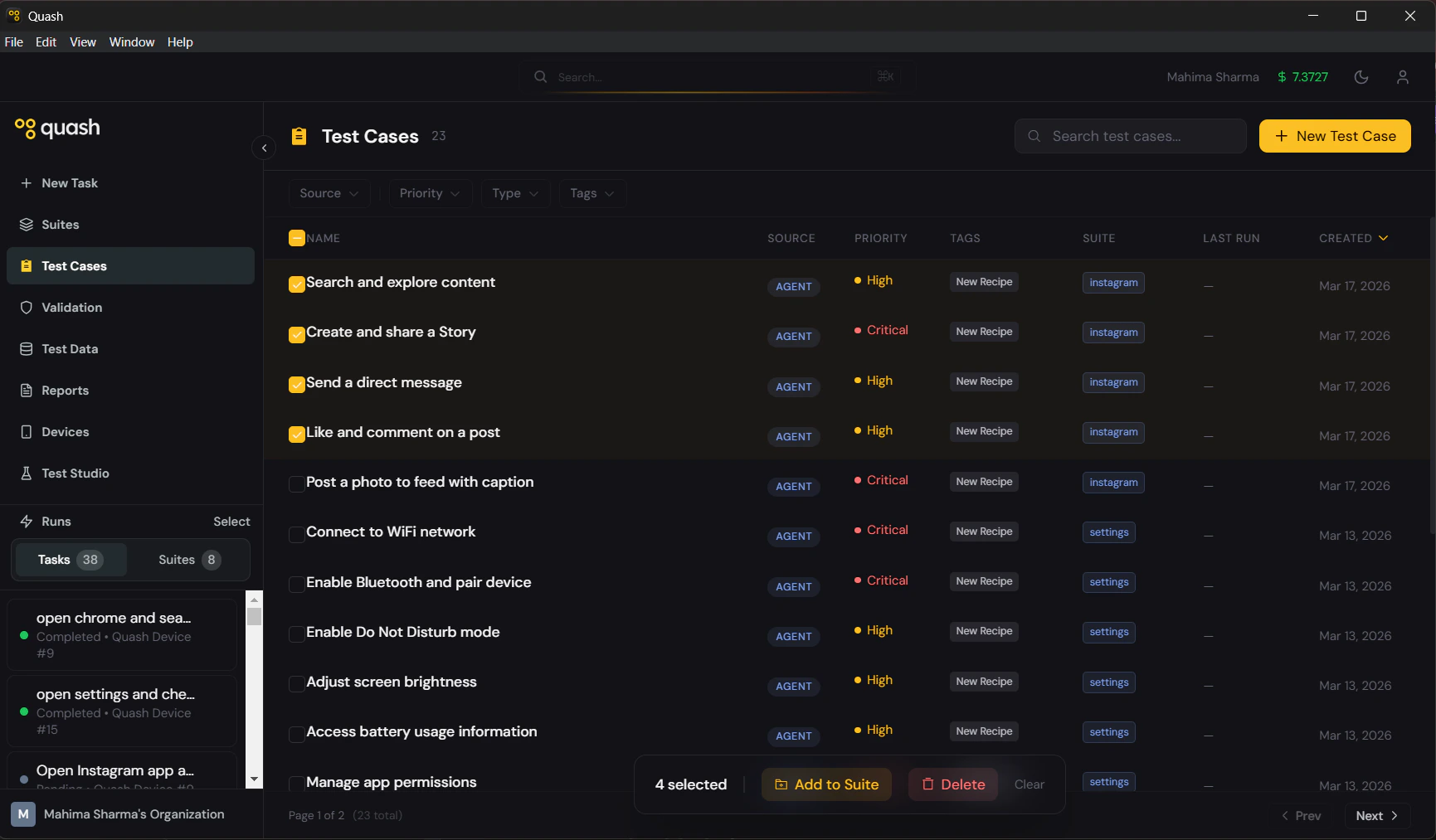
- Check the boxes next to the test cases you want to group.
- A bar appears at the bottom of the screen showing the count of selected cases and two options: Add to Suite and Delete.
- Click Add to Suite and choose an existing suite or create a new one.
Bulk actions
Select multiple test cases using the checkboxes in the library list. The action bar at the bottom of the screen shows the count of selected cases with two options:- Add to Suite — adds all selected cases to a suite of your choice
- Delete — permanently deletes all selected cases
Deleting test cases
Single test case:- Open the test case from the library.
- Scroll to the bottom of the detail panel and click Delete Test Case.
- Confirm the deletion.
- Select them using the checkboxes.
- Click Delete in the action bar at the bottom.
- Confirm the bulk deletion.
Deleting a test case removes it from every suite it belongs to. Check the Used in Suites section before deleting anything that is part of an active suite.