Best Genymotion Alternatives in 2026

You open Genymotion because you need Android to run now—not after you have booked time on a shared device or configured a new cloud project. Then the requirement changes. Perhaps you need physical-device coverage before release, a Linux-native runtime, or a lower-friction way to automate a mobile flow. At that point, searching for Genymotion alternatives returns tools that solve very different problems.
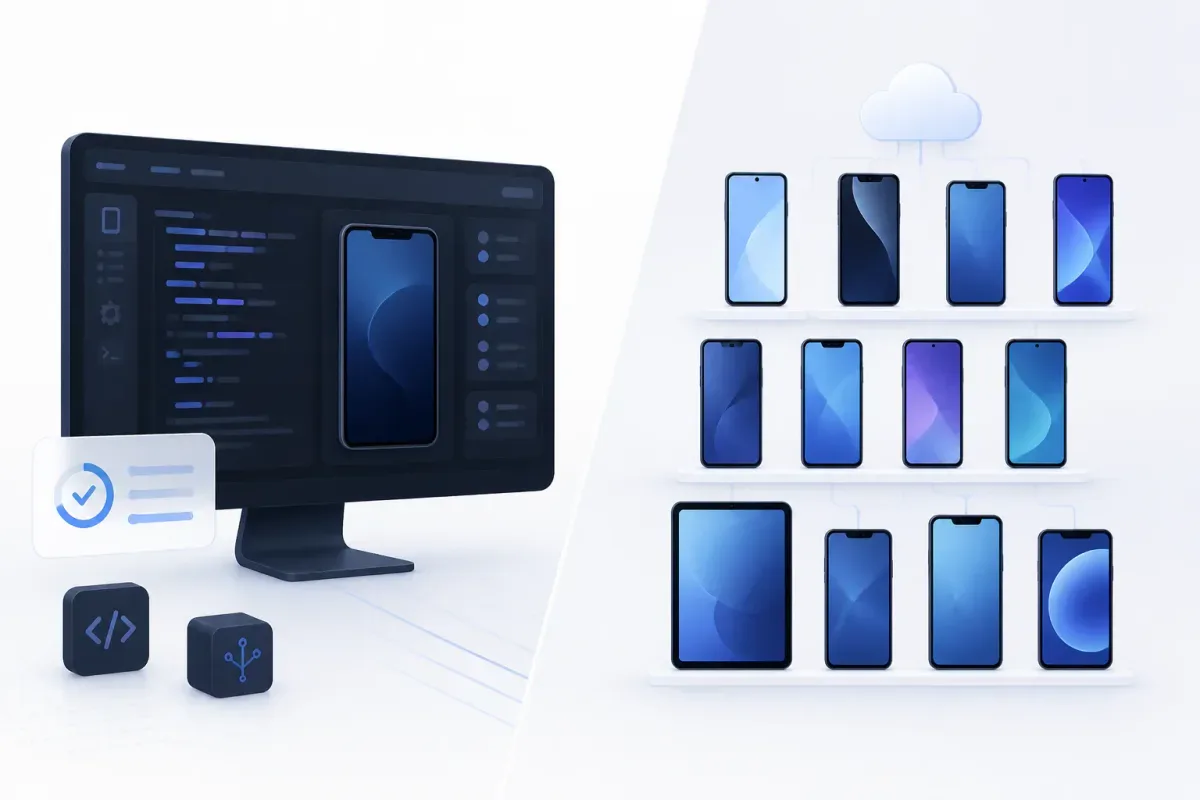
The short answer: there is no single replacement for Genymotion. Choose a local runtime when your job is workstation-based Android execution; choose a testing cloud when your job is release validation across devices; and choose a gaming emulator only when consumer desktop Android use is genuinely the goal. Genymotion itself offers a free limited Personal Use edition, SaaS virtual devices priced by minute or subscription, and cloud-platform instances, so even its own offers span more than one workflow. Genymotion’s pricing page is a useful baseline before you compare alternatives.
Genymotion alternatives at a glance
Alternative | Category | Best for | Where it runs | Public starting price | What it replaces—and what it does not |
Real-device testing cloud | Automated tests on physical mobile devices | Cloud | $175/month billed annually, 1 parallel test | Replaces cloud device access; not a local desktop emulator | |
Cloud test execution | Firebase or Google Cloud test runs | Cloud | No-cost allowances; then $1/virtual-device hour and $5/physical-device hour | Replaces hosted execution; not local Android virtualization | |
Real-device testing cloud | AWS-centered mobile test execution | Cloud | $0.17/device minute | Replaces remote physical-device testing; not a workstation emulator | |
Virtual and real-device testing cloud | One vendor for virtual and real-device cloud coverage | Cloud | $149/month billed annually for Virtual Device Cloud | Replaces cloud QA capacity; not an offline local runtime | |
Mobile-device testing platform | Mobile QA with dedicated or on-premises options | Cloud / scoped deployment | $83/month for Startup | Replaces real-device testing workflows; not local emulation | |
AI-powered testing platform | Plain-language Android, iOS, web, and backend validation | Real devices, local devices, emulators, or hosted infrastructure | Custom pricing | Replaces test-creation and execution workflows; not an open-source emulator | |
Linux Android container runtime | Local Android execution on GNU/Linux | Local Linux | No public commercial price found | Replaces a Linux-local Android workflow; not a device cloud | |
Open-source x86 Android project | Locally controlled Android on x86 hardware | Local / bare metal | No public commercial price found | Replaces an x86 Android runtime; not a managed emulator service | |
Gaming-oriented Windows emulator | Multi-instance Android gaming or casual app use | Local Windows | Free to download; no public paid tier found | Replaces consumer desktop Android use; not verified as a QA tool | |
Gaming-oriented Windows emulator | Free, ad-supported Android use on Windows | Local Windows | Free software with ads | Replaces casual local Android use; not a professional testing workflow | |
Gaming-oriented desktop Android platform | Desktop Android gaming on Windows or macOS | Local desktop | Free core experience; Prime is $7.99/month | Replaces gaming-focused desktop Android use; not a QA platform |
The prices above are vendor-published entry points, not normalized cost estimates. A minute of cloud execution, a monthly device-cloud seat, a virtual-device subscription, and a free local runtime are different units. Compare the unit that matches your expected usage rather than treating the lowest-looking number as the lowest cost.

Get the Mobile Testing Playbook Used by 800+ QA Teams
Discover 50+ battle-tested strategies to catch critical bugs before production and ship 5-star apps faster.
First, decide what you are replacing
A Genymotion switch usually starts with one of four jobs. Naming the job prevents a misleading comparison.
Local development and debugging. You want Android running on your workstation, with control over the local environment. Waydroid and Android-x86 are closer conceptual matches than a device cloud. LDPlayer, MEmu, and BlueStacks can also run Android locally, but their vendors position them around gaming rather than developer testing.
Automated release validation. You need tests to run against physical phones or a hosted fleet as part of delivery. BrowserStack App Automate, Firebase Test Lab, AWS Device Farm, Sauce Labs, Kobiton, and Quash belong in this evaluation.
Linux-native Android. You need an Android environment that fits a GNU/Linux host. Waydroid is the focused option here; its documentation describes a full Android system inside a Linux container.
Desktop Android for games or casual apps. Keyboard mapping, macros, multi-instance controls, and consumer convenience matter more than test evidence or CI integration. That is the lane for LDPlayer, MEmu, and BlueStacks.
Do not force all four jobs into a single ranking. A real-device cloud can be the right replacement for release risk while being a poor replacement for a local development loop. Likewise, a gaming emulator can be easy to install while being the wrong evidence source for a production mobile release.
BrowserStack App Automate for real-device automated testing
What it is. BrowserStack App Automate is a hosted platform for automated mobile-app testing on real devices. BrowserStack positions the product around automated testing on real mobile devices and says it provides access to more than 30,000 real iOS and Android device units; that device-count statement is BrowserStack’s own product claim, not an independent measurement. BrowserStack App Automate is therefore a different category from a local Genymotion installation.
Who it suits. Choose it when the question behind your Genymotion search is, “How does this build behave on actual mobile hardware?” It can suit you when you want to run an existing automated suite without operating your own device lab. It is less suitable when your central need is a virtual Android device always available on your workstation.
Key features and fit. The product’s defining fit is hosted, automated testing on real devices. That matters when you need to validate a release against hardware and OS combinations rather than iterate only in a virtualized local environment. BrowserStack says App Automate supports automated mobile testing; verify your framework, parallelism requirement, and device needs against the plan you intend to buy.
Pricing. BrowserStack lists App Automate’s Desktop & Mobile plan at $175/month billed annually and Device Cloud at $199/month billed annually. Both entries show one parallel test. The lower $39/month figure sometimes associated with BrowserStack belongs to App Live manual testing, not App Automate, so it is not a comparable App Automate price. BrowserStack’s pricing page carries the plan details.
Where it falls short of Genymotion. You trade a local virtual-device workflow for a managed service with plan and concurrency limits. That can be the right trade for device realism, but it is not an offline, local-desktop replacement. If your daily work depends on quickly launching a controllable local Android environment, a cloud device lab changes the rhythm of that work.
Firebase Test Lab for quota-based cloud execution
What it is. Firebase Test Lab is Google’s managed environment for mobile test execution in the cloud. It provides virtual and physical-device runs with quotas and metered usage, rather than a desktop Android runtime you install and keep open during development.
Who it suits. It is most relevant when you already work in Firebase or Google Cloud and want hosted automated checks attached to that ecosystem. You may prefer it when your use case is scheduled or CI-driven compatibility testing and you can work within project-level quotas and billing. It is not the direct choice when you need a locally interactive Genymotion-like environment.
Key features and fit. The important distinction is that Test Lab separates virtual-device and physical-device usage. That lets you use it for hosted test execution while preserving a clear billing model once free allowances are exhausted. If physical-device results are part of your release gate, check which test types and device configurations your project needs before treating the virtual and physical allowances as interchangeable.
Pricing. Google documents two no-cost entry models. The Spark plan permits up to 15 test runs per day total: 10 virtual-device runs and 5 physical-device runs. Blaze includes 60 virtual-device minutes per day and 30 physical-device minutes per day at no cost. Above those allowances, Google lists $1 per virtual-device hour and $5 per physical-device hour, billed by the minute and rounded up. Firebase’s Test Lab pricing documentation is the source for those limits and rates.
Where it falls short of Genymotion. It is a usage-priced cloud execution service, not a desktop emulator with a local interactive loop. You also need to account for the difference between run quotas and minute allowances; neither is a perpetual no-cost device lab. If you are replacing Genymotion because you want a faster local debugging surface, Test Lab solves a different problem.
AWS Device Farm for AWS-centered physical-device testing
What it is. AWS Device Farm is Amazon’s service for testing mobile and web applications on remote devices. For Genymotion switchers, its closest role is hosted test execution on real mobile devices, not Android virtualization on a laptop.
Who it suits. Consider it when your delivery stack already centers on AWS and you want a cloud testing service that fits that purchasing and operational environment. It can also fit you when you value per-device-minute usage or a device-slot model over owning hardware. It does not fit as cleanly when your primary requirement is a local Android instance for rapid iteration.
Key features and fit. AWS offers real mobile-device testing on a pay-as-you-go basis as well as unmetered device-slot plans. A device slot represents concurrency, rather than reserving a particular handset model for every run. That distinction matters: you should assess the number of simultaneous runs you need, not assume that a slot maps to a fixed device inventory.
Pricing. AWS lists real mobile-device pay-as-you-go testing at $0.17 per device minute. Unmetered plans start at $250/month per device slot, while private devices start at $200/month. Its current page also lists a one-time 1,000-device-minute free trial and labels that offer as limited-time; the page contrasts it with the standard 250-minute offer. AWS Device Farm pricing provides the current terms.
Where it falls short of Genymotion. Its billing unit is remote real-device time or concurrency, not local virtual-device access. That may improve the relevance of your release checks, but it does not recreate a local Android emulator. Avoid comparing its per-minute rate directly with Genymotion’s monthly SaaS virtual-device price: the products and units are not equivalent.
Sauce Labs for virtual and real-device cloud coverage
What it is. Sauce Labs offers a cloud testing portfolio that includes Virtual Device Cloud and Real Device Cloud. Its own pricing page says Real Device Cloud includes thousands of real Android and iOS devices and supports open-source automation tools including Appium, Espresso, and XCUITest.
Who it suits. It can suit you when you want a single cloud vendor that offers both virtual-device and real-device options. This is useful if your workflow needs different test environments across development and release validation. It is not the most direct option when your requirement is simply a local Genymotion Desktop replacement.
Key features and fit. The real decision is whether you need the provider’s cloud execution model, not whether the word “virtual” appears in a plan name. A cloud virtual device and a locally controlled emulator have different latency, access, and operating assumptions. Sauce Labs is worth evaluating when managed infrastructure and parallel test execution matter more than a local runtime.
Pricing. Sauce Labs lists Virtual Device Cloud at $149/month billed annually or $199/month monthly. Real Device Cloud is listed at $199/month billed annually or $249/month monthly. Each published entry includes one parallel test. Sauce Labs pricing is the vendor source for these plans and its device-cloud description.
Where it falls short of Genymotion. You are buying a subscription and cloud concurrency rather than installing an emulator on your own machine. If the local development loop is your non-negotiable requirement, this is a category shift. It is a better fit when your original Genymotion use has expanded into managed QA execution.
Kobiton for mobile QA and dedicated-device options
What it is. Kobiton is a mobile testing platform that offers manual and scripted testing on real devices. Its published information includes support for Appium, Espresso, and XCUITest, along with enterprise options for dedicated devices and fully on-premises devices.
Who it suits. You may want to evaluate Kobiton when you need a mobile-QA platform rather than a standalone emulator, particularly if dedicated-device or scoped on-premises deployment is part of the procurement conversation. It can be relevant when your team runs both manual exploration and automated mobile checks.
Key features and fit. The product’s fit is its real-device testing orientation and the availability of deployment options beyond a simple shared cloud plan. That is useful when you need an operational testing environment, not merely a virtual Android image. Confirm the exact device access, minutes, framework support, and deployment terms that apply to your organization before selecting a tier.
Pricing. Kobiton lists Startup at $83/month for 500 minutes/month, Accelerate at $399/month for 3,000 minutes/month, and Scale at $9,000/year for 7,500 minutes/month. Enterprise is contact-sales; the vendor describes dedicated and fully on-premises devices in that context. Kobiton’s pricing page is the primary source for these published plan figures.
Where it falls short of Genymotion. It is a testing platform for device access and workflows, not a lightweight local Android environment. If you want to debug a build locally with minimal setup, its platform model may be more than you need. If your goal is release confidence on real phones, that same difference is the reason to consider it.
Quash for plain-language mobile test execution
Disclosure: Quash is our product.
What it is. Quash is a commercial AI-powered testing platform for Android and iOS app flows, browser-based web tests, and backend checks within an end-to-end run. It is mobile-first rather than mobile-only. Quash’s product page describes running real user flows on Android and iOS devices from plain-language steps, with execution evidence for the result. Quash test execution is the first-party product reference.
Who it suits. It can suit you when the Genymotion problem has become a testing-workflow problem: you need to create tests, execute them, inspect evidence, and validate backend behavior alongside UI behavior. It is especially relevant when you do not want to maintain selector-based test scripts for every routine flow. If your main requirement is a no-cost, source-controlled emulator framework, Quash is not the right category.
Key features and fit. Quash supports plain-language test intent, Android and iOS flows, browser-based web tests, test management, execution evidence, and API or backend validation as part of a user journey. It can run through local physical devices, local emulators or simulators, and scoped Quash-hosted infrastructure. That makes it an option for replacing the surrounding test workflow, rather than pretending every cloud or local tool is the same kind of emulator.
Pricing. Quash Platform uses custom monthly or annual pricing sized primarily around expected test execution volume. It has no public self-serve plan ladder, published minimum, or “starts at” price. A guided Platform evaluation is free after a demo call; dedicated devices and private-environment needs are scoped separately. You should request a quote if pricing transparency before evaluation is a requirement.
Where it falls short of Genymotion. Quash is not an open-source automation framework, a code library, or a conventional local Android emulator. A developer who wants direct source-level control and a free emulator for a workstation loop should compare local tools on those terms. Quash is the more relevant comparison only when the desired replacement includes test authoring, execution, evidence, and release workflow—not when you simply need a virtual Android device to launch locally.
For a broader look at the distinction between device-cloud testing platforms, see our guide to LambdaTest alternatives for mobile QA. It addresses a related cloud-testing purchase decision, not a substitute for this Genymotion-specific local-versus-cloud comparison.
Waydroid for Linux-native local Android
What it is. Waydroid is a full Android system that runs in a GNU/Linux container. Its documentation describes the use of Linux namespaces and says its minimal customized LineageOS-based image is based on Android 13.
Who it suits. It is the focused choice if your workstation runs GNU/Linux and you want Android execution close to the host operating system. You should be comfortable with a more technical setup and with a Linux-only product boundary. It does not solve the needs of a Windows- or macOS-based team looking for a cross-platform managed emulator.
Key features and fit. The container approach is the defining feature. It can be a useful local path for technically capable Linux users who need Android on their host rather than a remotely managed device. It is not a real-device cloud, and its Android 13 documentation statement should not be read as a claim of parity with every current Android release or every Genymotion configuration.
Pricing. Waydroid’s licensing information says GPLv3 licensing is available, while third-party components use other open-source licenses including Apache v2 and GPL-2 components. It also states that commercial licenses are available for proprietary deployments. No public commercial price is published in the material available on its licensing page. Waydroid’s licensing page gives the relevant qualification; do not reduce it to an unqualified “free” claim.
Where it falls short of Genymotion. It is Linux-only and container-based, not a cross-platform commercial desktop product or a managed physical-device service. If you need predictable support terms, a broad hosted device fleet, or a desktop workflow outside Linux, it will not be a clean replacement. Waydroid documentation explains the project’s local Linux model.
Android-x86 for locally controlled x86 Android
What it is. Android-x86 is an open-source project that ports the Android Open Source Project to x86 platforms. Its stated goal is to provide a complete Android solution for common x86 platforms.
Who it suits. Consider it when you need locally controlled Android on x86 hardware or a bare-metal-style route rather than a managed emulator subscription. It is better suited to you if you value control over the runtime itself and can accept a project-based operating model instead of vendor-managed testing infrastructure.
Key features and fit. Its core value is the Android-on-x86 project rather than a polished device-cloud workflow. The official site describes Apache License 2.0 licensing with some components under GPL 2.0 or later. This makes the licensing and runtime model materially different from Genymotion’s commercial editions and from a cloud testing service.
Pricing. The official project page does not publish a commercial price. It is more accurate to say no public commercial price found than to turn an open-source license statement into a universal cost claim, because your hardware, maintenance, and support requirements remain your responsibility. Android-x86 is the primary project source.
Where it falls short of Genymotion. Android-x86 is a project and runtime, not a managed Genymotion-like product with a device-cloud offering. The official page includes older release references, so you should not assume current Android-version parity. It also does not inherently provide the surrounding test management, hosted infrastructure, or support model that you may be leaving Genymotion to find.
LDPlayer for Windows gaming and multi-instance use
What it is. LDPlayer is a Windows Android emulator positioned by its vendor around gaming. Its homepage promotes an Android 14 core, keyboard and mouse controls, direct controller support, one-click macros, script recording, auto-click, and unlimited multi-instance operation.
Who it suits. It can suit you if your actual need is Android games or casual app use on a Windows PC, especially when multi-instance controls and input mapping matter. It is not the evidence-backed choice for a professional mobile-QA workflow.
Key features and fit. The vendor’s highlighted controls make it an understandable candidate for a broad “Android emulator” search. They do not establish developer-testing depth, real-device fidelity, or automated release coverage. Treat its gaming features as exactly that: gaming and desktop-use features.
Pricing. LDPlayer is free to download. Its official homepage does not publish a standard paid tier, so the precise pricing note is free to download; no public paid tier found. LDPlayer’s homepage is the relevant vendor source.
Where it falls short of Genymotion. LDPlayer’s own positioning is gaming-oriented. Keyboard mappings and macros are not substitutes for developer-focused emulator controls or mobile-QA evidence. If you need a tool to validate a production app before release, do not infer that capability from its consumer emulator features.
MEmu for ad-supported Windows Android use
What it is. MEmu Play is a Windows Android emulator aimed at games and apps on PC. Its official homepage states that MEmu Play is free software that may contain advertisements.
Who it suits. It can be a practical option if you want a no-cost local Android environment on Windows and your use is casual or gaming-adjacent. You may find it useful for basic app access, but that is a distinct use case from maintaining a development or QA environment.
Key features and fit. MEmu promotes keyboard and mouse controls and multiple instances. Those features can make desktop Android use convenient. They do not, on their own, demonstrate the developer tools, device coverage, automation integration, or reporting you would need to replace a testing workflow.
Pricing. The vendor’s direct statement is the clearest pricing description: free software that may contain advertisements. No current standard paid tier is published on the homepage. MEmu’s official site supports both points.
Where it falls short of Genymotion. Its vendor framing is consumer and gaming focused, so you should not treat it as a verified replacement for Genymotion’s developer and testing uses. It can be a local Windows option, but it is not a managed testing service and its free-with-ads model may not match a professional QA environment.
BlueStacks for gaming-focused desktop Android
What it is. BlueStacks is a desktop Android platform positioned around gaming on Windows and macOS. Its feature page highlights customizable controls, multi-instance play and synchronization, macros, Eco Mode, and real-time translation.
Who it suits. It is appropriate when you need Android gaming or general consumer app use on a desktop operating system, particularly when control mapping and multi-instance behavior are the priorities. It is not the focused choice if you arrived from Genymotion looking for engineering validation or a physical-device testing workflow.
Key features and fit. BlueStacks’ gaming controls can be useful for its intended audience. They should not be repurposed as proof of professional QA support. A release-validation tool needs evidence relevant to your app, supported execution environments, and integration needs—not merely convenient keyboard controls.
Pricing. BlueStacks says its core experience remains free. Its official Prime announcement lists Prime at $7.99/month, with a $3.99 first month for first-time subscribers. This is a gaming subscription, not a mobile-QA plan. BlueStacks’ Prime announcement is the pricing source.
Where it falls short of Genymotion. It is gaming-first by product positioning. If you need a professional test workflow, BlueStacks is usually a lateral move only when your specific need is simple local desktop Android use. BlueStacks features describe the consumer-oriented feature set rather than a test-lab offering.
Make the decision by your workflow
Use this shortlist to turn the category differences into a practical evaluation.
You need a local Linux Android runtime. Start with Waydroid if container-based GNU/Linux execution fits your host environment. Evaluate Android-x86 if your need is deeper x86 control or a bare-metal-oriented project. Neither gives you a managed device cloud by default.
You need real-device release coverage. Shortlist BrowserStack App Automate, Firebase Test Lab, AWS Device Farm, Sauce Labs, and Kobiton. Compare supported devices, test frameworks, geographic or security requirements, concurrency, and the billing unit—not only the headline price.
You need test creation and execution rather than emulator access alone. Evaluate Quash alongside device-cloud platforms. Ask whether plain-language authoring, execution evidence, backend validation, and test management change the bottleneck you are actually trying to remove.
You need local Windows Android for non-QA use. LDPlayer and MEmu are plausible options. Treat BlueStacks similarly if its Windows or macOS gaming features match your use. Do not use any of these gaming-first tools as a proxy for real-device release validation.
You need a developer emulator specifically. Do not assume a cloud device farm is automatically a better answer. The best substitute may be the one that keeps your local iteration loop intact, even if it offers less production-device coverage.
A short pilot beats a feature checklist. Run the same representative task through two candidates: launch the app, exercise a critical flow, capture the result, and determine how easily you can repeat it in your normal delivery process. For cloud tools, include an actual CI or scheduled run. For local runtimes, include the setup and recovery work your developers will own.
Conclusion
The best Genymotion alternative depends on what you need to replace. BrowserStack App Automate, Firebase Test Lab, AWS Device Farm, Sauce Labs, and Kobiton are credible choices when the gap is cloud execution or real-device coverage. Quash fits when the gap includes creating and operating a broader mobile testing workflow. Waydroid and Android-x86 are more appropriate when you need local Linux or x86 Android control. LDPlayer, MEmu, and BlueStacks belong on the list only when a gaming-oriented desktop Android experience is the real requirement.
Choose the product category before you compare plans. That decision—not a universal ranking—is what will determine whether your next tool actually replaces the part of Genymotion you use.
Continue reading
More articles from the Quash editorial desk.