Appium Alternatives for Mobile Testing (2026 Guide)

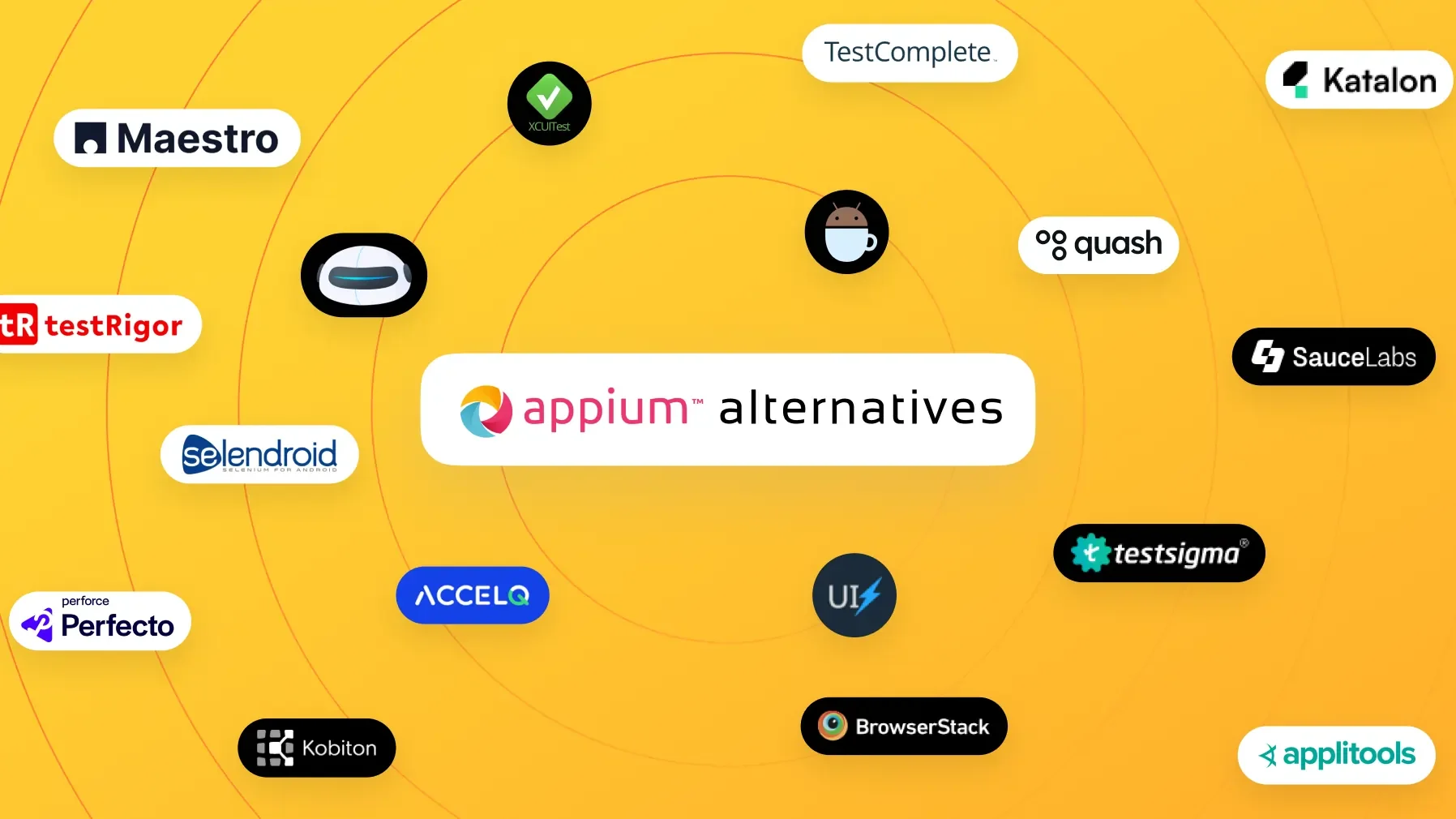
Mobile app testing has moved beyond one default answer. Appium is still one of the most important frameworks for appium mobile testing: it is open source, cross-platform, language-flexible, and mature enough for serious Android and iOS automation.
But Appium is not the right fit for every team.
Teams usually start looking for Appium alternatives when the cost of maintaining the test suite starts outweighing the value it creates. Tests become slow. Locators break after routine UI changes. CI setup becomes fragile. New QA engineers take too long to become productive. Manual QA and product teams cannot contribute because every useful test requires code.
One approach shifts tests toward intent-based Android testing without locator maintenance, reducing the UI-change burden that makes suites costly.
Teams seeking broader test participation should compare mabl alternatives with visual test authoring when code-only workflows keep manual QA and product contributors out of test creation.
That does not mean Appium is bad. It means Appium is a script-first framework, and script-first frameworks come with tradeoffs.
This guide compares the best Appium alternatives for mobile testing in 2026, including native frameworks, simpler scripted tools, no-code platforms, AI-assisted mobile testing tools, and device cloud solutions. The goal is not to declare one universal winner. The goal is to help you choose the right tool based on your team, app, release cycle, and maintenance tolerance.
Functional coverage is only part of release readiness; Sentry alternatives helps teams assess production error-tracking options alongside their testing workflow.
To evaluate mobile-specific tradeoffs beyond Appium itself, the guide to Appium alternatives distinguishes the available approaches by operational fit.
For mobile teams weighing a platform change, guide on Appium alternatives maps the trade-offs among native, scripted, no-code, and AI-assisted approaches.
Teams evaluating visual workflows can use the detailed comparison of no-code mobile testing tools to weigh setup speed against the flexibility their release process requires.
Teams comparing hosted options can use cloud-based mobile testing platforms compared to weigh coverage, workflows, and maintenance trade-offs.
Why Consider Appium Alternatives?
Most teams do not leave Appium because of one single issue. They start evaluating Appium alternatives when several small frictions compound over time.
1. Setup takes longer than expected
Appium testing requires more than writing test scripts. Teams need to configure Node.js, platform drivers, Android SDK, Xcode for iOS, Appium server setup, device capabilities, emulators, real devices, and CI environments. For experienced automation engineers, this is manageable. For lean teams, it can slow down the path to the first useful test.
This makes an Appium vs Espresso comparison useful when setup effort matters alongside test capability.
2. Tests depend heavily on locators
Most Appium suites rely on accessibility IDs, resource IDs, XPath, class names, or other selectors. A good locator strategy helps, but the basic dependency remains: when the app UI changes, tests may need updates even if the user flow still works.
3. Maintenance becomes a second codebase
A large Appium suite has to be treated like production code. It needs page objects, utilities, wait strategies, environment handling, device configuration, failure triage, and refactoring. That level of control is powerful, but it also creates a real maintenance commitment.
4. Execution can be slower than native frameworks
Because Appium uses a client-server model and routes commands through platform drivers, it usually carries more overhead than native frameworks such as Espresso for Android or XCUITest for iOS. For small suites, this may not matter. For large regression suites, execution speed and stability become more important.
5. Non-engineers are locked out
Manual QA testers, product managers, and customer-facing teams often understand important user flows better than anyone else. But if every automated test requires Java, Python, JavaScript, desired capabilities, and framework knowledge, automation ownership stays limited to engineers or SDETs.

Get the Mobile Testing Playbook Used by 800+ QA Teams
Discover 50+ battle-tested strategies to catch critical bugs before production and ship 5-star apps faster.
What Teams Want From Mobile Testing Tools Today
The best mobile testing tools today are not just trying to be faster versions of Appium. They are trying to reduce the operational burden around mobile QA.
Most teams want five things:
Faster time to first test
Less locator maintenance
Support for Android and iOS testing
Clear reports with screenshots, logs, and failure context
A workflow that QA, product, and engineering can all understand
That is why the Appium alternatives landscape now includes native frameworks, YAML-based tools, no-code platforms, AI-assisted testing tools, and device cloud platforms. Each solves a different part of the Appium problem.
Types of Appium Alternatives
When evaluating alternatives to Appium, it helps to categorize them by their approach. Below are the major kinds of Appium alternatives and what they offer:
Native Mobile Automation Frameworks: Tools provided by Android or iOS ecosystems (like Espresso, XCUITest) that run tests within the app’s process, offering speed and stability for that platform. These require coding skills but are very robust on their respective OS.
Cross-Platform Frameworks & Libraries: Open-source projects that allow mobile test automation outside of Appium. Some use different paradigms (e.g. gray-box testing or behavior-driven flows) to achieve cross-platform support or easier scripting (examples include Maestro, Detox, etc.).
Codeless/No-Code Automation Platforms: Tools that let teams create and execute mobile tests without writing full automation scripts. These often use visual interfaces, recorders, natural language, or AI-assisted execution to make automation accessible to manual QA and product teams. Examples include Quash, Testsigma, ACCELQ, Katalon, and testRigor.
Cloud-Based Mobile Testing Solutions: Platforms that provide a device cloud and sometimes an integrated automation solution. They let you run tests on a wide range of real devices and OS versions without managing hardware. Some also offer scriptless automation or enhanced reporting (e.g. Perfecto, BrowserStack, Sauce Labs, Kobiton, AWS Device Farm).
Visual Testing and Other Specialized Tools: Solutions focusing on specific aspects like visual validation (UI/UX consistency) or exploratory testing. For instance, visual testing tools (like Applitools Eyes) can complement your functional tests by catching visual regressions. Other approaches like Google’s Firebase Test Lab offer automated app crawling (Robo tests) that explore your app for crashes without writing scripts. And of course, one alternative to automation is leveraging crowdtesting services (e.g. Global App Testing, Test IO) to get real users to do exploratory tests – though these are services rather than automation tools.
Next, we’ll compare specific Appium alternatives by category, including where each tool fits, what it does well, and where it may fall short.
Native Frameworks for Android and iOS
1. Espresso (Android)
Espresso is Google’s official UI automation framework for Android apps, embedded in Android Studio. Unlike Appium, Espresso runs within the app’s process, directly on the device’s UI thread. This means test commands execute immediately without the network latency of a WebDriver server, making Espresso tests extremely fast and reliable. Espresso also automatically synchronizes test actions with the app’s UI state – it waits for UI events to complete before proceeding, which greatly reduces the need for manual waits and results in stable tests. Tests are written in Java or Kotlin, so using Espresso requires Android programming skills and access to the app’s source code. It’s an Android-only solution, but for teams focused on Android, Espresso offers top-notch stability and speed (often cited as executing tests 3-5× faster than cross-platform approaches). The downside is that you’ll need separate frameworks for iOS and cannot reuse Espresso tests on iOS – maintaining two codebases if you have a cross-platform app.
Teams seeking a declarative configuration option can consider Maestro alongside native Android tooling and cross-platform alternatives.
A detailed breakdown of native and cross-platform Android frameworks can help teams decide when native Android tooling is a better fit than a WebDriver-based approach.
2. XCUITest (iOS)
XCUITest is Apple’s native UI testing framework, integrated into Xcode. It’s the iOS counterpart to Espresso – you write tests in Swift or Objective-C, and they run directly within the iOS app’s process using Apple’s XCTest framework. XCUITest provides excellent reliability and speed on iOS. With no translation layer, XCUITest commands interact straight with the app, often yielding test execution up to 50% faster than Appium-based approaches on iOS. Like Espresso, it has built-in synchronization to reduce flakiness and is maintained by the platform vendor (Apple), ensuring good support for new iOS features. The trade-off, again, is platform specificity: XCUITest only works for iOS apps. If you need to automate both Android and iOS, you’ll write separate test suites. Also, writing XCUITest scripts requires iOS development knowledge. However, for any team heavily invested in the Apple ecosystem, XCUITest is a go-to solution with minimal flakiness and first-class integration into the development workflow.
For teams weighing platform-native control against cross-platform coverage, the Appium alternatives guide clarifies the trade-offs.
3. Other Native/OS-Level Tools
Beyond Espresso and XCUITest, there are a few specialized frameworks worth mentioning:
UIAutomator (Android): Part of the Android testing support library, UIAutomator (specifically UIAutomator2) allows UI tests at the OS level, even across app boundaries. It’s useful for certain Android system-level tests and is actually what Appium uses under the hood for Android automation. UIAutomator’s APIs let you interact with visible UI components anywhere on the device (e.g., respond to system dialogs or navigate outside your app). Most teams use Espresso for in-app tests and may mix in UIAutomator for operations outside the app (Espresso can interoperate with UIAutomator).
EarlGrey (iOS): EarlGrey is an open-source framework by Google for iOS, similar in spirit to Espresso. It uses a synchronized approach to stabilize tests and integrates with XCUITest (EarlGrey 2.0 builds on XCUITest). EarlGrey has been battle-tested in Google’s iOS apps like YouTube and Gmail, proving its reliability at scale. For most iOS testers, XCUITest alone suffices, but EarlGrey can provide extra synchronization and advanced matching capabilities for complex scenarios.
Robotium (Android): An older framework that predates Espresso, Robotium enabled automated UI tests for Android apps in Java. It was popular for its simplicity in writing black-box tests without needing extensive knowledge of the app’s internals. Robotium now is largely superseded by Espresso (which is more robust), but you might encounter it in legacy projects or literature.
Selendroid (Android): Nicknamed “Selenium for Android”, Selendroid is an automation framework that uses the Selenium WebDriver API for Android apps. It allows writing tests with Selenium client libraries and was an early solution for Android automation. However, Selendroid is limited to older Android versions and has fallen out of favor now that Appium and Espresso/UIAutomator cover its use cases with better support.
Xamarin.UITest (Android & iOS): For teams using Xamarin or .NET, Xamarin.UITest provides C# bindings to write tests for mobile apps. It runs essentially as a wrapper around Xamarin’s automation backends (which internally use Espresso and XCUITest where applicable). If your app is built with Xamarin or you have C# expertise, this can integrate UI tests into your environment, but otherwise it’s not commonly used outside that niche.
Summary of Native vs. Appium: Native frameworks like Espresso and XCUITest shine in speed and stability – they are great if you need fast feedback and minimal flakiness, and if your team has the requisite Android/Swift skills. They do sacrifice the cross-platform flexibility Appium offers (tests can’t be reused between iOS and Android), and they aren’t as friendly to non-developers. If you require cross-platform tests or have a QA team less comfortable with code, you might consider the next categories of tools as Appium alternatives.
Cross-Platform Open-Source Frameworks
Several open-source tools have emerged to provide mobile automation without using Appium, each with a unique approach:
4. Maestro

Maestro is a modern mobile UI testing framework that allows you to write test flows in human-readable YAML rather than code. It’s open-source and supports both iOS and Android automation from one test definition, covering native apps as well as hybrid scenarios (like React Native, Flutter, and WebViews). Maestro’s philosophy is to simplify test writing – you describe actions (tap, enter text, assert element) in a YAML file, which is easy to read and maintain. Under the hood, Maestro orchestrates these actions on devices. One of its standout features is built-in handling for common flakiness issues: it automatically waits for UI idle or network conditions, so you rarely need to insert manual delays. Additionally, Maestro provides a free desktop IDE called Maestro Studio for recording and visualizing test flows, which lowers the learning curve for non-coders. The core framework is free, making it attractive to small teams. The main limitation is that extremely complex test logic or conditional flows may be harder to implement in YAML compared to a full programming language, and Maestro’s support for physical iOS devices is currently limited. Still, Maestro is gaining traction for its simplicity and cross-platform coverage in one tool.
Maestro's trade-offs are easier to judge against the complete iOS testing tools compared, which places native frameworks and hosted-device clouds alongside cross-platform choices.
5. Detox

Detox is a specialized framework for React Native apps, created by Wix. It enables cross-platform UI testing (Android & iOS) for React Native projects by instrumenting the app to synchronize test actions with the app’s internal event loop Detox is considered a gray-box testing tool: it has insight into the app’s React Native runtime, which allows it to know when the app is idle. This results in tests that are extremely stable – Detox will automatically wait for any animations, network calls, or JavaScript bridge tasks to finish before proceeding. You write Detox tests in JavaScript (often using the Jest test framework). For teams building in React Native, Detox offers speed and reliability comparable to Espresso/XCUITest, but with one test suite for both platforms. It’s open-source and free. The caveat is that Detox only works for React Native apps; it requires adding a Detox library to your app and cannot automate pure native apps or other frameworks like Flutter. Also, setting up Detox and its dependencies can be complex, and it primarily runs on simulators/emulators (especially for iOS, where real device support is limited). If you have a React Native app, Detox is arguably the best alternative to Appium for end-to-end testing specific to that tech stack.
The choice comes down to React Native-specific synchronization versus Appium's broader framework coverage: Detox vs Appium clarifies those trade-offs.
For implementation trade-offs and tooling options beyond Detox, see React Native testing tools.
That distinction matters when mobile, web, and other layers share the same suite; Robot Framework alternatives helps scope whether the change is a tool swap or a framework migration.
For teams comparing broader automation stacks, Detox alternatives guide clarifies where Detox fits among Appium-style options.
That distinction matters when choosing between mobile-focused frameworks and browser automation. Appium vs Selenium architecture differences clarifies the architectural trade-offs behind each approach.
6. Others (Calabash, Appium Derivatives, etc.)
In the past, other cross-platform frameworks existed – Calabash (a now-deprecated BDD-style tool by Xamarin that allowed writing tests in Cucumber syntax) and Appium-derived projects like Selendroid and ios-driver (which were essentially early attempts at what Appium unified). Calabash, for example, let testers write Gherkin scenarios in plain language which ran on iOS and Android, but it’s no longer actively maintained. Similarly, ios-driver was an iOS automation tool using Selenium WebDriver API (now mostly obsolete by Appium’s success). Today, Appium itself has evolved (with Appium 2.x allowing plugin extensions and supporting newer frameworks), so many of these older tools have faded. However, it’s useful to know they existed as part of the landscape of Appium alternatives. The open-source world currently is more focused on projects like Maestro and Detox for innovation in mobile testing.
That historical context makes top Appium alternatives useful for comparing today’s framework options with Appium’s evolving role.
Codeless and Low-Code Mobile Testing Platforms
For mobile teams considering best Testim alternatives alongside low-code platforms, the key distinction is whether the tool supports native-device workflows rather than only web automation.
One of the biggest trends in test automation is the rise of codeless or low-code platforms, which aim to make automation accessible to a broader audience. These tools abstract away the programming complexity, offering features like record-and-playback, natural language test creation, and AI-driven test generation. When it comes to mobile testing, several such platforms position themselves as easier and more efficient alternatives to Appium:
7. Quash (AI-Powered Mobile Testing)

Quash is a mobile-first testing platform for teams that want to reduce the maintenance burden of locator-heavy Appium testing.
Instead of writing scripts for every tap, wait, assertion, and selector, teams can describe mobile user flows in plain language. Quash then executes those flows on mobile devices and captures step-level evidence such as screenshots, logs, and execution context.
This makes Quash useful for teams that want to automate smoke tests, regression flows, and repeated user journeys without turning every test into a code maintenance task.
Quash is a good fit if:
Your Appium suite breaks often because of UI or locator changes.
QA wants to automate mobile flows without writing scripts.
Product and manual QA teams need to contribute to test coverage.
You want step-level screenshots, execution context, and easier failure triage.
You care more about validating user flows than controlling every individual selector.
Quash is not the best fit if:
Your existing Appium suite is stable, trusted, and actively maintained by dedicated SDETs.
You are testing logic that belongs in unit, integration, or API tests.
A practical approach is not always “replace Appium everywhere.” Many teams can keep Appium for complex technical flows and use Quash for broader mobile regression coverage where speed, maintainability, and team accessibility matter more.
Tired of maintaining locator-heavy Appium suites? See how Quash compares in the Quash vs Appium guide.
8. Testsigma

Testsigma is a unified, low-code test automation platform that supports web, API, desktop, and importantly mobile app testing. For mobile, Testsigma provides a cloud-based solution where you can create tests in plain English using NLP (Natural Language Processing) statements It also has a recorder for mobile apps, allowing you to generate test steps by simply performing actions on a device or emulator. Under the hood, Testsigma wraps frameworks like Appium, but it hides all that complexity – you never have to deal with Appium server or write code. Notable features include: the ability to run tests on 3000+ real devices through integration with cloud device farms, parallel execution, and AI-driven maintenance (auto-healing locators). Testsigma being cloud-based means no setup; you work from your browser and everything (devices, infrastructure) is managed for you. This can greatly speed up test creation and reduce the skill barrier. It is a commercial product (with a free trial available), so cost is a factor versus open-source Appium. However, if the goal is to allow manual QA engineers to automate tests without steep training, a tool like Testsigma can be a game-changer – letting you write “login to app, click X, verify Y appears” in plain language and running that on real devices effortlessly.
Teams needing broader automation options alongside mobile QA can weigh low-code authoring against the control and maintenance trade-offs of framework-based testing.
Compare the cost of maintaining the test suite against the effort required to adopt an intent-based approach.
Teams weighing low-code abstraction against direct framework control can use Appium vs Espresso to compare what they gain and surrender in each mobile-testing approach.
For teams weighing mobile tooling against broader automation needs, Ranorex alternatives helps frame desktop coverage alongside mobile requirements.
9. Katalon Studio

Katalon Studio is a popular automation solution that provides an IDE for web, API, desktop, and mobile testing. It’s often cited as an alternative to Selenium and Appium because it builds on top of those frameworks but offers a much more user-friendly experience. For mobile automation, Katalon integrates Appium under the hood, but users interact with a GUI: you can use its recorder to capture mobile app actions or use built-in keywords to create test steps. Katalon supports both Android and iOS, and you can script in Groovy (a Java-like language) if needed for advanced logic Essentially, Katalon is a low-code platform: basic tests can be done with drag-and-drop and keywords, but you have the full power of code if you need to extend. It also provides test management, reporting, and integration with CI/CD pipelines out of the box. Many teams choose Katalon when they want a single tool to cover multiple application types (web + mobile) with minimal coding. The drawback is that since it wraps Appium, some Appium limitations (like slowness) could still surface, though Katalon tries to optimize wherever possible. It’s free to start with, but advanced features and enterprise support require a paid license.
For UX and localization issues that automation may not expose, crowdtesting platforms provide a human-validation option alongside device-cloud workflows.
To distinguish GUI-driven Appium wrappers from device-focused platforms, compare Sofy alternatives alongside the trade-offs outlined here.
That same reassessment applies when teams compare alternatives to Momentic, where mobile coverage and workflow fit can shape the choice.
Teams needing web, desktop, or API coverage alongside mobile should also evaluate Appium alternatives before treating either framework as the only choice.
The same stack decision applies when weighing Jira-native or standalone test management platforms especially where automation ownership and reporting need to stay connected.
Teams pairing mobile automation with centralized reporting can use TestRail alternatives to assess how management capabilities fit alongside their framework choice.
If the concern extends beyond Appium itself, comparing established web testing frameworks helps separate mobile-framework limitations from broader automation choices.
10. TestComplete (Mobile)
TestComplete by SmartBear is an enterprise-grade automation tool that includes a module for mobile app testing. It allows testers to create automated tests using a scriptless, keyword-driven approach or by recording interactions on mobile UIs. TestComplete supports testing on real devices, emulators, or even integrating with cloud device providers like BrowserStack. You can choose to script in languages like JavaScript or Python within TestComplete, but you don’t have to – many common actions and verifications can be done through its UI. It also has advanced features like OCR (optical character recognition) for image-based validations and a rich object repository for managing UI elements. As an alternative to Appium, TestComplete appeals to teams who want a powerful but user-friendly tool – especially if they are already invested in the SmartBear ecosystem for test management or API testing. The downside is cost; TestComplete is a commercial tool typically used by larger organizations, and it may be overkill for small apps or teams on a budget. But it definitely simplifies a lot of the things that are manual in Appium (like setting up frameworks, writing boilerplate code for waits, etc.).
If mobile is driving the migration, Appium alternatives help distinguish framework choices from TestComplete’s mobile capabilities.
11. ACCELQ
ACCELQ is another no-code test automation platform that has gained popularity. It’s cloud-based and uses AI for robust automation. ACCELQ specifically advertises that you can design, develop, and execute mobile tests with zero setup – it integrates device clouds in a plug-and-play fashion for you. One of its strengths is an AI-powered engine for element handling, which claims to eliminate flaky tests by intelligently identifying elements (even if their attributes change). It uses a unified model where the same test case definition can run on iOS or Android by abstracting the differences (through a central object repository) Like other platforms here, ACCELQ offers end-to-end capabilities: test planning, design, automation, execution, and reporting in one package. It’s a paid solution aimed at enterprises. If considering ACCELQ vs. Appium: ACCELQ will get you up and running faster and keep maintenance low (with features like self-healing and easy updates), at the expense of direct control and cost. It’s best for teams that want to automate continuously without building a large in-house automation framework – essentially outsourcing the heavy lifting to a specialized platform.
That trade-off is easier to assess when comparing Testsigma alternatives across framework control, mobile coverage, and maintenance expectations.
12. Other Noteworthy Platforms
The codeless/low-code space is crowded, and besides the above, you might come across these as mobile Appium alternatives:
testRigor: An AI-driven tool where you write tests in plain English sentences. It supports mobile, web, and APIs. testRigor’s AI parses English steps and handles element selection via advanced techniques (computer vision, NLP). For example, a test step might literally be “Tap on ‘Login’ button” and it will find that button. This approach, similar to Quash’s philosophy, means even non-engineers can automate. It also boasts no-code and end-to-end capabilities, and can cover things like email or SMS verification steps that span mobile and web. TestRigor emphasizes minimal maintenance – it auto-generates selectors and waits appropriately. Users have noted that it’s truly built for manual QA folks to transition into automation.
Perfecto Scriptless (formerly TestCraft): Perfecto, which we’ll discuss as a cloud solution, also offers a scriptless automation capability where you create flows visually. This can be an option if you are already using the Perfecto cloud for devices.
Kobiton: Kobiton is a mobile device cloud that also acquired a scriptless automation solution (NEO Automation). It allows recording actions on real devices and plays them back. So Kobiton can serve as both your device farm and a codeless test builder.
Tricentis Tosca & Tricentis Testim: Tricentis offers Tosca (an enterprise codeless testing suite) and acquired Testim (an AI-powered test creation tool). Both can be used for mobile automation without coding – Tosca uses a model-based approach, and Testim (now part of Tosca) uses AI to stabilize tests. These are generally for large organizations with extensive testing needs.
In evaluating these platforms, consider the learning curve (often much lower than Appium), the efficiency gains (faster test creation, less maintenance thanks to AI/self-healing), and of course the cost. Many of these are paid services, so you’ll weigh that against the “free” nature of Appium – remembering that engineering time to maintain an open-source solution is also a cost. The next section on cloud solutions touches on some overlaps (since several cloud providers also offer codeless tools).
Cloud-Based Mobile Testing Solutions
Another category of Appium alternatives isn’t a framework or tool per se, but rather a platform that provides infrastructure and extra services for mobile testing. These solutions address a different Appium pain point: the hassle of managing devices, running tests at scale, and getting results quickly. If your challenge with Appium is more about device access and scalability, a cloud-based solution might be what you need:
When the framework is working but device access and execution capacity are the constraint, AWS Device Farm alternatives can clarify which managed infrastructure options fit the team’s testing needs.
13. Device Clouds (BrowserStack, Sauce Labs, etc.)
If you’re tired of maintaining a shelf full of phones and tablets for testing, device cloud services are a boon. BrowserStack and Sauce Labs are two of the leading providers of cloud-based real devices. They allow you to run automated tests (and manual sessions) on a huge variety of devices and OS versions over the internet. These services support Appium (and Espresso, XCUITest, etc.), meaning you can still use these frameworks but offload the execution to the cloud. For example, instead of running Appium tests on your local machine against a plugged-in phone, you run them against BrowserStack’s cloud, which will execute them on, say, a Samsung Galaxy S23 or an iPhone 15 in their data center. This solves device fragmentation issues and lets you scale up parallel test execution dramatically (you could run the same test on 20 different devices at once). Sauce Labs offers similar capabilities, plus it has features like emulators/simulators on demand and rich reporting. While these aren’t “alternatives to Appium” from a framework perspective (since they often still use Appium to run your tests), they are an alternative approach to setting up a mobile test lab. Teams in both the US and India use these services to avoid the overhead of device management. Keep in mind, they are subscription-based and can become costly at large scale; however, they save a lot of maintenance effort and ensure you have access to the latest devices instantly.
14. Perfecto
Perfecto is an enterprise-focused mobile testing platform that combines a cloud device lab with additional testing intelligence. With Perfecto, you get access to thousands of real iOS and Android devices hosted globally (similar to BrowserStack/Sauce). But Perfecto goes further by integrating test execution, analytics, and even codeless automation. It has a rich result dashboard that captures screenshots, videos, and logs for each test, helping quickly diagnose failures. One of Perfecto’s notable features is AI-powered self-healing for tests – if you use their scripting solution, it can detect if an element locator in your test needs updating due to app changes and do it automatically. Perfecto also supports simulating real user conditions like network throttling, geolocation, and even biometric authentication in tests (e.g., simulating fingerprint or face ID). It integrates with many CI/CD and DevOps tools for seamless pipeline execution. Perfecto can be seen as an alternative to raw Appium in that it provides a lot of out-of-the-box stability and analysis – though you can still use Appium scripts on Perfecto’s cloud if you want. It’s a premium service, ideal for large teams that require high reliability, security (they offer private cloud options), and advanced test analytics.
Comparing mobile testing frameworks helps determine whether execution features and diagnostics matter more than emulator access.
15. AWS Device Farm & Firebase Test Lab
These are cloud solutions by Amazon and Google respectively. AWS Device Farm lets you run your Appium, Espresso, or XCUITest tests on physical devices in AWS’s cloud; it also has a remote access feature to manually interact with devices via your browser. It’s pay-as-you-go, which can be cost-effective for periodic testing needs. Firebase Test Lab (by Google) provides a farm of devices (and also virtual devices) primarily for Android, with some iOS support. One interesting feature of Firebase Test Lab is the Robo test: even if you don’t have any scripts, it can perform a crawl of your app’s UI automatically, trying to explore all screens and interactions to catch crashes. This is not a full substitute for custom test cases, but it’s a nice way to uncover basic issues. Both AWS and Firebase’s solutions can be integrated into your CI pipelines. They take away the burden of maintaining devices and allow scaling, but you still need to create tests (possibly with frameworks like Appium/Espresso, etc., unless using Firebase’s Robo crawler). If you already use AWS or Google Cloud, these are convenient options to consider as part of your testing strategy.
16. Kobiton
Mentioned earlier in context of scriptless tools, Kobiton offers a cloud of real devices as well. They emphasize a flexible deployment (public cloud, private cloud, or on-premises device labs) and have an AI-assisted scriptless automation feature. Kobiton can capture your manual test session and generate an Appium script from it, blending the ease of codeless with the ubiquity of Appium. This can be seen as an alternative way to use Appium – you don’t write the code, but you still end up with Appium scripts that can be maintained or edited as needed. For organizations looking to speed up test creation but not give up code entirely, that’s an interesting middle ground.
In summary, cloud-based solutions complement other Appium alternatives. You might, for instance, choose Espresso for writing tests but use BrowserStack to run them on many devices. Or use a scriptless tool like Quash and execute tests on your own on-prem device cloud. The combinations are flexible. The primary benefit of cloud solutions is they solve the device fragmentation and scalability problem – something a pure framework like Appium alone doesn’t handle. When evaluating these, consider factors like data security (are you okay with app data on a third-party cloud?), performance (running tests over the internet has some latency), and cost vs. the benefit of faster feedback from broad device coverage.
Visual Testing and Specialized Tools
Teams comparing best Applitools alternatives can assess visual regression coverage alongside broader mobile testing needs.
Beyond functional testing tools, it’s worth noting some specialized solutions that can augment your mobile testing strategy or serve as alternatives for specific needs:
Visual Testing Tools (Applitools, etc.)
Visual testing involves checking that the UI appears correctly to the user, not just that underlying elements function. Tools like Applitools Eyes use AI-powered image comparison to detect visual regressions in your app’s screens. You can integrate Applitools with frameworks (including Appium, Espresso, etc.) to take screenshots during tests and automatically flag differences. While not an “alternative to Appium” for driving the app, visual testing tools can replace a lot of manual UI verification (for example, catching if a button is misplaced or a font is wrong). They’re especially useful if pixel-perfect design is crucial. Some newer players even allow fully scriptless visual assertions – you run the app and the tool learns the baseline visuals. For teams focused on UX, adding a visual testing tool can catch issues that functional scripts might miss (like a scenario where a text label is present but rendered off-screen – an assertion might pass because the element exists, but visually it’s a bug).
Automated Exploratory Testing (AI Crawlers)
We touched on Firebase’s robo crawler. There are also tools like MonkeyTest (random input generator on Android) or more advanced AI explorers which will navigate your app automatically. These can be considered alternatives in the sense that they require no scripting – you let the tool loose and it tries various interactions, sometimes using machine learning to cover more paths intelligently. The goal is to find crashes or obvious failures. While this won’t replace structured test cases, it’s a nice supplement to quickly sanity test new builds.
Crowdtesting Services
Although not automation, it’s worth mentioning that services such as Global App Testing, Testlio, Ubertesters, etc., provide a way to get real human feedback on your app quickly by leveraging a crowd of testers. Some organizations use these services alongside or instead of building a large automated suite, especially for usability and localization feedback which scripts might not handle. If Appium or other automation isn’t catching certain issues (or you lack the time to script every scenario), crowdtesting can be an alternative approach to improve quality. However, it comes with coordination overhead and doesn’t scale as easily as automation for repetitive checks.
Now that we’ve covered the landscape of Appium alternatives, from frameworks to platforms, let’s compare some of the key options side by side, and then discuss how to choose the right solution for your needs.
Comparison of Key Mobile Testing Tools
To summarize the discussion, the table below compares a variety of mobile testing tools (including some we’ve discussed) against a few important criteria. This can serve as a quick reference to narrow down your choices:
Tool | Best for | Platforms | Coding required | Main advantage | Main limitation |
Appium | Teams that need cross-platform control and mature ecosystem support | Android, iOS | Yes | Flexible, open source, large ecosystem | Setup and maintenance overhead |
Espresso | Android teams with developer ownership of tests | Android | Yes | Fast native Android testing | Android only |
XCUITest | iOS teams that want native test reliability | iOS | Yes | Built into Xcode with strong iOS support | iOS only |
Maestro | Teams that want simpler mobile automation without heavy code | Android, iOS | Minimal | YAML-based flows, easier to read and maintain | Less flexible than full programming languages |
Detox | React Native teams | Android, iOS | Yes | Strong React Native synchronization | Best suited to React Native apps |
Quash | Teams tired of locator-heavy mobile regression maintenance | Android, iOS | No | Plain-language mobile flow execution and rich reports | Less suited for granular code-level control |
Testsigma | QA teams wanting low-code test authoring across web and mobile | Android, iOS, web | Low-code | Plain-English-style test creation and cloud execution | Commercial platform; less direct control than code |
Katalon | Enterprises wanting an all-in-one test automation IDE | Android, iOS, web, API | Optional | Recorder, keywords, scripting, reports | Uses Appium underneath for mobile |
ACCELQ | Enterprise teams standardizing no-code automation | Android, iOS, web, API | No | Model-based no-code testing | Commercial platform and abstracted workflows |
BrowserStack / Sauce Labs | Teams that need real-device coverage at scale | Android, iOS | Depends on framework | Large device cloud and parallel execution | Not a replacement for test authoring |
Perfecto | Enterprise device cloud and test analytics | Android, iOS | Optional | Real devices, analytics, enterprise controls | Premium pricing |
Firebase Test Lab | Android teams needing device lab execution and Robo testing | Android, limited iOS workflows | Optional | Google-backed device testing and automated crawling | Not a full Appium replacement |
AWS Device Farm | Teams already using AWS for test infrastructure | Android, iOS | Depends on framework | Pay-as-you-go device execution | You still need to create and maintain tests |
Notes: The “Coding Required” column indicates whether you need to write code to create tests. “No” means the tool offers a fully scriptless approach; “Optional” means you can choose scriptless or code; “Yes” means programming is required. Every tool has its niche – for example, Espresso and XCUITest are best for pure speed and stability in a single-platform context, whereas Quash and Testsigma focus on ease of use and coverage by non-programmers.
How to Choose the Right Mobile Testing Tool
For an infrastructure-focused move away from Kobiton, the step-by-step Kobiton migration evaluation connects the evaluation to practical replacement criteria.
With so many Appium alternatives available, the right choice depends on what is actually slowing your team down.
Choose Espresso or XCUITest if you want native performance
If your Android and iOS teams are comfortable maintaining separate test suites, native frameworks are usually the strongest option for speed and platform-level reliability. Espresso is strong for Android. XCUITest is strong for iOS.
The tradeoff is duplication. If you need one test strategy across Android and iOS, native frameworks may create extra maintenance.
Choose Maestro or Detox if your team still wants code-adjacent control
Maestro is useful when you want readable mobile test flows without full Appium-style scripting. Detox is useful if your app is built with React Native and your engineering team wants deeper synchronization with the app runtime.
These tools are lighter than Appium in some workflows, but they still require technical ownership.
Choose no-code or AI-assisted tools if maintenance is the bottleneck
If your biggest issue is that Appium tests keep breaking, or that only a few engineers can maintain automation, no-code and AI-assisted tools are worth evaluating.
This is where tools like Quash, Testsigma, ACCELQ, Katalon, and testRigor fit. They reduce the amount of script writing required and make mobile testing more accessible to QA teams that are not deeply technical.
The tradeoff is control. The more a platform abstracts, the less direct access you have to low-level implementation details.
Choose device clouds if infrastructure is the bottleneck
BrowserStack, Sauce Labs, Perfecto, Firebase Test Lab, AWS Device Farm, and Kobiton are useful when your main problem is device coverage. They help teams test across real devices, OS versions, screen sizes, and environments without maintaining a physical device lab.
But device clouds are not always direct Appium replacements. In many cases, they host and scale the tests you already have.
The practical answer: hybrid beats all-or-nothing migration
Most teams do not need to delete Appium overnight.
A better path is to map your test suite by purpose:
Keep Appium for complex flows that need code-level control.
Use native frameworks for fast platform-specific checks.
Use device clouds for coverage across real devices.
Use Quash or another no-code mobile testing tool for repeated user journeys, smoke tests, and regression flows that should not require locator-heavy maintenance.
The best Appium alternative is the one that removes your current bottleneck without creating a new one.
FAQ
What are the best Appium alternatives for mobile testing?
The best Appium alternatives depend on your team’s needs. Espresso is strong for Android-native testing. XCUITest is strong for iOS-native testing. Maestro is useful for simpler scripted mobile flows. Detox is a good fit for React Native apps. Quash is useful for teams that want plain-language mobile test creation and lower maintenance for user-flow regression testing.
Before evaluating alternatives, compare XCUITest vs. Appium to determine whether a native iOS approach better matches the application and team.
Is Appium still worth using in 2026?
Yes. Appium is still worth using when your team has automation engineers, needs cross-platform control, and can maintain a script-first test framework. It is less ideal when QA velocity is blocked by setup, locator maintenance, and brittle regression suites.
Can no-code mobile testing tools replace Appium?
They can replace Appium for many functional regression and user-flow testing needs, but not for every scenario. Appium is still better when you need exact code-level control, low-level automation, or highly customized assertions. No-code and AI-assisted tools are strongest when the goal is faster coverage with less maintenance.
What is the best Appium alternative for Android testing?
For developer-led Android testing, Espresso is usually the strongest native option. For broader user-flow testing without writing code, Quash or another no-code mobile testing platform may be a better fit.
What is the best Appium alternative for iOS testing?
For developer-led iOS testing, XCUITest is the native choice. For cross-platform mobile regression testing across iOS and Android, tools like Maestro, Quash, Testsigma, and Katalon are worth evaluating depending on your team’s coding ability and maintenance tolerance.
Should we migrate away from Appium completely?
Not necessarily. If your Appium suite is stable and trusted, keep it. If Appium is slowing releases or consuming too much maintenance time, start by moving repeatable user journeys, smoke tests, and high-maintenance regression flows into an alternative tool. A hybrid approach is often safer than a full migration.
Conclusion
Related reading: See our guide on Appium alternatives for mobile testing. for teams weighing automation approaches alongside brand-intelligence tooling.
Appium is still a strong mobile testing framework when your team needs code-level control, cross-platform scripting, and a mature open-source ecosystem. But it is no longer the only serious option for mobile test automation.
If your main problem is speed, native frameworks may help. If your problem is device coverage, a cloud testing platform may help. If your problem is maintenance, brittle locators, and limited QA ownership, no-code and AI-assisted mobile testing tools are worth evaluating.
The strongest testing strategy is not always replacing Appium completely. For many teams, the right move is to keep Appium where it works and use a tool like Quash for high-value user journeys, smoke tests, and regression flows that should not require heavy script maintenance.
Tired of maintaining locator-heavy Appium suites? Compare the tradeoffs in the Quash vs Appium guide.
Continue reading
More articles from the Quash editorial desk.