
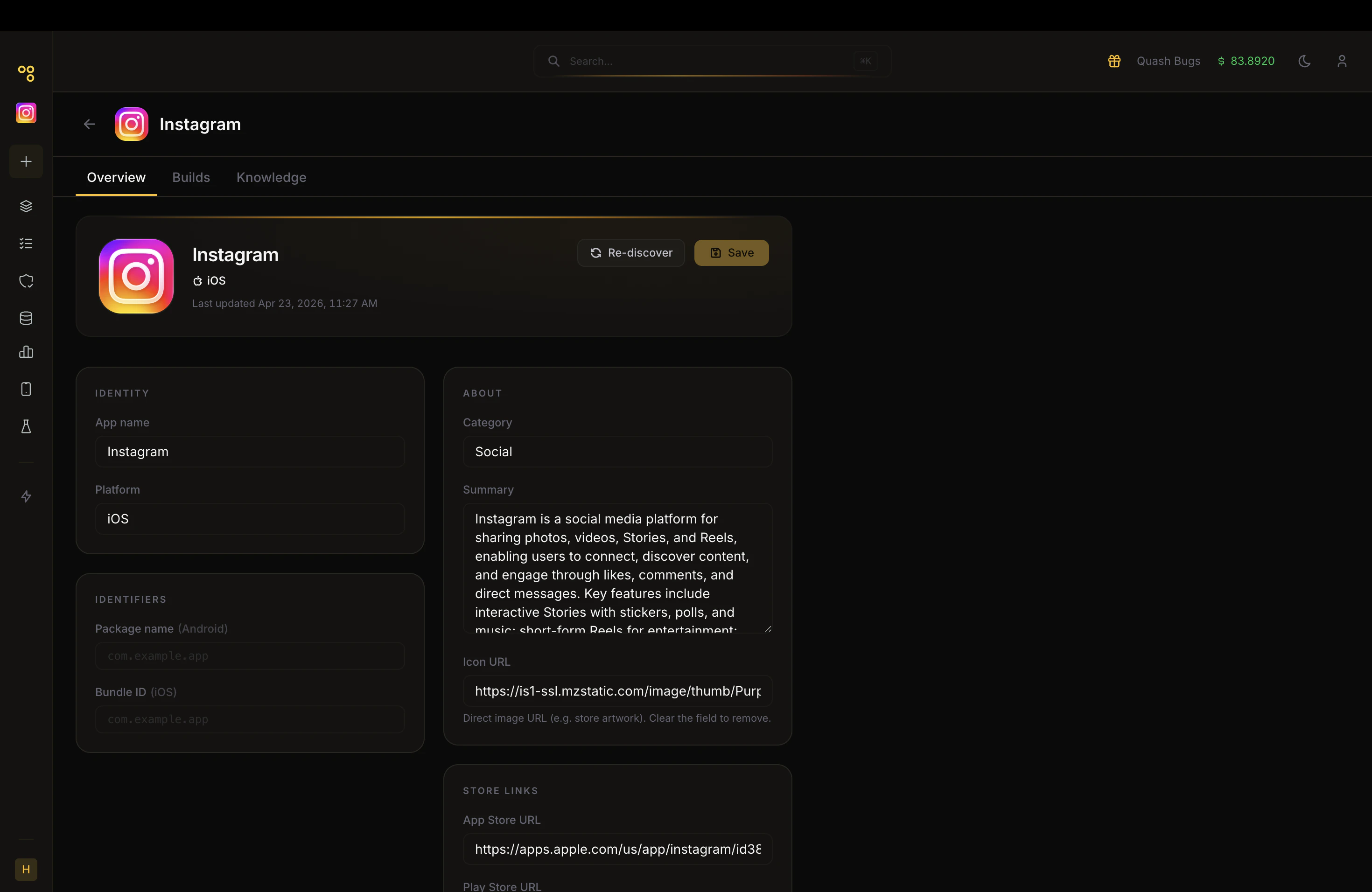
- App name - The name of the app as registered in Quash.
- Platform - Android, iOS, or both. This determines which build types are accepted in the Builds tab and which devices should be used for testing.
- Package name (Android) - The unique identifier for your Android app is formatted as a reverse domain name, for example,
com.porter.app. This is critical. This is the package name that Quash uses to build and apply app-specific Guidance. If this is missing or incorrect, the agent’s memory and guidance will not function correctly. You can find your package name in your Android project’sbuild.gradlefile or on the Play Store listing. - Bundle ID (iOS) - The equivalent identifier for iOS apps, in the same reverse domain format. Required if you are testing on iOS.
⚠️ Always verify the package name before running tests. Guidance is built on the package identifier. An incorrect package name means the agent cannot apply any learned knowledge to your app.About
- Category - The app category pulled from the store listing, or entered manually.
- Summary - A description of what the app does. If fetched from the store, review this and edit it to be more specific about the flows and features you intend to test. The agent reads this summary as part of its initial understanding of the app and following test executions. The more specific and accurate it is, the better the generated tests will be.
- Icon URL - The URL of the app’s icon image. Populated automatically from the store listing. You can clear or replace it.
- App Store URL - Link to the iOS App Store listing.
- Play Store URL - Link to the Google Play Store listing.