12 Flutter Testing Tools for Building a Practical Test Stack in 2026


A Flutter release can pass every widget test and still fail when a permission prompt appears, a notification opens the wrong screen, or the app reaches a device configuration you never tested. That is why a search for Flutter testing tools rarely ends with a single purchase or framework choice.
The short answer: start with Flutter’s own test libraries, then add an end-to-end framework when your flows cross Flutter or native UI boundaries, a device platform when you need device coverage, and CI when you need repeatable delivery. This guide separates those jobs so you can build a stack instead of asking a device cloud to replace a test library.
What counts as a Flutter testing tool?
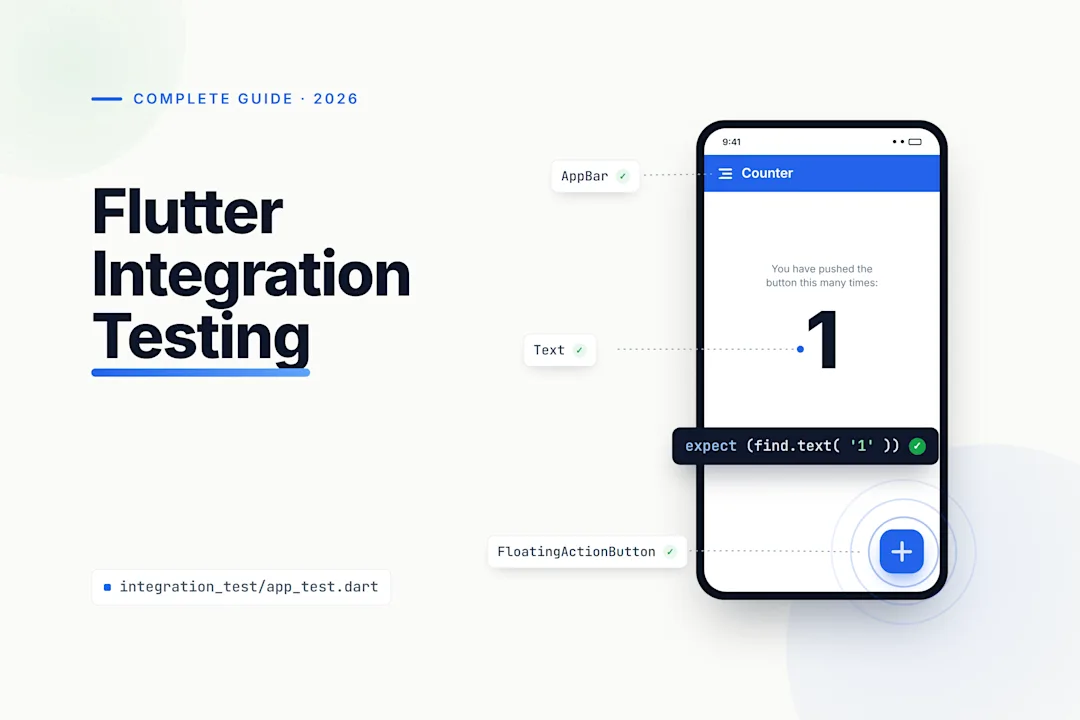
Flutter’s official testing guidance separates unit, widget, and integration tests. The SDK’s integration_test package runs complete app tests, but Flutter documents that it cannot interact with native platform UI such as permission dialogs, notifications, or platform views. Flutter’s testing overview is the starting point for understanding those boundaries.
For this roundup, a Flutter testing tool falls into one of four jobs:
Foundations give you Dart and Flutter test APIs.
E2E frameworks drive a full journey and may reach native system UI.
Device-execution platforms run your tests across managed devices; they do not write the tests for you.
CI/CD tools build, trigger, and report tests; they do not replace your test framework or device strategy.
Visual regression and golden testing are adjacent specialties. They are not included here because this comparison focuses on functional, end-to-end, device-execution, and delivery tooling.

Get the Mobile Testing Playbook Used by 800+ QA Teams
Discover 50+ battle-tested strategies to catch critical bugs before production and ship 5-star apps faster.
Compare the Flutter testing tools at a glance
Tool | Category | Best for | Native/system UI | Hosted devices | Pricing model | Main limitation |
Dart foundation | Pure Dart logic | No | No | Part of the Dart toolchain | Does not render Flutter UI | |
Widget testing | Widgets, layout, and interaction | No | No | Part of Flutter | Not a full device journey | |
Flutter integration testing | In-app Flutter flows | No for platform UI | No | Part of Flutter | Cannot drive native dialogs or platform views | |
Flutter-aware E2E | Dart-based flows that cross into native UI | Yes | No | Open-source core; services separate | Needs separate device and CI infrastructure | |
Black-box E2E | Semantics-driven mobile flows | Yes | Cloud available | Local is free; Cloud is priced per concurrent device | Requires useful accessibility semantics | |
Appium ecosystem | Existing Appium and hybrid-app estates | Depends on driver | No | Framework cost separate from infrastructure | Driver ownership and compatibility vary | |
Device execution | Cloud devices and run artifacts | Runs your chosen tests | Yes | Vendor quote required | Does not author Flutter tests | |
Device matrix | Firebase and Google Cloud workflows | Runs your chosen tests | Yes | Usage-based physical and virtual-device time | You supply compatible artifacts and matrix configuration | |
Device execution | AWS-centric parallel testing | Runs compatible tests | Yes | Per-device minute or device slot | Flutter needs a compatible route such as Appium | |
CI/CD | Flutter build, test, signing, and release workflows | No | Configurable runners | Minutes-based plans | Not a replacement for a device cloud | |
CI/CD | Configurable mobile CI and result handling | No | Configurable runners | Vendor plans | Not a test library or device fleet | |
Mobile QA platform | Plain-language QA around a Flutter stack | Mobile-flow coverage, not a Flutter library | Platform options | Custom, volume-based pricing | Not a replacement for Flutter’s test libraries |
The table is a map, not a performance ranking. No independent controlled benchmark establishes a universal fastest or most reliable choice among these products. Your useful comparison is whether a tool covers the layer where your release risk actually sits.
Choose your stack by test layer
Use the smallest layer that can prove the behavior you care about. That keeps feedback fast and makes failures easier to diagnose.
For gesture-driven interfaces, testing Flutter animation flows helps determine when integration coverage is necessary rather than relying on lower layers.
Test pure Dart logic with
package:test. Keep parsers, validators, reducers, and service logic away from device dependencies when possible.Test widget behavior with
flutter_test. Use it for rendering, interaction, and layout behavior before you pay the setup cost of an end-to-end run.Test complete Flutter journeys with
integration_test. This is where you validate that screens and state changes work together in the app.Add Patrol, Maestro, or an Appium route for native surfaces. Choose this layer when acceptance criteria include permissions, notifications, WebViews, settings, or other OS-controlled experiences.
Run the chosen suite on a device platform when local coverage is not enough. A device service adds execution capacity and matrix coverage; it does not supply your assertions.
Use CI/CD to make the process repeatable. Codemagic and Bitrise can run and report Flutter tests, but you still choose the framework and device destination.
If you need a refresher on designing the integration layer itself, this Flutter integration testing guide explains where integration tests fit between widget checks and broader end-to-end coverage.
Flutter foundations for fast feedback
package:test: Best for pure Dart logic
What it is: package:test is the Dart test framework for code that does not require Flutter’s rendering or widget lifecycle. Dart documents it as the standard way to write and run tests with the Dart toolchain. Dart’s testing documentation covers the package and command-line workflow.
Best for: Business rules, parsers, API adapters, state logic, and validation code that can execute without a Flutter UI.
Key features: Standard test authoring, groups, matchers, and command-line execution. It gives you the lowest-cost feedback loop in this list because it has no device requirement.
Pricing: No separate commercial plan is identified; it is part of the Dart development toolchain.
Limitations: It cannot verify widget rendering, a gesture-driven app flow, native UI, or behavior on a real device. Pair it with flutter_test rather than stretching unit tests into UI coverage.
flutter_test: Best for widgets, layout, and interaction
What it is: flutter_test is Flutter’s testing library, built on top of package:test. The Flutter API reference describes the relationship and its Flutter-specific test configuration.
Best for: Widget behavior, layout states, rendering logic, interaction, and quick regression feedback while you work.
Key features: Flutter-aware test APIs let you pump widgets, find elements, send interactions, and assert the resulting UI state inside the Flutter test environment.
Pricing: No separately priced commercial plan is identified; it ships with the Flutter toolchain.
Limitations: A passing widget test is not evidence that the full app works on a physical device or emulator. It also does not drive permission dialogs or supply hosted device execution.
integration_test: Best for Flutter-contained app journeys
What it is: integration_test is Flutter’s official route for testing a complete app, or a substantial portion of one, on a target device or emulator. Flutter also provides a migration path from older flutter_driver tests in its migration guide.
Best for: Sign-in, search, checkout, navigation, and other journeys whose meaningful UI stays inside your Flutter app.
Key features: It uses Flutter-aware APIs while executing a larger app flow than a widget test. That makes it a practical bridge between local feedback and a device-platform run.
Pricing: The package has no separately identified commercial plan. Device capacity and CI minutes, if you use them, are separate costs.
Limitations: Flutter explicitly excludes native platform UI interactions such as permission dialogs, notifications, and platform views from this package’s reach. Add a native-aware route when those screens are acceptance criteria.
End-to-end frameworks for Flutter and native UI
Patrol: Best for Dart-first tests that reach native UI
What it is: Patrol is a multiplatform E2E UI-testing framework for Flutter with documented native-interaction capabilities. Its maintainer documentation describes Flutter-focused authoring alongside interactions outside the Flutter widget tree.
Best for: Flutter developers who want to keep tests close to Dart and Flutter APIs while covering permission dialogs, notifications, WebViews, device settings, or connectivity state.
Key features: Flutter-aware E2E authoring and native-interaction support. Those are vendor-documented capabilities, not an independent reliability benchmark.
Pricing: The core framework is open source under Apache 2.0; Patrol’s services page describes separately offered value-added services.
Limitations: Patrol does not automatically give you a hosted device fleet, CI minutes, or a device-matrix strategy. You still need to decide where and how the suite runs.
Maestro: Best for readable, semantics-driven external flows
What it is: Maestro tests compiled Flutter apps through the Semantics Tree rather than injecting a Flutter package. Its Flutter documentation recommends semanticLabel, the Semantics widget, or identifiers in Flutter 3.19 and later instead of Flutter Keys for stable automation. Maestro’s Flutter guide also describes its external, OS-level approach.
Best for: Mobile flows that must span Flutter and native UI, especially when you want a readable black-box test format across more than one app technology.
Key features: The compiled-app approach needs no pubspec.yaml integration for the basic workflow. Maestro documents OS-level coverage for surfaces such as permission dialogs and push notifications.
Pricing: As of September 2026, Maestro lists Local as free and open source. Its Cloud plan is listed at $250 per device per month, based on maximum concurrent executions; confirm the current rate on Maestro’s pricing page before buying.
Limitations: Your automation is only as stable as the accessibility semantics your app exposes. A Flutter app built only around Keys may need semantic identifiers before this approach is dependable.
Appium Flutter route: Best for existing Appium estates
What it is: This is an Appium ecosystem route rather than a single Flutter-first product. Appium’s driver catalogue lists Flutter-related drivers among ecosystem drivers and notes that those drivers are not maintained by the Appium team.
Best for: Organizations that already write Appium tests, need non-Dart test languages, or test a hybrid estate where Flutter is only one client technology.
Key features: Cross-language test authoring and integration with Appium-compatible execution infrastructure. Sauce Labs, for example, documents native Flutter and Appium Flutter driver routes for its real-device service.
Pricing: Appium is not a hosted device service with one standalone commercial price in the material reviewed here. Budget for the device infrastructure you choose.
Limitations: Driver maintenance, Flutter-version compatibility, and support responsibility vary by driver. Run a proof of concept against your app and target devices before standardizing on this route.
Real-device platforms for execution coverage
BrowserStack App Automate: Best for cloud devices and run artifacts
What it is: BrowserStack App Automate is a hosted execution platform for Flutter integration tests, including native and hybrid applications. Its Flutter documentation describes the setup for running Flutter tests on its service.
Best for: You need cloud devices, parallel execution, and run artifacts without operating a physical lab yourself.
Key features: BrowserStack documents real-device Flutter execution, logs, video, parallel testing, and device-condition options.
Pricing: BrowserStack’s current App Automate pricing requires a vendor check at the point of purchase. This article does not quote a plan price because plan, billing term, and concurrency need to match the configuration you are evaluating.
Limitations: It executes test suites you provide. It does not replace flutter_test, integration_test, Patrol, or Maestro, and the total cost depends on the plan and parallel capacity you select.
Firebase Test Lab: Best for Google Cloud device matrices
What it is: Firebase Test Lab is Google’s managed device-matrix execution service. It belongs in the execution layer: you supply test artifacts and configure the matrix.
Best for: Flutter apps already using Firebase or Google Cloud that need usage-based physical and virtual-device runs.
Key features: Firebase publishes separate physical and virtual-device usage allowances and rates. On the Blaze plan, its documented allowance is 30 physical-device minutes and 60 virtual-device minutes per day; the listed rates above that allowance are $5 per physical-device hour and $1 per virtual-device hour. See Firebase Test Lab quotas and pricing for the current limits and eligibility.
Pricing: Usage-based. Keep physical and virtual-device time separate when you estimate your own workload; Firebase does not publish a generic monthly Flutter workload price.
Limitations: Test Lab is not a Flutter authoring framework. You need compatible test artifacts, matrix configuration, and a validation run for the exact Flutter workflow you intend to ship.
AWS Device Farm: Best for AWS-centric parallel device execution
What it is: AWS Device Farm is a managed execution service. AWS documents support for Appium, Android instrumentation, XCTest/XCTest UI, and built-in fuzz tests, including parallel execution on multiple devices, in its test-framework documentation.
Best for: AWS-oriented delivery teams that want pay-as-you-go real-device minutes or reserved device slots and have a compatible test route.
Key features: Multi-device parallel execution and support for several mobile test types. For Flutter, present it as infrastructure behind a compatible route such as Appium—not as a Flutter test framework.
Pricing: AWS lists real-device testing at $0.17 per device minute with a one-time 1,000-minute free allowance. Its unmetered option starts at $250 per device slot per month. These are vendor-published prices, so check AWS Device Farm pricing for current regional and plan terms.
Limitations: You still own the test artifacts, device-slot choice, and route compatibility. AWS configuration is not a substitute for test design.
CI/CD tools for repeatable Flutter runs
Codemagic: Best for Flutter-centered delivery workflows
What it is: Codemagic is mobile CI/CD that can build, test, sign, and release Flutter applications in a workflow.
Best for: You want Flutter tests, builds, signing, and release automation in one mobile-focused pipeline.
Key features: Codemagic documents flutter test, machine-readable reports, and integration_test execution on a real device or emulator in its testing guide.
Pricing: Codemagic’s pricing documentation lists 500 free macOS M2 minutes per month for an individual account as of September 2026. Paid capacity and machine choices change, so use the current Codemagic pricing page for a purchase decision.
Limitations: CI orchestration does not automatically give you a broad external device fleet. You still choose the Flutter framework and any device-execution platform.
Bitrise: Best for configurable mobile CI and test reporting
What it is: Bitrise is a mobile CI/CD service with a Flutter Test Step.
Best for: You prefer configurable mobile workflow steps with test-result and coverage handling.
Key features: Bitrise says its Flutter Test Step runs unit, widget, and integration/UI tests through flutter test, saves JSON results, and can generate code-coverage reports. The details are in Bitrise’s Flutter testing documentation.
Pricing: Bitrise publishes current plans on its pricing page. Compare the included build capacity and billing terms directly rather than treating it as equivalent to a device-lab subscription.
Limitations: Bitrise is neither a Flutter test API nor a real-device fleet by itself. It orchestrates the testing strategy you configure.
Where Quash fits in a Flutter testing stack
Disclosure: Quash is our product.
What it is: Quash is a mobile-first QA platform for creating, running, and inspecting tests across mobile, web, and backend checks. Its public site describes plain-language test authoring and real-device results; it is not a Flutter test library. Quash’s platform overview describes the product scope.
Best for: You want a plain-language mobile QA workflow with execution evidence and test-management context around an existing Flutter testing stack.
Key features: Quash supports intent-driven test execution, test management, backend validation within an end-to-end run, and local or Quash-hosted device options. That makes it a possible QA workflow layer when you do not want every mobile check expressed as selector-based test code.
Pricing: Quash Platform uses custom monthly or annual pricing, primarily sized around expected test-execution volume. A guided evaluation is free, while dedicated device infrastructure is scoped separately, according to Quash Platform pricing.
Limitations: Quash does not replace package:test, flutter_test, or integration_test, and it is not a general-purpose device lab or a source-level Flutter framework. This guide does not treat Quash as a Flutter-specific benchmark winner; choose it only if its QA workflow fits alongside the Flutter layers you retain.
Build a stack that matches your release risk
These are editorial starting points, not measured tool rankings.
Small Flutter product team: Start with
package:testfor logic,flutter_testfor widgets, andintegration_testfor critical in-app flows. Add CI once those checks need to gate pull requests or releases.App with permissions, notifications, or WebViews: Keep
integration_testfor Flutter-contained journeys, then add Patrol for Dart-first native interactions or Maestro for external, semantics-driven OS-level flows.Mixed mobile estate: Consider Maestro or an Appium route when Flutter is one of several technologies. Pair it with BrowserStack, Firebase Test Lab, or AWS Device Farm when you need managed devices.
Cloud-native delivery team: Use Firebase Test Lab when Google Cloud is already central to your workflow, or AWS Device Farm when your mobile delivery path is AWS-centric. The test framework remains a separate decision.
Flutter release pipeline: Use Codemagic or Bitrise to automate builds and reporting, then connect the framework and execution destination that cover the devices you actually support.
For a broader view of where frameworks, device infrastructure, AI-native platforms, and test management differ, see our mobile testing tools guide. The useful question is not which category is “best overall”; it is which missing layer is currently letting defects escape.
Use this checklist before committing to a tool
What are you proving? Logic, widget behavior, full Flutter journeys, native UI, or release readiness each need different tooling.
Do your acceptance flows cross into the OS? Permission dialogs, notifications, WebViews, and settings screens rule out an
integration_test-only strategy.Will you maintain accessibility semantics? Maestro’s Flutter approach depends on stable semantic labels or identifiers.
Where will tests run? Decide whether local devices, emulators, a managed device platform, or a mix is necessary.
What does the price actually measure? Compare device minutes, physical versus virtual devices, concurrency, CI minutes, and reserved slots rather than comparing headline plan names.
Who owns failures? A framework, device service, and CI pipeline can each fail independently. Make sure run artifacts and ownership make diagnosis possible.
Conclusion
The best Flutter testing tools are complementary. Build fast confidence with package:test and flutter_test, validate meaningful in-app journeys with integration_test, and add Patrol, Maestro, or an Appium route only when native or cross-technology flows justify it. Then choose a device platform and CI workflow based on the coverage and release cadence you need.
Your next decision is simple: identify the last defect that escaped your current suite, then add the layer that could have caught that specific failure.
Continue reading
More articles from the Quash editorial desk.