Best Vibe Coding Tools in 2026

A founder with no engineering background describes a booking app in one long prompt, and a working version appears in minutes. A week later a small styling change breaks the confirmed-bookings screen. The tool was not the problem. The problem was picking it without knowing what it would cost, where the app would live, or who would fix it when it broke.
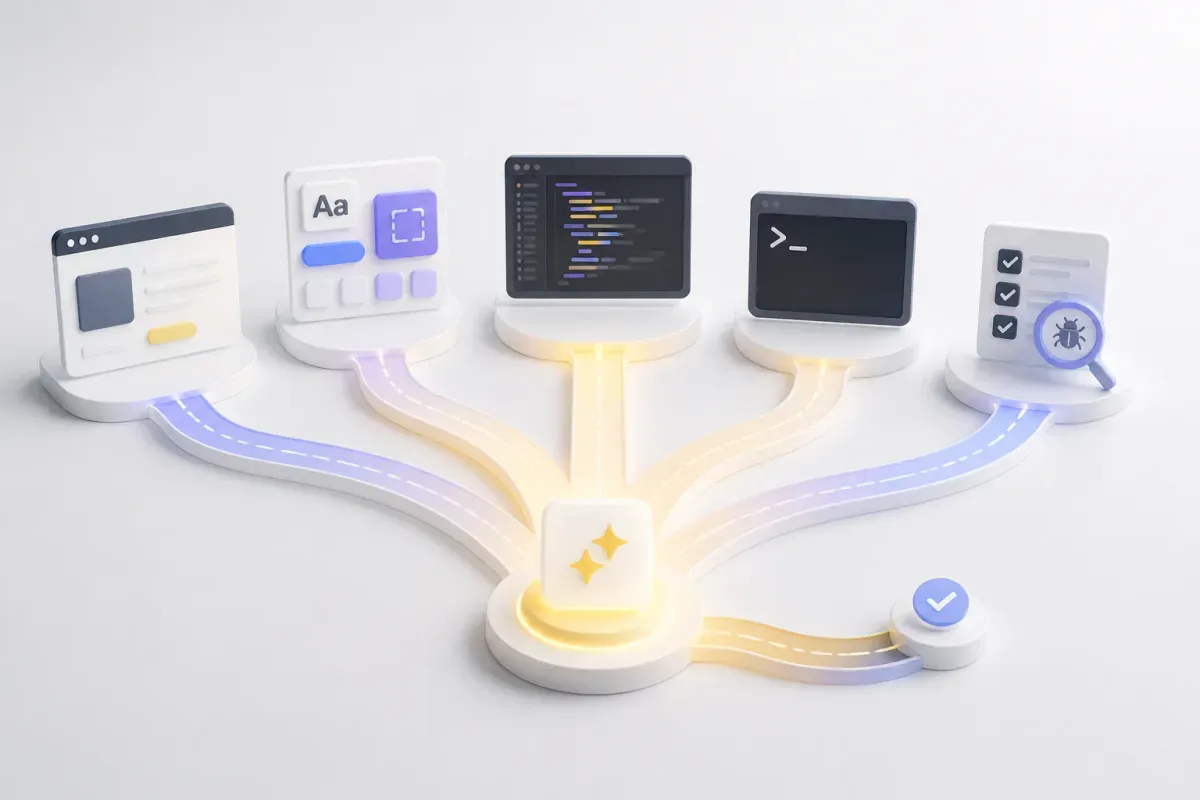
The short answer: the best vibe coding tool depends on which of five jobs you need done. Prompt-to-app builders (Lovable, Bolt, Replit) host what they generate. A frontend generator (v0) writes React components. Agents inside an editor (Cursor, GitHub Copilot, Devin Desktop, Kiro) work on code you already have. Terminal agents (Claude Code, Codex) take whole tasks from the command line. Aider is an open-source option you run with your own model keys. Each section below names who the tool fits, then gives its vendor-published price and how it bills you.
What a vibe coding tool is in 2026
Andrej Karpathy coined "vibe coding" in February 2025. Zapier summarises the idea as: you build an app using natural language, and forget that the code is even there. The phrase has since stretched to cover almost any AI coding product, so the category means two things depending on who is writing.
Zapier takes a narrow scope. Its six-tool list leaves out agentic command-line tools and AI IDEs because they "require extra setup when publishing and managing your app" and are "aimed at a technical audience." Trio.dev takes a broad scope. It treats editor and terminal tools as the core of the category and notes that many of the tools "don't even compete."
Neither scope is wrong. This article uses the split as an organising device, not as a claim that the term has one correct definition. The five segments:
Prompt-to-app builders turn a description into a hosted app.
Frontend generators produce components you place in your own repository.
Agents in your editor read and change code inside an IDE you already use.
Terminal agents take delegated tasks from the command line.
Open-source, bring-your-own-model tools run on a model you pay for separately.
Quash, our product, also appears below. It is a testing platform, not a vibe coding tool, and it sits in its own section for the step after generation.

Get the Mobile Testing Playbook Used by 800+ QA Teams
Discover 50+ battle-tested strategies to catch critical bugs before production and ship 5-star apps faster.
The best vibe coding tools in 2026, compared
Figures come from each vendor's pricing page, in US dollars unless stated.
Tool | Segment | Free tier | Entry paid price | Metering unit | Best for |
Lovable | Prompt-to-app builder | Daily build credits, up to 30 a month | Not shown on vendor page | Credits, per workspace | Non-developers shipping a hosted web app |
Bolt | Prompt-to-app builder | 300K tokens/day, 1M tokens/month | $25/month (Pro) | Tokens | Planning generation spend in tokens |
Replit | Prompt-to-app builder | Free tier exists | $20/month (Core) | Credits plus Free Mode hours | Collaborators and database rollback in one tool |
v0 | Frontend generator | 7 messages/day | $30/user/month (Plus) | Messages per day, then credits | React and UI-first work |
Cursor | Agent in editor | Free plan | $8/month (Plus, Grok models only) | Subscription plus usage | Developers who will pay for Premium to use non-Grok models |
GitHub Copilot | Agent in editor | 2,000 completions/month | $10/user/month (Pro) | GitHub AI Credits, completions excluded | Teams already working in GitHub |
Devin Desktop | Agent in editor | Light quota, limited models | $20/month (Pro) | Subscription plus API-priced overage | Cloud agents on a mid-tier plan |
Kiro | Agent in editor | 50 credits | $20/user/month (Pro) | Credits | A fixed credit allowance per seat |
Claude Code | Terminal agent | Not included on Free | $20/month (Pro) | Subscription with usage limits | Delegating multi-step tasks |
Codex | Terminal agent | Limited access on ChatGPT Free | Bundled with ChatGPT plans | Bundled with ChatGPT plan | Existing ChatGPT subscribers |
Aider | Open-source terminal agent | Free to install (Apache-2.0) | None; you pay your model provider | Your own API spend | No vendor lock-in |
Quash (our product) | Testing platform, not a builder | Guided evaluation is free | Custom pricing | Expected test execution volume | Testing what the other tools built |
Vendor pricing pages were checked on 17 November 2026. Prices change, so re-check each one before you buy.
Best for non-developers who want a hosted app
These three tools generate a complete app and host it. They are the closest match to the original idea of vibe coding.
Lovable
What it is. Lovable describes itself as "an AI software engineer, which enables anyone to build for the web," and says you can chat to build websites and web apps "with no technical knowledge needed."
Best for. Non-developers who want a hosted web app and are willing to manage credits.
Key features. Lovable states that users own their code and AI output. Billing is per workspace: "Workspaces support unlimited members on all plans, and plans are priced by the credits they include, not by seats."
Pricing. The free tier includes a daily grant of 5 build credits (up to 30 a month), 20 Cloud credits a month and 4 credits for in-app AI. Lovable's pricing page does not display its paid plan prices. PrototypeVerdict's 2026 comparison puts Pro at $25 a month for 100 credits, or $21 a month billed annually. That is PrototypeVerdict's figure, not Lovable's, so confirm it before budgeting.
What a prompt costs. Lovable's own examples show how scope changes price: "Make the button gray" costs 0.50 credits, "Remove the footer" 0.90, "Add authentication with sign up and login" 1.20, and "Build me a landing page, use images" 1.70. Credits "are not necessarily equal in value across different plans."
Limitations. Monthly plan credits expire two months after issue, annual credits one month after the annual period ends, and daily build grants do not roll over. Credits are not refundable.
Bolt
What it is. Bolt is a browser-based AI builder for websites and apps.
Best for. Planning spend in tokens, because that is how Bolt meters generation.
Key features. The free tier allows 300K tokens a day and 1M tokens a month. Pro removes the daily limit and starts at 10M tokens a month.
Pricing. Free at $0. Pro is $25 a month billed monthly. Bolt's higher tiers are not covered here.
Limitations. Token metering means a large refactor costs more than a small visual change. The pricing page does not translate tokens into a number of prompts, and neither does this article.
Replit
What it is. Replit is an online development environment with AI building features.
Best for. Collaborators and database rollback in the same product as the builder.
Key features. Core includes up to 30 hours of Free Mode chat and $20 toward stronger models. Pro adds up to 15 collaborators and database rollback to 28 days.
Pricing. A free tier exists. Core is $20 a month, shown as $18 on annual billing. Pro is $100 a month, shown as $90 on annual billing, with $100 toward models. Enterprise is custom.
Limitations. Replit mixes credits with Free Mode hours, so one monthly figure does not show your real cost. Check which allowance a task draws from.
Best for React and UI-first work
v0
What it is. v0 is Vercel's AI tool for generating UI, and the frontend-focused product in this list.
Best for. Developers who want React components to drop into an existing project.
Key features. TechRadar credits v0 with combining designer-grade React components and a security layer, and notes server logic and database support have been added. The free tier gives 7 messages a day.
Pricing. Plus is $30 per user a month with $30 of monthly credits per user plus $2 of free daily credits. Business is $100 per user a month with $30 of included monthly credits per user. Enterprise is custom.
A correction to a common figure. TechRadar says v0 is "free with rate limits, or subscribe to Pro ($20/month) for unlimited generations." v0's current pricing page lists no unlimited tier and no $20 plan. Vercel's separate hosting product does have a $20 Pro plan, but that is a different product.
Limitations. TechRadar describes v0 as "frontend-focused, limited backend." Treat it as a source of components and screens, and plan separately for anything server-side.
Best if you already write code: agents in your editor
These tools work inside an editor you already use, so the output lands in code you own.
Cursor
What it is. Cursor is an AI-first code editor.
Best for. Developers who will pay for the Premium plan to use non-Grok models.
Key features. Cursor's pricing page lists Free, Plus, Premium, Super and Ultra plans.
Pricing. Free is $0. Plus is $8 a month and includes Grok models only. Premium is $30 a month and is listed as most popular. Super is $100 and Ultra is $200. Third-party models are billed separately by usage.
Limitations. Plus is not enough if you need models other than Grok, and usage charges sit on top of the subscription.
GitHub Copilot
What it is. GitHub's AI assistant, available across editors and GitHub itself.
Best for. Teams already working in GitHub.
Key features. The Free plan includes 2,000 completions a month. Agent mode, code review, the cloud agent and the CLI consume AI Credits. Code completions and Next Edit suggestions do not.
Pricing. Pro is $10 per user a month with $15 of monthly credits. Pro+ is $39 with $70 of credits. Max is $100 with $200 of credits. Business is $19 and Enterprise $39 per user a month.
What changed. GitHub replaced premium request units with AI Credits on 1 June 2026, consumed at published API token rates. Users on annual Pro or Pro+ plans stay on premium request pricing until their plan expires. GitHub's own framing is that a quick chat and a long agent session can cost similar amounts, so do not assume cost follows session length.
Limitations. Cost now depends on which features you use. Completions are included; agent work is metered.
Devin Desktop
What it is. The product formerly called Windsurf. Cognition announced the rename on 2 June 2026.
Best for. Cloud agents on a mid-tier plan.
Key features. Pro adds cloud agents and frontier models. Cognition's changelog records that v3.9.19, released 8 September 2026, removed Cascade; Devin Local is now the only agent in Devin Desktop.
Pricing. Free is $0 with a light quota and limited models. Pro is $20 a month. Max is $200 a month. Teams is $80 a month plus $40 a month per full developer seat. Enterprise is custom. Extra usage is billed at API pricing.
Limitations. If you used Cascade, that workflow is gone. Read the changelog before you migrate.
Kiro
What it is. Kiro is an agentic development product sold on credit-based plans.
Best for. A fixed credit allowance per seat you can plan around.
Key features. Plans carry a credit allowance that rises with price. Add-on credits are $0.04 each.
Pricing. Free is $0 with 50 credits. Pro is $20 per user a month with 1,000 credits. Pro+ is $40 with 2,000, Pro Max is $100 with 5,000, and Power is $200 with 10,000.
Limitations. This article covers Kiro's plans only; check Kiro's documentation for how its workflow features behave.
Best for delegated, whole-task work: terminal agents
Terminal agents take a task and work through it across files and commands. They suit cases where you can describe the outcome and review the result.
Claude Code
What it is. Anthropic's agent for coding from the terminal.
Best for. Delegating multi-step tasks on an existing subscription.
Key features. Claude Code is included with Pro and above, per Anthropic's pricing page.
Pricing. Pro is $20 a month, or $17 a month on annual billing. Max is $100 a month and Ultra is $200. Claude Code is not included on Free.
Limitations. Usage is bundled into a subscription with limits, so the monthly price is predictable but the cost of a single task is not visible.
Codex
What it is. OpenAI's coding agent.
Best for. People who already pay for ChatGPT.
Key features. Codex is included across ChatGPT plans; the Free plan has limited Codex access.
Pricing. There is no standalone price. Access is bundled with ChatGPT Go, Plus and Pro, and with Business and Enterprise. ChatGPT dollar prices are not stated here.
Limitations. You cannot buy Codex alone, and the Free plan's "limited Codex access" has no stated quota.
Best when you want no vendor lock-in: Aider
Aider
What it is. An open-source terminal tool for AI pair programming, licensed Apache-2.0.
Best for. Choosing your own model and avoiding lock-in.
Key features. Aider works with cloud and local models. Its project site says it commits changes automatically and will "Automatically lint and test your code every time aider makes changes."
Pricing. Free to install. You pay your model provider for the API calls you make.
Limitations. Aider lints and tests the code it changed. That is not a regression suite and says nothing about the deployed app. Your real cost is your model provider's bill, which varies with how much code you send.
Best for testing what the other tools built: Quash
Quash
Disclosure. Quash is our product. It is a testing platform, not a vibe coding tool: it does not generate apps or write your code.
What it is. An AI-powered testing platform for executing tests written in plain language on Android and iOS apps and in the browser, with backend API checks inside the same run.
Best for. Mobile-first teams that want to check an app after a builder or agent has changed it, without maintaining test scripts.
Key features. Test intent is written in plain English. Runs return step outcomes, screenshots or recordings, and debugging context. Execution can use local devices, emulators or Quash-hosted devices.
Pricing. Custom monthly or annual pricing sized around expected test execution volume. There is no public price and no self-serve plan; evaluation is free and guided after a demo call.
Limitations. Quash is not an open-source framework or code library, so a team that wants source-level control should look at Appium or Maestro. It is mobile-first rather than a cross-browser grid. It does not build anything; it only tests it.
How each tool bills you, and why it matters more than the monthly price
The sticker price is the least useful number in this list. The metering unit decides your bill, and the units do not convert: no source publishes a conversion between credits, tokens and messages, so this article does not make one.
Per-seat meters (Cursor, GitHub Copilot, Kiro, v0, Devin Desktop) scale with headcount. Adding a reviewer adds a charge.
Per-workspace meters (Lovable) do not. Lovable says "inviting more people doesn't change your subscription cost; what changes is how quickly the group uses the workspace's shared credits."
Per-token meters (Bolt, and Copilot's AI Credits) tie spending to generation size. A large refactor costs more than a colour change.
Bundled meters (Claude Code, Codex) make monthly cost predictable and per-task cost opaque.
Bring-your-own-key (Aider) has no vendor price; your cost is your model provider's invoice.
Ask two questions before you choose: how many people will share the tool, and what kind of prompt will you send most often?
What these tools do not do: check what they ship
Every tool above generates or changes code. None of the vendor pages reviewed here describe a process for checking a deployed app after a change.
Three publications point at the same gap. XDA's reviewer, working through a single real project built on Replit, reported: "The first version had a great layout but ugly colors. The second version fixed the colors and broke the layout." That is one reviewer's project, not a measured rate. TechRadar ranks v0 partly for helping close the "prototype-to-production" gap without describing how. Zapier ends by telling you to read up on security and use an AI-powered IDE to understand and fix your code.
The mechanism is plausible. Lovable's own work descriptions show that adding authentication touches more of an app than changing a button's colour, so a prompt is a change of unspecified blast radius. That is an argument about risk, not evidence that a colour change rewrites authentication.
We searched for a published benchmark of how long a vibe-coded regression takes to surface and found none. We are not claiming none exists. Quash has no first-party data on this question either. For the testing side, our guide to regression testing covers how to catch a change that breaks something that used to work, and our vibe coding statistics post covers adoption and risk figures.
How to choose
Pick the segment first. Decide whether you need a hosted app, components for an existing project, an agent in your editor, a terminal agent, or a tool you run yourself.
Compare the billing model, not the sticker price. Count who will use it and whether they share a workspace or pay per seat.
Trial it on your own project. Use a feature you already understand and note which prompts cost the most.
Check export and ownership before you build. Confirm you can take your code out and read the vendor's terms on generated output.
Plan the check after the build. Decide now how you will test the app after each change, whichever tool you pick.
Conclusion
Start with the segment, not the brand. A non-developer who needs a hosted app and a developer who needs an agent in an existing repository are shopping in different aisles, and the prices above only mean something once you know yours. Then compare how each tool meters use, because a per-workspace plan and a per-seat plan can cost very different amounts for the same team.
Pick one tool, trial it on a real project this week, and test the second change it makes, not just the first.
FAQs
Is vibe coding the same as using Copilot or Cursor? Not exactly. Zapier's narrow definition covers app builders that host what they generate. Broader usage includes editor and terminal agents that work inside code you own.
What happened to Windsurf? Cognition renamed it Devin Desktop on 2 June 2026. Cascade was removed in v3.9.19 on 8 September 2026, and Devin Local is now the only agent.
Did GitHub Copilot change its billing? Yes. From 1 June 2026, premium request units were replaced by AI Credits. Code completions and Next Edit suggestions stay included in all plans, and annual Pro or Pro+ subscribers keep premium request pricing until their plan expires.
Is AI-generated code safe to ship? The sources reviewed here do not establish a failure rate for deployed code. XDA's reviewer found a regression in one project. Test the app after each change before you release it.
Continue reading
More articles from the Quash editorial desk.