Best Regression Testing Tools in 2026: 16 Options Compared

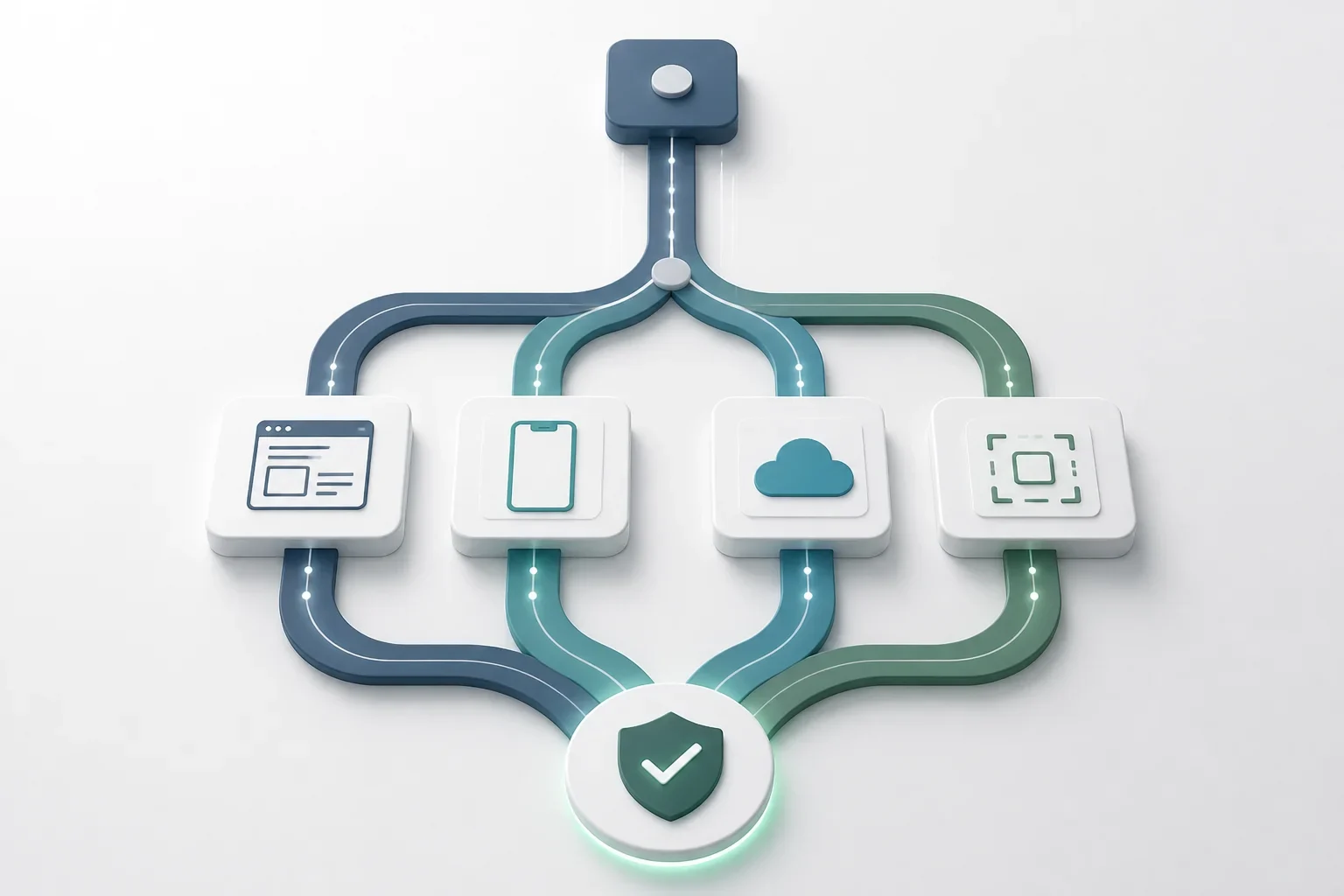
A release can look safe until it reaches the environment your test suite did not represent. A web checkout may pass while a native payment flow fails after an OS update; a functional test may pass while a layout change hides the only actionable button. Your regression testing tool determines what you can exercise, what you must assemble yourself, and how much maintenance becomes part of every release.The right regression testing tool depends on the surface you need to protect. Playwright is a strong fit for modern web apps, Appium is an open-source foundation for native mobile automation, and platforms such as Katalon, BrowserStack, Sauce Labs, and Quash cover broader workflows. Below, you can compare 16 named options by scope, public entry pricing, and the trade-offs that should shape your shortlist.
Regression testing tools at a glance
Tool | Best for | Web | Native mobile apps | Public starting price | Key limitation |
Selenium | Custom browser frameworks | Yes | No | Free | You assemble the surrounding stack |
Playwright | Modern web applications | Yes | No; experimental Android browser support | Free | No native iOS app automation |
Cypress | JavaScript web teams | Yes | No | Free; Cloud Team $799/year | Web and JavaScript scope |
Appium | Code-based iOS and Android automation | No | Yes | Free | Setup and framework ownership |
Katalon | Mixed-skill, multi-surface testing | Yes | Yes | From $84/seat/month annually | Commercial per-seat cost |
Ranorex | Windows desktop plus web | Yes | Yes | Quote required | Windows-first authoring |
testRigor | Plain-English authoring | Yes | Yes | Quote required | Validate complex flows in a pilot |
ACCELQ | Enterprise codeless automation | Yes | Yes | Quote required | Sales-led, heavier platform |
mabl | Low-code quality workflows | Yes | Limited | Quote required | Validate mobile depth |
Applitools | Visual regression | Via integration | Via integration | $667/month annually | Needs a functional test runner |
BrowserStack | Managed device and browser access | Yes | Yes | From $29/month | Bring your own test framework |
Testsigma | AI-assisted cloud automation | Yes | Yes | Quote required | Sales-led pricing |
TestComplete | Desktop, web, and mobile UI tests | Yes | Yes | Quote required | Windows-focused workflow |
Sauce Labs | CI/CD-oriented cloud execution | Yes | Yes | From $39/month annually for Live | Primarily an execution layer |
Rainforest QA | No-code web regression | Yes | No | Quote required | No native mobile support |
Quash | Mobile-native regression workflows | No | Yes | Plan details available from Quash | No web or desktop coverage |
Prices are the vendors' published entry points where available, not equivalent total-cost quotes. Before you compare a free framework with a platform plan, ask about users, parallel runs, devices, execution limits, reporting, and test management.

Get the Mobile Testing Playbook Used by 800+ QA Teams
Discover 50+ battle-tested strategies to catch critical bugs before production and ship 5-star apps faster.
How to compare regression testing tools
Start by separating the work a tool actually does. A framework authors and runs automation. A device cloud provides browsers or hardware on which a framework runs. A visual platform checks rendered output. A test-management product records cases and results. You may need more than one category to cover your release risk.
List the surfaces you must protect.
Web browsers, native iOS and Android apps, mobile web, APIs, desktop software, and visual presentation are distinct targets. “Mobile support” may mean a browser, an emulator, or a native app; do not treat those as interchangeable.
Decide who will own test authoring.
Open-source frameworks offer control but require code and engineering ownership. Low-code and no-code products reduce that authoring burden, so a representative proof of concept matters more.
Choose where tests will run.
You may need local browsers, simulators, emulators, physical devices, or a managed cloud. Hardware, permissions, sensors, and network transitions make this choice particularly consequential for mobile apps.
Define what a pass proves.
Functional interactions, API responses, backend state, screenshots, accessibility, and performance are different forms of evidence. A passing click path is not automatically a passing visual check.
MarketIntelo's June 2026 report estimates that the regression testing tools market was $1.8 billion in 2025 and projects a 12.4% CAGR to $4.2 billion by 2034. Those are third-party modeled market estimates, not disclosed industry revenue, so use them as market context rather than a measure of vendor adoption.For the testing practice behind the purchase, see this guide to regression testing for mobile QA. This article stays focused on the buying decision: what each product covers and where it stops.
Open-source frameworks for regression testing
Selenium: maximum browser control
What it is: Selenium is an open-source browser automation framework built around WebDriver. You select the language, runner, reporting layer, and execution infrastructure around it; it is not a complete test-management platform. The Selenium project documents its browser automation ecosystem.Who it suits: Choose Selenium when your SDETs need broad browser coverage, deep customization, and no commercial license. It is particularly practical when you already maintain a mature internal automation framework.Where it falls short: Selenium can automate mobile browsers, but it does not provide native mobile-app automation; native and hybrid iOS or Android apps generally require Appium. You also own reporting, parallel execution, CI/CD integration, and framework maintenance.A 2026 survey of 88 Selenium practitioners published through Universidad Carlos III de Madrid says Selenium is often criticized for brittleness, slowness, and flakiness, and identifies Playwright as a prominent alternative. Read the Selenium practitioner survey for its population and context rather than treating that finding as a universal failure rate.Pricing: Selenium is free and open source. Budget separately for engineering time, CI, browsers, devices, and failure triage.
Playwright: a modern web suite
What it is: Playwright is Microsoft's open-source end-to-end framework for Chromium, Firefox, and WebKit. The Playwright project documents built-in auto-waiting, parallel execution, tracing, and a trace viewer.Who it suits: It fits web-first products, especially teams using JavaScript or TypeScript, although Python, Java, and .NET are also supported.Where it falls short: Playwright is not a native iOS or Android app automation platform. Its Android API documentation labels Android support experimental and describes Chrome for Android and Android WebView use cases; it does not provide native iOS automation.Pricing: Playwright is free and open source. You still need to fund CI runners, reporting, and any real-device service.
Cypress: debugging for JavaScript teams
What it is: Cypress is a JavaScript-based front-end testing framework that runs in the browser. Its official site describes real-time feedback, automatic waiting, and time-travel debugging.Who it suits: Cypress is a sensible option for front-end teams building JavaScript or TypeScript single-page applications and component tests.Where it falls short: Cypress does not offer native mobile-app testing. Before standardizing on it, validate requirements involving multiple tabs, multiple domains, and unusual browser contexts against your own flows.Pricing: Cypress Cloud pricing lists a free Starter tier with 50 users and 500 test results per month. Team is $799 per year, Business is $3,199 per year, and Enterprise is custom priced.
Appium: code-based native mobile automation
What it is: Appium is an open-source framework for native, hybrid, and mobile web automation across iOS and Android. Its documentation describes a driver-based architecture.Who it suits: Appium works when native mobile regression is central, your team wants code-level control, and you can own automation infrastructure. It is also a natural fit if you already know Selenium's WebDriver approach.Where it falls short: The license is free; the operating model is not. You still configure platform SDKs, Xcode, Android tooling, devices or emulators, reporting, and maintenance practices across a changing device matrix.Pricing: Appium is free and open source. Estimate device access, CI capacity, maintenance, and diagnosis time before calling it the lower-cost option.
Commercial platforms for broader coverage
Katalon: one platform across test types
What it is: Katalon combines web, mobile, API, desktop, test-management, and cloud-execution workflows. It supports no-code, low-code, and full-code authoring.Who it suits: Consider Katalon when manual testers, automation specialists, and developers need a shared platform across several test types.Where it falls short: A broad platform can be heavier than a focused framework. Its mobile workflow uses Appium-related technology, so validate the stability of your highest-risk device flows.Pricing: Katalon pricing lists Studio Individual from $84 per seat per month for the first three seats when billed annually, or $180 monthly. True Automation is $167 per seat per month annually or $200 monthly; Enterprise is custom priced.
Ranorex: a Windows-first commercial choice
Teams evaluating alternatives to Ranorex can use the broader regression-testing comparison to assess whether a different approach better matches their cross-platform or workflow requirements.
What it is: Ranorex is a commercial UI automation tool for desktop, web, and mobile testing, with object recognition, drag-and-drop authoring, reporting, and CI/CD integrations.Who it suits: It is worth evaluating when Windows desktop software is a material part of your regression surface and you want a supported authoring environment.Where it falls short: Authoring is Windows-first, and mobile is not its central specialization. Recorded tests still need deliberate maintenance as application behavior and object structure change.Pricing: Ranorex does not publish a self-serve dollar figure. Its licensing page describes annual subscription and concurrent-user licensing and asks buyers to request a quote.
testRigor: plain-English tests with a proof-of-concept requirement
What it is: testRigor is an AI-based, no-code platform whose product materials describe plain-English authoring for web, mobile, desktop, API, SMS, email, phone-call, and two-factor-authentication workflows.Who it suits: Evaluate it when QA analysts need readable tests without maintaining a conventional code framework, or when test maintenance is your main constraint.Where it falls short: Plain-English authoring does not establish that every complex UI state is supported. In a pilot, include dynamic content, gestures, permissions, asynchronous backend state, and recovery paths.Pricing: testRigor offers trial and demo paths on its product site, but it does not publish a self-serve list price. Plan on a sales conversation.
ACCELQ: enterprise codeless automation
What it is: ACCELQ is a cloud-native, codeless platform for web, mobile, API, desktop, mainframe, and enterprise applications. Its positioning centers on business-process modeling, self-healing, traceability, and test management.Who it suits: It is aimed at enterprises with complex systems such as SAP, Salesforce, Oracle, or Workday, particularly where traceability is a release requirement.Where it falls short: It can be more platform than a small web-only suite needs. ACCELQ's pricing page says on-premise deployment requires a minimum 10-license subscription.Pricing: Module trials are available, but unified and enterprise plans require a quote. Bring application count, environments, execution volume, and deployment requirements to that conversation.
mabl: low-code testing with visual coverage
What it is: mabl is a low-code platform for web, mobile, and API testing. Its positioning includes AI-assisted authoring, auto-healing, visual regression, accessibility, and performance testing.Who it suits: It fits you if you want hosted, low-code workflows rather than an assembled open-source stack.Where it falls short: Validate its mobile workflow against your app instead of inferring depth from the mobile category label. If product roadmap continuity matters to your purchase, ask mabl directly about its place in the Tricentis family.Pricing: mabl pricing lists a 14-day free trial and cloud execution from 500 credits per month, but no general list price.
Testsigma: AI-assisted cloud automation
What it is: Testsigma is a cloud platform with no-code and low-code authoring, natural-language assistance, auto-healing, parallel execution, and web, mobile, desktop, and Salesforce coverage.Who it suits: It is an option for mid-market buyers who want cloud execution and AI-assisted authoring without maintaining infrastructure.Where it falls short: Test AI-assisted authoring against maintenance cases from your own dynamic screens and backend-dependent flows. Vendor feature claims are not a substitute for a representative pilot.Pricing: Testsigma pricing lists Pro and Enterprise as custom pricing based on expected product usage.
TestComplete: flexible UI automation in a Windows workflow
What it is: SmartBear's TestComplete supports keyword-driven, recorded, and scripted UI tests for desktop, web, and mobile apps, with multiple scripting languages and CI/CD integrations.Who it suits: It is relevant if you have desktop software, already use SmartBear products, or need several authoring styles.Where it falls short: Authoring is Windows-focused, and recorded output needs experienced maintenance. A mobile-native tool may offer a more focused choice for an app-only portfolio.Pricing: The TestComplete pricing page presents plans and trial access but no self-serve dollar figure in its published pricing material.
Rainforest QA: no-code web regression
What it is: Rainforest QA combines AI-assisted web test creation and execution with human-in-the-loop QA. Its product site describes readable results, video, logs, and CI/CD integrations.Who it suits: It can fit SaaS products that need web regression coverage quickly without building a conventional automation framework.Where it falls short: It is web-only, so it does not cover native mobile-app regression. Test complex interfaces in a proof of concept, and include the cost and turnaround implications of any human-in-the-loop workflow.Pricing: Rainforest QA's pricing route leads to a sales conversation, rather than a published self-serve figure.
Cloud execution and visual testing tools
Applitools: a visual regression specialist
What it is: Applitools focuses on visual AI testing and integrates with frameworks including Playwright, Cypress, Selenium, and Storybook.Who it suits: Use it where visual changes are a distinct release risk: branded commerce flows, fintech interfaces, media products, or device-sensitive mobile UI.Where it falls short: It is a visual layer, not a replacement for functional automation. You still need a runner to validate interactions, permissions, backend state, and business rules. For a deeper discussion of that distinction, read visual regression testing for mobile apps.Pricing: Applitools pricing lists Starter at $667 per month paid annually, with 1,000 page checkpoints or 100,000 component checkpoints. Professional and Enterprise require a custom quote.
BrowserStack: managed real-device access
What it is: BrowserStack provides cloud access to real mobile devices and desktop browser combinations for manual and automated testing. Its platform includes App Automate, Automate, and Percy visual testing.Who it suits: It is a practical choice when you need broad device coverage without operating a physical device lab.Where it falls short: BrowserStack is primarily where your tests run; you generally bring the framework. Work out the execution and concurrency needs of your full suite rather than choosing solely by entry price.Pricing: BrowserStack pricing lists Desktop Live from $29 per month for one user. Live Team is $150 per month billed annually for five users and 3,500-plus real desktop and mobile browser combinations; Team Pro is $249 per month billed annually for 10 users and adds 30,000-plus real iOS and Android devices.
Sauce Labs: cloud execution for CI/CD workflows
What it is: Sauce Labs supplies cloud browsers, emulators, simulators, and real mobile devices for manual and automated testing, with major framework and CI/CD integrations.Who it suits: Compare it with BrowserStack when you need managed browser and mobile execution, parallel testing, or an alternative device-cloud contract.Where it falls short: It is mainly an execution layer, so test authoring remains in your chosen framework. Your total cost depends on concurrency, minutes, device selection, and suite volume.Pricing: Sauce Labs pricing lists Live Testing from $39 per month billed annually for one parallel test, or $49 month to month. The researched automated-testing plan starts at $149 per month billed annually.
How Quash approaches mobile regression testing
Quash is a mobile-focused QA automation platform for iOS and Android apps. It generates and executes tests, manages test paths, validates backend behavior, and reports bugs with an emphasis on real-device mobile regression.It suits mobile teams that want regression coverage without manually building and maintaining every test path, especially when frequent releases make device behavior a persistent QA constraint. It does not replace a web or desktop regression tool, and it has a smaller ecosystem than long-established frameworks such as Selenium or Appium.Quash offers Free, Solo, Team, and Enterprise plans. Compare current execution limits, included apps and seats, and plan pricing directly with Quash before putting it beside a framework or device-cloud quote. If you are comparing mobile categories rather than individual vendors, this mobile testing tools guide separates frameworks, device infrastructure, AI-native platforms, and specialist tools.
How mobile regression testing changes your shortlist
Mobile regression is not browser regression on a smaller screen. Your app can be affected by OS versions, hardware characteristics, permission state, lifecycle events, network changes, and device-specific UI behavior. No first-party Quash telemetry quantifies how frequently those conditions produce failures, so choose coverage based on your own customer devices and release history rather than an invented industry rate.Prioritize these checks in a mobile pilot:
OS and device variation:
Include versions and hardware profiles that represent your customers.
Permission state:
Test first-run prompts, denied permissions, revoked permissions, and changes made outside the app.
Lifecycle recovery:
Cover backgrounding, foregrounding, interruption, process death, and relaunch.
Network transitions:
Exercise offline, slow, disconnected, and restored connections.
Safe areas and input:
Include keyboards, rotation, gestures, navigation areas, and text entry.
Backend state:
Verify retries, timeouts, interrupted requests, and server-side changes.
Playwright and Cypress can be excellent web choices without being equivalent native-mobile choices. Appium provides mobile control but leaves framework ownership with you. Device clouds provide access to hardware, while mobile-native platforms focus on app-level test generation and management. This distinction is also useful when deciding which testing activities to automate.
How to choose a regression testing tool
Choose a web framework for web-first risk
Start with Playwright when you want a modern web framework with built-in diagnostics. Choose Cypress when a JavaScript-first browser workflow and debugging experience matter most. Choose Selenium when customization or an existing internal framework outweighs the effort of owning the stack.
Choose Appium or a mobile platform for native apps
Use Appium when your team can own code and device infrastructure. Compare BrowserStack and Sauce Labs when managed real-device execution is the main requirement. Evaluate Quash when generated test coverage and mobile test-path management are more valuable than assembling each layer yourself.
Choose a unified commercial platform for mixed coverage
Katalon, ACCELQ, testRigor, mabl, Testsigma, Ranorex, and TestComplete can reduce the number of tools you operate. In return, you take on commercial cost, vendor dependency, and the obligation to confirm real depth in every application type you test.
Add visual coverage when the rendered UI is the risk
Applitools is best for visual regression when you already have functional automation but need to catch layout, typography, image, or component changes. Visual comparison does not prove that a workflow, API response, or permission state works.
Compare operating cost, not just license cost
For open-source options, price engineering maintenance, CI minutes, reporting, parallel workers, device access, and failure triage. For commercial options, ask how the quote changes with users, executions, concurrency, environments, and real devices. A pilot that uses your slowest workflow, a changed UI element, an interrupted request, and representative devices will expose more than a feature checklist.
Conclusion
Your best regression testing tool is the one that covers your highest-cost failure mode without creating maintenance work your team cannot sustain. Pick a web framework when browser behavior is the risk, Appium or a mobile-native option when native app behavior is central, and a device cloud or visual layer when execution breadth or rendered UI is the missing evidence.Before you sign a contract or standardize on a framework, run the same representative regression slice through your finalists. Your decision should rest on the coverage and diagnosis you get for your actual release risk—not on the longest feature list.
Use a visual testing tools compared for web and native mobile to weigh rendered-UI coverage against the maintenance and diagnosis demands of your regression workflow.
Continue reading
More articles from the Quash editorial desk.