Best Visual Testing Tools (2026): 7 Options Compared for Web and Native Mobile

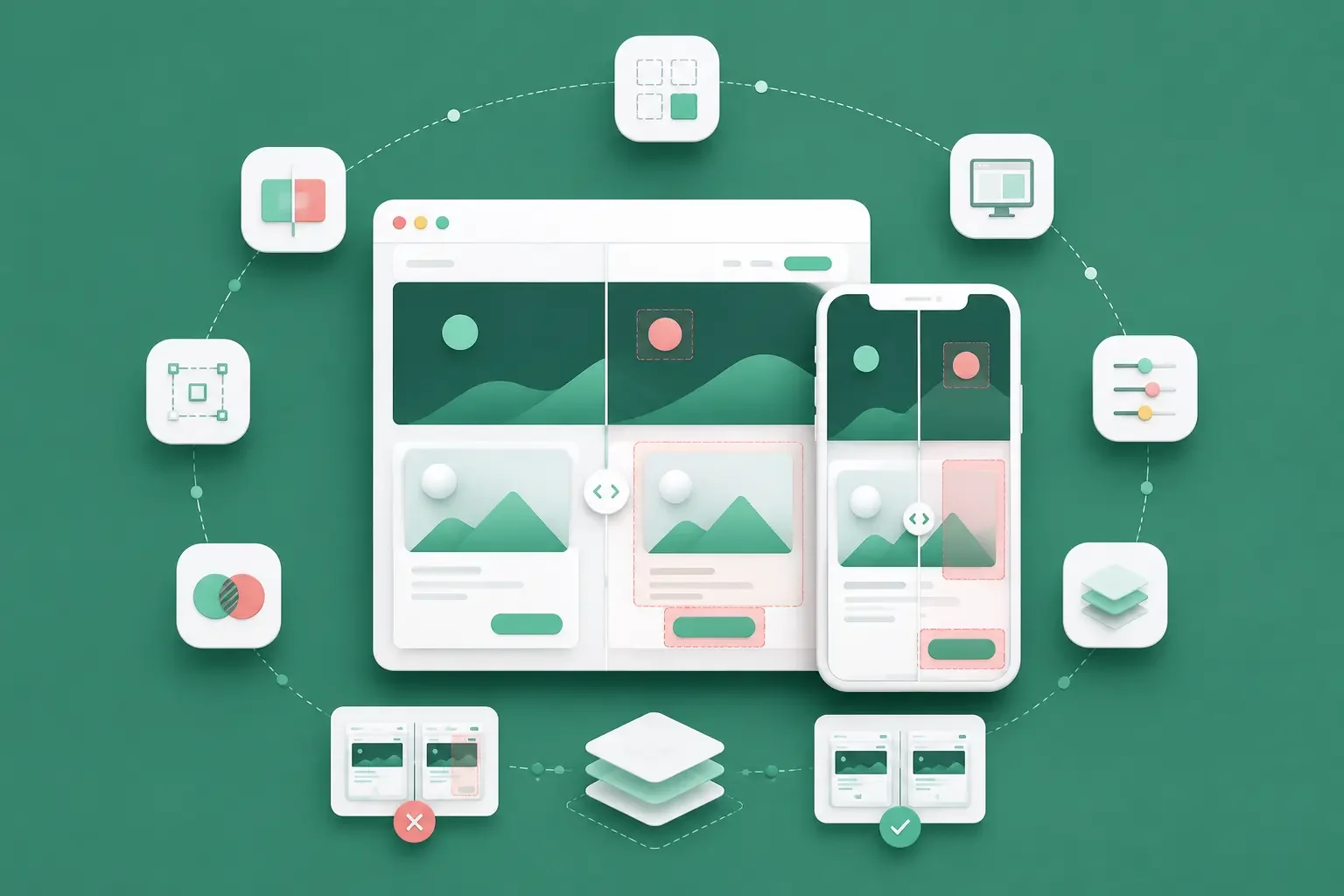
The harder problem comes when a visual diff contains a genuine layout regression alongside a timestamp change, animation frame, or harmless rendering difference. The job of a visual testing tool is not simply to produce more screenshots. It is to make meaningful UI changes easier to detect and review.
The best visual testing tool depends on the surface you test and the workflow surrounding it. Percy is a strong managed option across web and native mobile, Applitools Eyes is built for large-scale visual validation, Chromatic fits component and Storybook-heavy teams, and Playwright keeps screenshot assertions directly in your browser test code. BackstopJS, Happo, and Argos CI offer additional open-source or hosted approaches.
If native Android or iOS is part of your release surface, check the complete capture path. A tool that supports mobile browsers is not automatically equivalent to one that can validate a native screen on a physical device.
The shortlist
Tool | Best for | Public starting price | Native-mobile position | Main trade-off |
Managed visual review across web and mobile | Free plan with 5,000 screenshots/month; paid pricing varies by plan | Supports native iOS and Android visual testing on real devices | Screenshot volume affects cost | |
Large test estates and centralized visual validation | Free trial; paid plans are custom | Supports native mobile alongside web and other application surfaces | No public dollar rate card | |
Component libraries, Storybook, and frontend review | Free | Browser/component focused | Best fit when web UI states are reproducible in Storybook or browser tests | |
Code-first browser screenshot assertions | Free and open source | Browser automation, not native-app automation | You own baseline and review conventions | |
Standalone open-source visual regression | Free and open source | Web-app focused | You operate the infrastructure | |
Hosted visual testing with predictable snapshot pricing | Free | Supports native apps through screenshot/API integration | Device execution remains your responsibility | |
Lightweight visual review around CI and pull requests | Free | Screenshot review layer; validate your native capture path | Execution environment comes from your test stack |
A free plan is not automatically free to operate, and a quote-based plan is not automatically expensive.
Your actual cost can include screenshot or snapshot usage, CI execution, browser or device infrastructure, baseline storage, retries, and reviewer time.

Get the Mobile Testing Playbook Used by 800+ QA Teams
Discover 50+ battle-tested strategies to catch critical bugs before production and ship 5-star apps faster.
How to compare visual testing tools
Visual testing compares a rendered interface with an approved baseline and surfaces differences for review.
For mobile teams, AI-powered visual regression testing for mobile apps clarifies how baseline comparisons can account for interface changes across devices.
It complements functional testing. A checkout can still submit successfully while the final button is partially hidden. A navigation test can pass while dark-mode text becomes unreadable.
For a mobile-focused explanation of that difference, see Quash's guide to visual regression testing for mobile apps.
Use these five questions when comparing tools.
1. What can the tool capture?
The input may be:
a browser page
a Storybook story
a component
a deployed URL
a screenshot generated by your test framework
a native Android or iOS screen
Those are different capabilities.
2. Who creates and stores the baseline?
Framework-native tools such as Playwright can keep screenshots alongside your test code.
Hosted products typically add cloud baseline storage, review dashboards, approval workflows, pull-request integration, and team collaboration.
3. How does the workflow handle visual noise?
Animations, timestamps, ads, fonts, dynamic data, loading states, and rendering differences can all create visual changes without representing a product regression.
Your tool needs either mechanisms for stabilizing those regions or a review workflow that prevents noise from overwhelming reviewers.
4. What unit are you actually paying for?
Visual-testing vendors use different units:
screenshots
snapshots
billed snapshots
Test Units
pages
Do not compare monthly prices until you understand what consumes each unit.
5. Can your tests reliably recreate the visual state?
This becomes especially important on native mobile.
The same screen can change based on:
device dimensions
OS version
permissions
keyboard state
orientation
safe areas
font settings
network conditions
login state
process recovery
A good diff engine cannot compensate for a test that never reproduces the state where the defect appears.
Percy by BrowserStack: the managed web and mobile choice
Percy is BrowserStack's managed visual-testing and review platform. It captures screenshots from tests, compares them with approved baselines, and places visual changes into a shared review workflow.
Where Percy fits best
Percy is a strong option when you want visual review integrated into CI/CD without building your own screenshot-storage and approval system.
It is particularly relevant if BrowserStack already sits inside your testing stack.
BrowserStack's Percy plans and billing documentation lists a free plan with:
5,000 screenshots per month
unlimited users
unlimited projects
Paid plans include fixed screenshot allowances, with additional usage treated as overage.
Because BrowserStack's live pricing presentation can change, use the current BrowserStack pricing page rather than hard-coding an old paid-plan figure into a long-term budget.
Percy has a real native-mobile workflow
This is an important distinction.
BrowserStack's current Percy documentation explicitly supports visual testing for native mobile applications as well as desktop and real-mobile browsers.
Its mobile stack includes App Percy for native iOS and Android testing on real devices.
That makes Percy meaningfully different from a tool that only resizes a browser viewport to a mobile width.
If native mobile matters, your proof of concept should still test your exact workflow:
Android and iOS coverage
the physical devices you require
Appium or other automation integration
permission and authentication state
screenshot volume across device combinations
behavior during retries and parallel execution
Support on paper should still be validated against your actual release matrix.
Applitools Eyes: for enterprise visual validation
Applitools Eyes is part of the broader Applitools Intelligent Testing Platform and focuses on automated visual validation across application surfaces and testing frameworks.
Its positioning makes the most sense when visual testing needs to operate across a larger test estate rather than a handful of isolated screenshots.
Where Applitools fits
Evaluate Applitools when you need centralized visual validation across multiple teams, frameworks, browsers, devices, or applications.
Its current pricing page lists a Starter configuration with:
50 Test Units
unlimited users
unlimited test executions
functional, visual, accessibility, API, and component testing
cross-browser and device testing
30+ testing-framework and language SDKs
Public Cloud and Dedicated Cloud plans are also available with custom pricing.
Understand Test Units before comparing price
Applitools uses Test Units as its primary subscription variable.
For Eyes, pages count against the available Test Units. Applitools does not publish a simple dollar-per-screenshot conversion.
That means a meaningful price comparison requires a representative workload.
Give the vendor:
number of screens or pages
test environments
browsers and devices
run frequency
expected review volume
Then ask for the resulting Test Unit requirement and price in writing.
Without that step, comparing Applitools with a screenshot-metered plan is not an apples-to-apples comparison.
Chromatic: for component and Storybook workflows
Chromatic is closely associated with Storybook and frontend component development.
It is strongest when reusable UI components and their states are already represented as stories or browser tests that can be rendered consistently.
Why Storybook teams like the model
A component library gives you a controlled place to reproduce states such as:
button variants
validation errors
loading states
menus
forms
themes
responsive component states
Chromatic can turn those states into visual tests and surface differences before a component change spreads through the rest of the product.
Its pricing page currently lists:
Free: $0/month with 5,000 billed snapshots
Starter: $179/month with 35,000 billed snapshots
Pro: $399/month with 85,000 billed snapshots
Enterprise: custom
Starter also lists additional snapshots at $0.008.
TurboSnap changes the usage calculation
Chromatic's TurboSnap analyzes file changes to identify which tests are affected.
Instead of fully rerunning unchanged tests, it can reuse previous results. This can materially change billed-snapshot volume in repositories with large component libraries.
Do not assume the headline snapshot allowance maps directly to your repository.
Run representative pull requests through your own dependency graph and inspect how many billed snapshots they actually generate.
Where Chromatic is narrower
Chromatic now integrates with Storybook, Playwright, and Cypress, but its core environment is still frontend/browser UI testing.
That is different from reproducing a native Android screen after a permission dialog, an iOS keyboard interaction, or a process restart.
For native applications, treat Chromatic as a web/component solution rather than assuming component coverage replaces device-level visual validation.
Playwright: for code-first browser assertions
Playwright includes built-in visual comparison through:
await expect(page).toHaveScreenshot()
On the first run, Playwright generates a reference screenshot. Later executions compare the current screenshot with that reference.
Its visual-comparison documentation documents controls such as maxDiffPixels and stylePath for screenshot comparison and stabilization.
When Playwright is enough
Playwright can be a very good fit when:
you already use Playwright for browser testing
engineers are comfortable owning baselines in the repository
you do not need a separate visual-review SaaS product
pull-request review is sufficient for approving screenshot changes
The visual assertion lives next to the flow it protects.
That keeps your test logic and visual expectation inside the same codebase.
The operational cost moves to your team
Playwright does not charge a separate visual-testing subscription, but you still own:
CI infrastructure
baseline files
artifact retention
review conventions
environment consistency
noisy-region handling
baseline updates
Playwright explicitly warns that rendering can vary by operating system, hardware, settings, browser, and other environmental factors. Screenshots should therefore be produced in a consistent environment.
The framework also keeps browser/platform-specific baselines because different environments can legitimately render differently.
That is technically correct, but it increases the number of reference images you manage.
Playwright is not native mobile automation
Playwright can emulate mobile browser conditions and test responsive web applications.
That is not the same as automating a native Android or iOS application on a physical device.
If your visual risks live inside native UI, Playwright alone does not cover that surface.
BackstopJS: for self-managed open-source testing
BackstopJS is an MIT-licensed open-source visual regression tool designed around comparing screenshots of web applications over time.
Its GitHub repository contains the project configuration and runtime requirements.
Why teams choose BackstopJS
BackstopJS is useful when you want a dedicated visual-regression workflow without paying for a hosted visual-testing service.
You control:
where tests execute
browser infrastructure
baseline storage
screenshot retention
reporting
CI integration
That level of control can be attractive for a compact browser suite.
Free software still has an operating cost
Open source removes the SaaS subscription, not the surrounding work.
Your team remains responsible for:
keeping the execution environment stable
maintaining CI integration
storing and updating baselines
managing flaky visual captures
presenting useful diffs to reviewers
keeping dependencies compatible
BackstopJS is therefore best compared with hosted tools on total workflow cost, not license price alone.
It is fundamentally web-app oriented, so native-mobile teams will need another execution and capture strategy.
Happo: for hosted visual testing with native app support
Happo is a hosted visual and accessibility testing service with straightforward snapshot-based pricing.
Its pricing page currently lists:
Free: 5,000 snapshots/month in Chrome
Starter: $149/month for 50,000 snapshots
Growth: $399/month for 150,000 snapshots
Pro: $749/month for 300,000 snapshots
Enterprise: custom for 1 million or more snapshots
Paid-plan overage is currently listed at $0.006 per additional snapshot.
Happo explicitly supports native apps
Happo's native-app documentation describes native apps as a first-class use case, including iOS and Android applications.
The important architectural distinction is that Happo's system is technology-agnostic: your application or testing workflow produces the screenshots, and those images are integrated with Happo through its API.
That means native-app support does not automatically mean Happo supplies your physical-device infrastructure.
If native mobile is your priority, evaluate two pieces separately:
how you create repeatable screenshots on your required devices
how Happo compares, stores, and reviews those screenshots
Browser availability varies by tier
Happo's paid plans expand browser coverage:
Starter: Chrome and Firefox
Growth: Chrome, Firefox, and Safari
Pro: Chrome, Firefox, Safari, iOS Safari, and Microsoft Edge
Remember that iOS Safari means browser coverage. It is separate from Happo's native-app API workflow.
Argos CI: for lightweight pull-request review
Argos CI is a hosted visual and snapshot testing service built around CI workflows and collaborative review.
Its workflow is straightforward: your tests capture screenshots, Argos receives them, compares them with a baseline build, and exposes the differences for review.
Current pricing
Argos CI pricing currently lists:
Hobby: $0 forever for up to 5,000 screenshots
Pro: starting at $100/month with 35,000 screenshots
additional screenshots: $0.004 each
Storybook screenshots beyond the allowance: $0.0015 each
Enterprise: custom
The Pro plan also adds team collaboration, longer media retention, private deployment protection, notifications, and support.
Where Argos fits best
Argos is attractive when you already have an execution framework and mainly need a clean visual-review layer around CI.
Its documentation includes integrations for tools such as Playwright, WebdriverIO, Storybook, and Vitest.
That makes the separation of responsibilities important:
your test stack creates the visual state and screenshot; Argos handles comparison and review.
For native mobile, verify how your Android or iOS automation produces and uploads the screenshots you need before considering the capture problem solved.
Native mobile changes the comparison
Visual-testing roundups often treat "mobile" as a single capability.
It is not.
There are at least three different things a product might mean:
Responsive web testing at mobile viewport sizes
Mobile-browser testing on browsers such as Safari or Chrome
Native-app visual testing for Android or iOS applications
Those are different test surfaces.
A native mobile interface also carries state that a standard browser screenshot does not reproduce automatically.
Visual output can change because of:
device size and pixel density
Android or iOS version
safe areas and notches
system fonts
accessibility settings
orientation
permission dialogs
keyboard state
network state
backgrounding and process recovery
That is why the capture layer matters as much as the diff engine.
Quash's mobile testing tools guide separates testing frameworks, device infrastructure, AI-native platforms, and specialist tools for the same reason: different parts of the stack solve different problems.
When native mobile matters, ask every vendor:
Can you compare screenshots from native Android and iOS apps?
Who provides the device or simulator?
Can the workflow run on the physical models you require?
Can it recreate permissions, authentication, keyboard, rotation, and network state?
How are baselines separated across devices and OS versions?
Does the visual diff preserve enough session context to diagnose the failure?
Do not award "mobile coverage" from a marketing label alone.
Validate one real release-critical flow from state creation through screenshot review.
What visual testing costs at volume
The number of test cases alone does not determine visual-testing cost.
A better planning model is:
monthly screenshots = flows × visual checkpoints × environments × runs
For example:
100 flows
5 visual checkpoints
4 environments
That creates 2,000 visual artifacts per run.
If the suite runs across 10 pull requests in a month, that is already 20,000 screenshots or snapshots before retries, baseline refreshes, additional branches, or reruns.
This is only a planning example. Each vendor defines its billing unit differently.
Vendor | Published allowance relevant to the example | Published pricing | What to clarify |
Percy | Free includes 5,000 screenshots/month; paid plans use higher screenshot allowances | Paid pricing varies/current quote | Screenshot definition, overage, and native-mobile plan requirements |
Chromatic | 35,000 billed snapshots on Starter | $179/month | Effect of TurboSnap on your actual repository |
Happo | 50,000 snapshots on Starter | $149/month | Required browser mix and native screenshot source |
Argos CI | 35,000 screenshots on Pro | From $100/month | Capture environment and extra screenshot volume |
Applitools | Test Units rather than a simple screenshot allowance | Custom | Workload-to-Test-Unit conversion |
The units are not interchangeable.
Chromatic bills snapshots according to its own workflow. Happo defines a snapshot as one screenshot of a component variant in one browser. Applitools prices primarily around Test Units. Percy meters screenshots.
Model your actual release workload against the vendor's billing definition before comparing the resulting dollar figures.
Open source moves rather than eliminates cost
Playwright and BackstopJS do not require a visual-testing SaaS subscription.
You may still pay through:
CI minutes
browser infrastructure
real-device infrastructure
artifact storage
engineering maintenance
baseline management
reviewer time
That does not make open source worse.
It means subscription price and operating cost need to be evaluated separately.
How to choose a visual testing tool
Start with the surface you actually ship
If the primary risk lives inside reusable web components, Chromatic is a natural candidate.
If you need managed visual review across CI and native mobile, Percy deserves evaluation.
If you need centralized validation across a large multi-framework test estate, Applitools belongs on the shortlist.
If your team already owns browser testing in Playwright and is comfortable managing baselines, the built-in screenshot assertions may be enough.
BackstopJS, Happo, and Argos each make sense when their execution and review model matches the infrastructure you already operate.
Decide who should own visual approval
Some teams want engineers to approve screenshot changes in code review.
Others need QA, product, and design to review the same diff.
That workflow difference can matter more than the image-comparison algorithm itself.
Price a representative release
Do not price one screenshot.
Run a representative release scenario containing:
real pull requests
real environments
realistic visual checkpoints
retries
expected browser or device combinations
Then measure the actual billable artifacts.
Treat native mobile as an end-to-end workflow
If native mobile is your release risk, verify the entire chain:
state creation → device selection → execution → screenshot capture → comparison → review → diagnosis
A diff engine handles only part of that chain.
Pair visual checks with a broader mobile regression testing strategy so screenshot comparison reinforces rather than duplicates your functional coverage.
Conclusion
There is no single best visual testing tool for every QA stack.
Percy is one of the strongest managed options when you need both web and native-mobile visual testing. Applitools fits larger programs that need centralized visual validation and governance. Chromatic is particularly strong around Storybook and frontend component workflows. Playwright gives browser-focused engineering teams visual assertions without adding another testing subscription.
BackstopJS provides an open-source route, while Happo and Argos CI offer hosted comparison and review with transparent snapshot or screenshot pricing.
The important distinction is not which product has the longest feature list.
It is whether the tool can reliably reproduce, capture, compare, and review the visual states where your product actually breaks.
Pick two or three candidates, run the same representative workflow through each, calculate the resulting artifact volume, and compare the quality of the review experience.
For native apps, include at least one real Android or iOS flow in that evaluation.
FAQs
What are the best visual testing tools in 2026?
Seven strong options are Percy, Applitools Eyes, Chromatic, Playwright, BackstopJS, Happo, and Argos CI.
The right choice depends on whether you need browser, component, or native-mobile coverage and whether you prefer a hosted review workflow or framework-native screenshot assertions.
What is visual testing?
Visual testing compares the current rendered interface with an approved baseline to detect unintended UI changes.
It can identify issues such as:
clipped text
shifted layouts
missing icons
overlapping elements
spacing regressions
unexpected color changes
Functional testing can miss these issues because the underlying interaction may still work correctly.
What is the difference between visual testing and functional testing?
Functional testing verifies behavior and outcomes.
Visual testing verifies appearance.
A button can still submit the correct form while being hidden behind another element. The functional test may pass while the visual test exposes the regression.
Is Percy suitable for native mobile testing?
Yes.
BrowserStack documents Percy support for native mobile applications as well as desktop and real-mobile browsers. Native Android and iOS testing should still be validated with your required devices, automation framework, and session states before purchase.
Does Happo support native mobile apps?
Yes.
Happo documents native iOS and Android applications as a supported use case. Its approach is screenshot-driven, so your testing or device infrastructure needs to produce the native screenshots that Happo compares.
Is Playwright enough for visual regression testing?
For a browser-focused engineering team, it can be.
Playwright provides built-in screenshot comparison and keeps baseline images alongside your tests.
You still need to manage environment consistency, screenshot storage, baseline approval, and review conventions.
Playwright is not a native Android or iOS automation framework.
Which visual testing tool is best for Storybook?
Chromatic is one of the most natural fits because its visual-testing workflow is built closely around Storybook and component states.
It also integrates with Playwright and Cypress for broader browser-based UI testing.
Are open-source visual testing tools actually free?
They can be free to license, but not necessarily free to operate.
Playwright and BackstopJS may still require CI infrastructure, browser or device execution, artifact storage, engineering maintenance, and reviewer time.
How should you compare visual testing prices?
Start with your real workload:
flows × visual checkpoints × environments × runs
Then convert that volume into each vendor's billing unit.
Do not compare screenshots, billed snapshots, and Test Units as though they are the same thing.
Continue reading
More articles from the Quash editorial desk.