4xx vs 5xx Errors: Client vs Server Errors Explained (2026)

Your dashboard shows a spike in 5xx errors at 2 a.m. Support tickets mention "errors" but describe a screen that says something went wrong. The first question is whose problem this is: the server's, a gateway's, the client's, or a team that owns both. The second is what to do next: fix code, retry, or escalate.
The short answer: a 5xx status code says the server side reported a failure, and a 4xx says the request looks wrong to the server. The class digit tells you who is being told to look. It does not always tell you who owns the defect. This article audits that rule, shows where it holds and where it bends, and gives you a triage path for the cases where it bends. If you want the full per-code catalogue, Quash's HTTP status code list covers it. This piece does not repeat it.
4xx vs 5xx at a glance
The table sets the two classes side by side, with 429 flagged because one major consumer treats it differently. Read the "who is reporting" column first. It names the party that produced the response, which is often not the party that caused the failure.
Class | Normative meaning (RFC 9110 wording) | Who is reporting | Who usually fixes it | Retryable? | Crawl effect (Google) | Examples |
4xx Client Error | "the client seems to have erred" | The origin server, or a gateway or policy layer in front of it | Usually the client's code or request, but a server-side rule or state can decide the answer | Depends on cause and method; not safe by class alone | No effect on crawl rate, except 429 | 400, 401, 403, 404, 409, 410, 412, 415, 422 |
5xx Server Error | "the server is aware that it has erred or is incapable of performing the requested method" | The origin server, or a gateway that observed a failure upstream | Usually the server or the hop that emitted it; sometimes a gateway configuration or timeout | Possibly, for temporary conditions, once idempotency is checked | Crawlers slow down; indexed URLs are preserved, then eventually dropped | 500, 501, 502, 503, 504, 505 |
429 Too Many Requests (flagged) | Rate limiting: "the user has sent too many requests in a given amount of time" | The rate limiter | Often the caller, who is over quota; sometimes the limit is set too low | Yes, after the wait the server indicates, where one is given | Google's crawlers treat it as a server-overload signal | A 4xx that Google handles like a 5xx |

Get the Mobile Testing Playbook Used by 800+ QA Teams
Discover 50+ battle-tested strategies to catch critical bugs before production and ship 5-star apps faster.
What the standard actually says
The class definitions are short, and the wording is worth reading closely. RFC 9110 says the 4xx class "indicates that the client seems to have erred", and that the 5xx class "indicates that the server is aware that it has erred or is incapable of performing the requested method" (RFC 9110).
The asymmetry is in the verbs. A 4xx is a judgement the server makes about the client, based on what the server can see. A 5xx is the server reporting its own state. Neither is proof of where a fault lives. The IANA status code registry (last updated 2025-09-15) summarises 4xx as a request that "contains bad syntax or cannot be fulfilled" and 5xx as a failure to "fulfill an apparently valid request". "Apparently" carries the weight: valid as far as the server could tell.
Two rules for codes you do not recognise are often merged. They should not be.
An unrecognised but valid code takes its class's x00 meaning. RFC 9110 says a client must "treat an unrecognized status code as being equivalent to the x00 status code of that class". Its own example turns an unrecognised 471 into a 400.
An invalid code, outside 100 to 599, is processed as a 5xx. A client that receives one "SHOULD process the response as if it had a 5xx (Server Error) status code".
So "unknown means the server broke" is true only for codes that are not valid HTTP at all, such as a library returning 600, 700 or 999 for an internal state. A new but valid code inherits the meaning of its first digit. If you write an error mapper, this decides which branch your default takes.
Error bodies follow a similar pattern. Except for HEAD requests, the server "SHOULD send a representation containing an explanation of the error situation". That is a recommendation, not an obligation. OWASP's Error Handling Cheat Sheet separately advises against exposing implementation detail in errors. An app that shows a generic "Something went wrong" may be following security guidance, not discarding a diagnosis the server supplied.
Client errors (4xx)
Each 4xx has a legitimate purpose, which is why the class exists. The failure mode follows from that purpose.
400 Bad Request. Its purpose is to tell the caller the request's syntax or shape is wrong. It misfires when the server rejects a request the client built correctly, for example after a schema change on one side that the other side has not picked up.
401 Unauthorized. Its purpose is to say the request lacks valid authentication. It misfires when a token is expired, cached, or attached to the wrong environment, so the client sends a credential that was valid yesterday.
403 Forbidden. Its purpose is to say the server understood the request and refuses to authorise it. A 403 can reflect a correct policy, bad credentials, or a mistaken policy. Logs and request context decide which.
404 Not Found. Its purpose is to say the target does not exist at this address. It misfires when the client builds a URL from stale data, or when a deployment removes a route the app still calls.
409 Conflict. Its purpose is to say the request conflicts with the current state of the resource. It misfires when two clients race and only the loser sees a problem.
410 Gone. Its purpose is to say the resource was removed deliberately and will not return. It misfires when the removal was a mistake, because the response tells every caller to stop asking.
412 Precondition Failed. Its purpose is to report that a condition in the request headers was false. RFC 9110 defines it for conditions "evaluated to false when tested on the server". It is the clearest case of a 4xx that reports the server's own decision, covered below.
415 Unsupported Media Type. Its purpose is to say the payload format is not accepted. It misfires when a client sends a correct JSON body with the wrong Content-Type header, which is easy to do in a shared HTTP library.
422 Unprocessable Content. Its purpose is to say the syntax is correct but the content fails validation. It misfires when the validation rule itself is wrong and every client is rejected for a field the server should not require.
429 Too Many Requests. Its purpose is rate limiting. RFC 6585 defines it as the response when "the user has sent too many requests in a given amount of time". It misfires when a limit sits below normal traffic, or when a retry loop multiplies requests during an outage.
Server errors (5xx)
500 Internal Server Error. Its purpose is the generic report that the server failed and cannot be more specific. It misfires whenever it is your only signal, because it says the server failed but not where. Start with the logs of the hop that emitted it.
501 Not Implemented. Its purpose is to say the server does not support the requested method. It misfires when a client sends a method the server was never configured to accept, which looks like a server bug from the app side.
502 Bad Gateway. Its purpose is to report that a gateway or proxy, "while acting as a gateway or proxy, received an invalid response from an inbound server it accessed while attempting to fulfill the request" (RFC 9110). It misfires as a diagnosis, because the gateway is only the reporter.
503 Service Unavailable. Its purpose is to report temporary overload or scheduled maintenance. The server "MAY" send a Retry-After header to suggest how long to wait, so a missing header is not a protocol violation. RFC 9110 also says the status "does not imply that a server has to use it when becoming overloaded. Some servers might simply refuse the connection." If you saw connection resets rather than a 503, the server may still have failed.
504 Gateway Timeout. Its purpose is to report that a gateway did not receive a timely response from an upstream server it needed to access. It misfires when the timeout is set on the gateway and the upstream was still working.
505 HTTP Version Not Supported. Its purpose is to say the server will not handle the protocol version in the request. It is rare outside protocol migrations.
Vendor-defined 5xx codes
Cloudflare documents a family of 5xx codes for its own platform, including 520 through 526 and 530 (Cloudflare 5xx error documentation). IANA's registry shows 512 to 599 as unassigned. Both are true: "unassigned" describes the standards registry, not the absence of vendor codes in real traffic. On a proxied site, a 5xx may carry a meaning that appears nowhere in RFC 9110. Read the vendor's per-code page before you act on one.
Where the rule gets messy
The rule "4xx is the client, 5xx is the server" holds for plenty of traffic. Four cases bend it.
412 reports a server decision. The server tests a condition against its own stored state, so a client cannot cause a 412 on its own. The same mechanism backs lost-update protection through If-Match. This is a 4xx whose answer the server owns.
429 is treated as a server signal by one important consumer. Google documents that "Google's crawlers treat the 429 status code as a signal that the server is overloaded, and it's considered a server error" (Google's crawler documentation). That describes Google's crawlers, not every consumer. A caller that is simply over quota has not been wronged by the server.
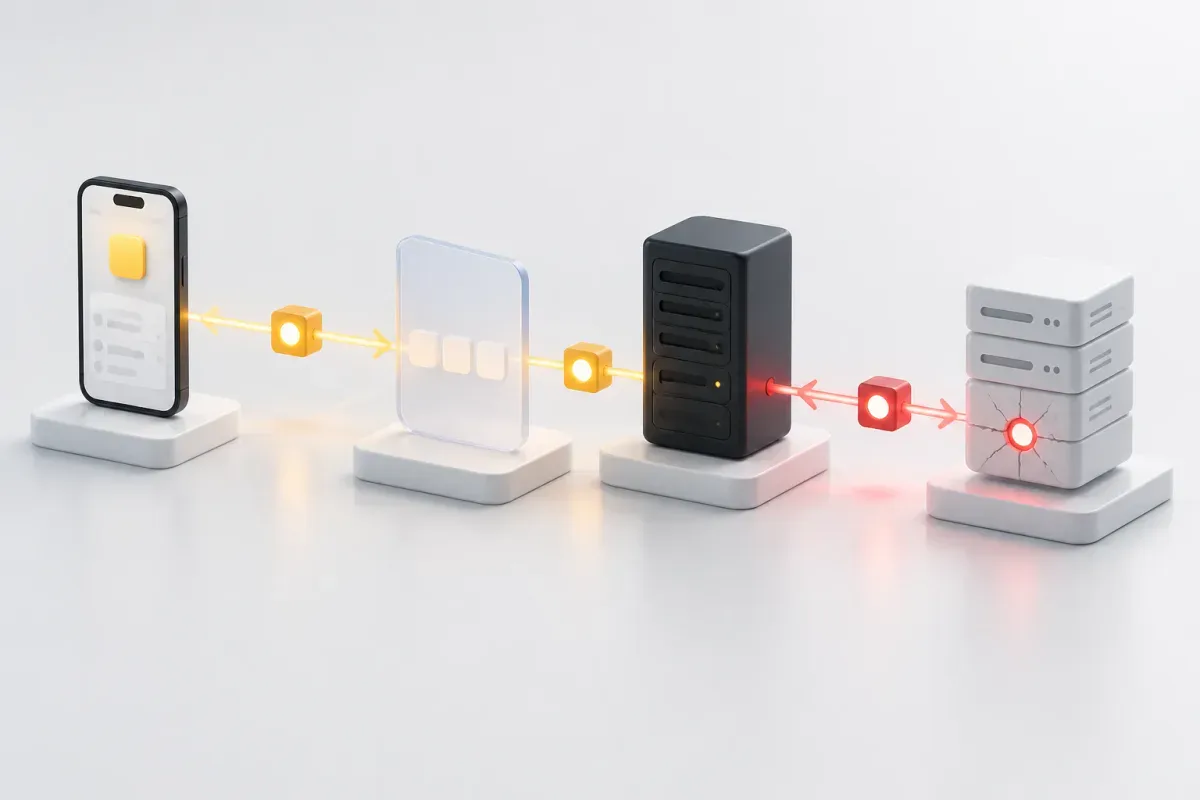
502 and 504 report a failure they did not necessarily cause. A 502 says the gateway got an invalid answer from upstream. A 504 says it got no timely answer. Neither proves the upstream is the root cause, because the gateway's own configuration or timeout can be the defect. Cloudflare's documentation puts the practical version plainly: "The cause of the error is not always found in the origin server's error logs. Be sure to check the logs of any load balancers, caches, proxies, or firewalls between Cloudflare and the origin web server." When you see a 502, the origin's logs may be clean.
401 and 403 are hypotheses until logs decide. Treat correct policy, wrong credentials and mistaken policy as three candidates to test against request context. Do not assume the server is at fault, and do not assume the client is.
One measured data point shows how far the "client typed something wrong" picture can be from reality. In a Cloudflare post dated 2026-04-17, covering a graph of requests from AI bots and crawlers (the post gives the period only as "the time period covered by the graph"), Cloudflare reported that 13.7% of responses were 4xx and 1.2% were 5xx. Within that slice, 403 accounted for 8.3% of requests and 404 for 3.7%. Blocked access and missing files made up most of the 4xx share, not malformed requests. The population is AI crawlers, so do not read it as a statement about browser or mobile traffic.
Who should fix what: a triage path
Use this sequence on any error you have not seen before. It is built around who produced the response, because the class digit alone does not say.
Read the exact code, not the class. If it is not valid HTTP (outside 100 to 599), handle it as a 5xx and treat it as a bug in whatever produced it.
Identify the hop that emitted it. Check the origin, then each gateway, load balancer, proxy or CDN between the client and the origin. Response headers and the vendor's documentation usually show which one answered. For a 502 or 504, start at the boundary between the gateway and its upstream.
Check whether the origin's logs agree. If the origin logged the same request with the same status, the origin produced the failure. If it logged nothing, look at the hop that answered. Microsoft documents this pattern for Azure API Management, where gateway logs carry a separate backend response code (Azure APIM troubleshooting).
Decide the next action by cause.
4xx from request construction, stale credentials or a stale schema: fix the client. Do not resend the same request unchanged.
4xx from a server-side policy or state, such as 403 or 412: decide whether the policy or state is correct, and escalate to the owner of that rule.
5xx reported as temporary: retry only if the method is safe or idempotent. RFC 9110 defines idempotence as multiple identical requests having the same intended effect as a single one; safe methods, PUT and DELETE qualify. Bound the attempts and follow the API's documented idempotency contract. A retried non-idempotent POST can duplicate effects.
503 with
Retry-After: wait at least the advertised interval. Without the header, use your own backoff.500: do not retry blindly. Retry once if the operation is safe, otherwise escalate.
Escalate with evidence. Send the code, the emitting hop, the request identifier and the timestamp. "We got a 500" is slow to route. "502 from the edge, origin logs empty for this request ID" goes to the right owner.
What each class does to search indexing
Google's documentation describes opposite directions for the two classes (Google's crawler documentation, last updated 2026-02-04).
5xx and 429: crawlers "temporarily slow down with crawling". Content received from 5xx URLs is ignored. URLs already indexed are preserved in the index, but eventually dropped.
4xx other than 429: "All 4xx errors, except 429, are treated the same." Google does not index URLs returning a 4xx, removes already-indexed ones, and the crawl rate is unaffected.
401 and 403 as a throttle: Google advises against using these codes to limit crawl rate.
Google publishes no timetable for either outcome. The direction is documented; the timing is not, so neither a short 5xx outage nor a removed 404 is a service-level promise. If indexing worries you, how long the errors persist is a question for your own logs.
When your 4xx is your own bug: the mobile case
Most public discussion of 4xx and 5xx assumes a website, where the client is a browser the site owner does not control. There, a 4xx plausibly means someone else made a mistake. In a shipped mobile app, the client is code your team builds, releases and hotfixes. A 400 or 422 caused by the app's request building, a stale token or a cached schema is your own defect, and it reaches you labelled as a client error. A dashboard that watches only 5xx will never show it.
This is an argument from how the stack is built, not a measurement. No public dataset of mobile-app 4xx and 5xx rates turned up in our search, and Quash has no first-party data on the question, so this section gives no prevalence figure. You can test the argument directly: if your telemetry splits 4xx by app version and endpoint, a cluster on one release points at the app. Pairing UI actions with backend checks makes the same split visible in testing, as Quash's explainer on backend validation in mobile app testing describes.
Verdict: which reader are you?
The right answer depends on what you ship and where traffic passes.
You run a website on your own server. A 5xx is most likely your own server or application. Your 4xx responses mostly come from outside clients, so 404 and 410 are normal and deliberate. Watch 5xx for crawl and indexing effects and treat 404s as a content question.
You ship a mobile app. Your 4xx responses may be your own defect, because you build the client. Track 4xx by app version and endpoint, not only 5xx, and treat 401, 403, 409 and 422 as candidates for an app-side bug until evidence says otherwise.
You sit behind a CDN or gateway. A 502, 503 or 504 may come from the edge, not your origin. Check which hop answered before you read origin logs, and read the vendor's documentation for any vendor-defined code.
You own an API that others call. Your 4xx responses are your contract with callers, so the body and the
Retry-Afterheader matter as much as the code. Use 429 and 503 honestly, and do not let a policy decision (401 or 403) look like an outage.
Conclusion
The class digit names the party the standard asks you to look at. A 4xx can come from a server rule that decided the answer, and a 5xx can come from a gateway reporting a failure it did not cause. Next time an unfamiliar code lands in a ticket, find the hop that emitted it before you decide whether the fix belongs in your client, your server or your gateway.
FAQ
Is 429 a client or server error? It is a 4xx, defined by RFC 6585 as rate limiting. Google's crawlers treat it as a server-overload signal, so for crawling it behaves like a 5xx.
Can a 5xx be the client's fault? The standard words 5xx as the server being aware it erred, but a request that triggers a server bug still produces a 5xx. The fix then belongs on the server, even if the client's input set it off.
Should you retry a 500? Not blindly. Retry only if the method is safe or idempotent, bound the attempts, and escalate with the emitting hop and request ID if it persists.
Does a 5xx hurt SEO more than a 4xx? They push in opposite directions. Google slows crawling on 5xx and eventually drops indexed URLs if errors continue; it removes indexed URLs that return a 4xx. Google publishes no timetable for either.
Is 502 always the origin's fault? No. A 502 identifies the gateway as the reporter. The gateway's own configuration or timeout can be the cause, and the origin's logs may show nothing.
Continue reading
More articles from the Quash editorial desk.