Best MCP Servers for QA & Testing in 2026

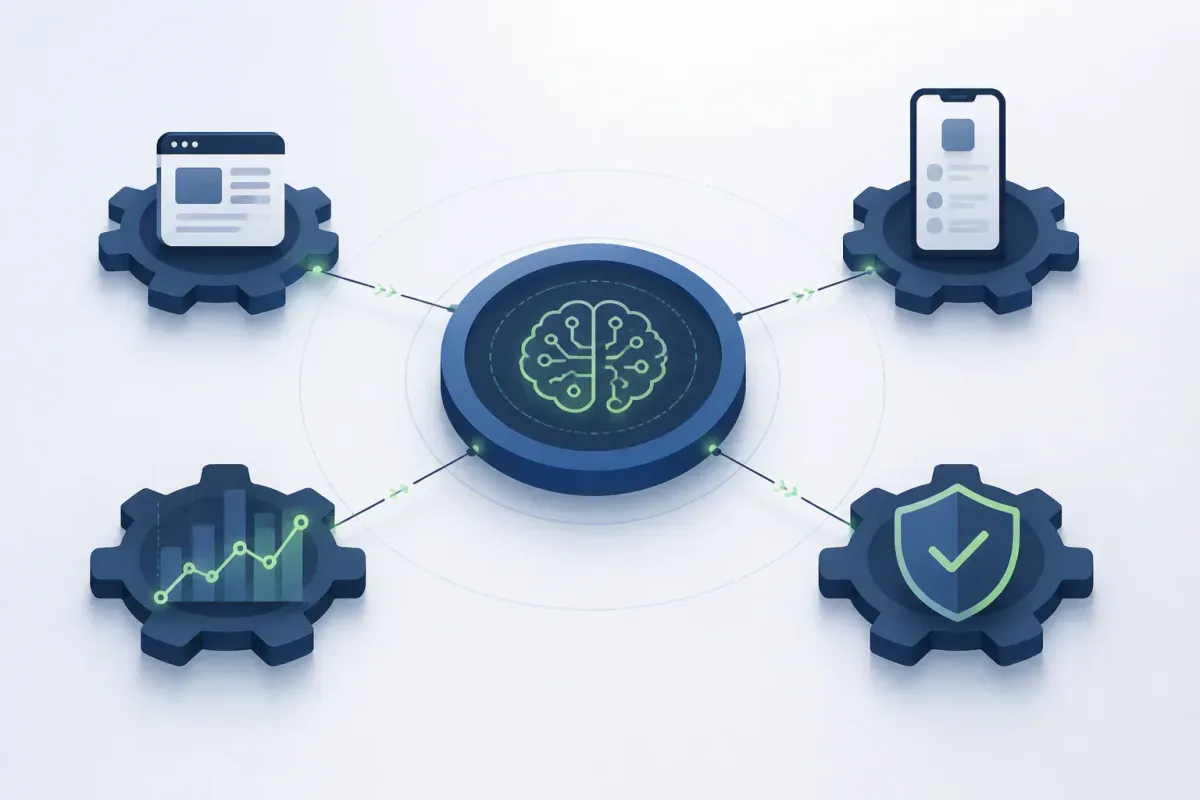
Your AI assistant can open a browser, install a mobile build, run an API collection, or inspect a quality gate—but only if it has a controlled connection to those systems. That is why choosing among MCP servers for testing becomes confusing fast: the phrase covers servers that help an agent test software and tools that test the MCP server or the agent itself.
Understanding what MCP is and how it works helps distinguish tool integrations from systems that evaluate agents or servers.
The short answer is that no server is best at every job. This roundup groups 12 MCP servers for testing by what they verify: browser and mobile software, APIs, performance, code quality, protocol conformance, or agent behavior. Choose the tool that fits your test boundary rather than asking a browser runner to act like a protocol harness.
Comparison table: 12 MCP servers for testing
Server | Best for | Segment | Primary target | Operating model | Pricing status | Key limitation |
Playwright MCP | Accessible browser exploration | Browser | Web UI | Local/self-run | No paid MCP plan stated in docs | Not mobile testing or a complete CI strategy |
Selenium MCP | Existing WebDriver estates | Browser | Web UI | Local/self-run | No paid plan stated in repository | Retains WebDriver operational complexity |
Mobile Next mobile-mcp | Native mobile interaction across device types | Mobile | iOS and Android | Local or cloud | Cloud pricing not stated in repository | Local setup needs platform tooling |
Appium MCP | Appium-native automation | Mobile | iOS and Android | Local or remote Appium | No paid plan stated in repository | Requires Appium and platform prerequisites |
BrowserStack MCP | Hosted browsers and real devices | Mobile/browser | Browsers and devices | Hosted | Connector is free; platform subscription required | Requires BrowserStack testing capacity |
Quash MCP | Agent-driven mobile QA with builds and evidence | Mobile | Android and iOS app flows | Local devices or Quash-hosted infrastructure | Pricing not stated in announcement | Not a browser-grid, load-testing, or conformance tool |
Postman MCP Server | Collection-centered API workflows | API | APIs, collections, workspaces | Local or remote | Plan prices are separate from MCP access | Remote mode cannot reach a local workstation network |
Grafana k6 MCP | Load-test authoring and review | Performance | k6 scripts and results | Local/preview integration | No comparable MCP price stated | Preview software; not a device matrix |
SonarQube MCP Server | Code-quality and release context | Quality context | Analysis and quality gates | Sonar deployment | MCP server is open source and free | Does not execute UI or API tests |
MCP Conformance Test Framework | Specification-level MCP checks | MCP QA | MCP clients and servers | Local/self-run | No commercial pricing stated | Does not test product workflows |
mcp-assert | Wire-level MCP regression checks | MCP QA | stdio, SSE, and HTTP | Local/self-run | No paid plan stated | Does not assess the underlying app |
mcptest | Agent tool-selection and trajectory tests | Agent evaluation | Mock servers and fixtures | Local/self-run | No paid plan stated | Fixture tests are not live conformance tests |

Get the Mobile Testing Playbook Used by 800+ QA Teams
Discover 50+ battle-tested strategies to catch critical bugs before production and ship 5-star apps faster.
How to choose an MCP server for testing
Start with what is under test. If you need an agent to interact with a browser, use a web automation server. If you need native builds, gestures, device state, and installation, use a mobile server. If you need collection and environment work, use API tooling. If you are building an MCP server, choose a conformance or transport-testing tool instead.
Next, separate execution from context. A server that exposes coverage, security hotspots, or a pull-request quality gate gives your agent useful release context. It does not prove that a checkout flow works. In the other direction, a successful mobile run does not prove that your MCP implementation follows the protocol specification.
Then decide where the server should run. A local server can reach a workstation, emulator, connected device, or internal service when you configure it to do so. A hosted platform can reduce infrastructure work and offer device access, but it adds subscription, identity, and network-boundary decisions. Local and remote modes do not automatically have the same reach.
Finally, decide what must be repeatable. Agent-led execution is useful for exploration, setup, and debugging. Your release decision still needs deterministic CI runs, reviewable evidence, and explicit gates. An MCP server can be your agent’s interface; it should not be the only control between a prompt and production.
Browser and web UI testing
Playwright MCP — best for accessible browser exploration
Playwright MCP fits browser exploration and web UI flows in the Playwright ecosystem. Playwright documents its MCP integration as browser automation using structured accessibility snapshots, and says it works with common MCP clients without requiring a vision model.
What it is: a browser-control layer for agent-driven navigation and UI actions.
Key features
Browser navigation and interaction through Playwright.
Accessibility-snapshot-based page understanding.
Structured page state that does not depend only on screenshots.
Pricing: The documentation does not state a paid MCP plan. Treat it as a locally run integration unless you verify separate commercial terms.
Limitations: Playwright MCP does not replace deterministic Playwright suites, CI orchestration, mobile-device coverage, API testing, or MCP conformance checks. Use it to complement your web test practice, not to remove the repeatable tests that protect releases.
Selenium MCP — best for WebDriver estates, including Safari
Selenium MCP is a fit when you already rely on Selenium/WebDriver and want an MCP layer over that stack. Its project documentation describes an MCP implementation for Selenium WebDriver and lists browser sessions, navigation, interaction, screenshots, JavaScript execution, diagnostics, and accessibility resources.
What it is: an MCP bridge for WebDriver-based browser automation.
Key features
Browser sessions, navigation, and interaction.
Screenshots, JavaScript execution, and diagnostics.
Listed support for Chrome, Firefox, Edge, and Safari.
Pricing: The project is presented under an MIT license and does not state a paid plan.
Limitations: You retain the operational demands of the Selenium/WebDriver stack. Its documentation says Safari requires macOS and has no headless mode, so that workflow has different constraints from a Linux-friendly headless-browser pipeline.
Mobile and real-device testing
Browser automation is not native mobile automation. A browser server may help you test responsive pages, but it does not automatically handle build installation, native permissions, gestures, device state, or iOS tooling. Choose a mobile MCP server based on whether you need local control, an Appium ecosystem, hosted infrastructure, or a connected QA workflow.
Mobile Next mobile-mcp — best for platform-agnostic mobile interaction
Mobile Next mobile-mcp is an MCP server for iOS and Android automation and scraping. Its project documentation describes use across simulators, emulators, and real devices, with local-device operation and a separate cloud option.
What it is: a mobile control layer for agent-driven interaction across Android and iOS targets.
Key features
Accessibility snapshots and screenshot-based coordinate taps.
Device, app, screen, gesture, orientation, installation, and recording operations.
Local-device use alongside a separate Mobile Next Cloud option.
Pricing: The project documentation describes an Apache-2.0 project and a cloud option, but does not state cloud pricing. Self-hosted project terms and hosted-service pricing are separate questions.
Limitations: Local execution still requires the relevant platform tooling and authorized devices. Pin versions before deployment: GitHub’s advisory for CVE-2026-33989 identifies versions before 0.0.49 as affected by a path-traversal issue in screenshot and screen-recording tools, and lists 0.0.49 as patched.
Appium MCP — best for teams already invested in Appium
Appium MCP fits an Appium-native workflow where you want agent interaction while retaining Appium’s mobile automation model. The official project describes iOS and Android automation across simulators, emulators, and real devices, with embedded local drivers and remote Appium/WebDriver operation.
What it is: an MCP-enabled mobile development and automation server built around Appium.
Key features
Natural-language interaction and automated test creation.
Intelligent locator generation.
Embedded local Android and iOS drivers.
Remote Appium/WebDriver operation.
Pricing: The project is presented under an Apache-2.0 license and does not state a paid plan.
Limitations: You still need the platform prerequisites. Android needs the expected SDK tooling, while iOS automation depends on Apple’s tooling on macOS. In remote mode, responsibility for drivers, devices, and desired capabilities shifts to the remote Appium server.
BrowserStack MCP — best for hosted browsers and real devices
BrowserStack MCP is for a hosted workflow that joins browser and real-device access with test management and debugging. BrowserStack documents an MCP connection from AI tools to its Test Platform, including live tests, suite triggers, accessibility scans, debugging, and test-management activity.
What it is: a managed-platform connector for agent-assisted browser and device testing.
Key features
Live browser and device testing.
Test-case and run management.
Automation-suite triggers, accessibility scans, and debugging.
Agent-oriented test generation or healing capabilities described by BrowserStack.
Pricing: The AWS Marketplace listing says the MCP connector is free of charge while requiring an active BrowserStack subscription for the underlying platform. The connector and testing capacity are different costs.
Limitations: A free connector does not provide free browser or device capacity. This is a fit when you want hosted infrastructure or already have BrowserStack access, not when you need local-device control without a platform subscription.
Quash MCP — best for connected mobile QA workflows
Disclosure: Quash is our product.
Quash MCP belongs in this roundup because it connects an AI agent to Quash mobile-app automation. Quash documents executing natural-language test tasks; generating cases from prompts, files, or a Git repository; listing apps and builds; installing an APK; and retrieving reports and share links.
What it is: a mobile-first MCP workflow for moving from an agent request to app testing, build handling, and run evidence.
Key features
Natural-language test execution.
Test-case generation from prompts, files, or repositories.
App and build listing plus build installation.
Run reports and share links.
Device- and emulator-oriented mobile workflows.
Pricing: The first-party announcement does not state MCP pricing. Do not infer that it is included in a particular plan; confirm current commercial terms directly with Quash.
Limitations: Quash is not a browser-only testing specialist, general-purpose API client, load-testing system, or MCP-protocol-conformance harness. Its stated platform boundary also matters: macOS on Apple Silicon supports Android and iOS, while Windows x64 is Android-only. Choose it when your problem is mobile app QA, not when you need a browser grid or server-specification test.
When your release risk is in app behavior across devices, build states, and native flows, an MCP connection still needs a broader functional-test design and explicit release criteria. The server gives an agent a way to act; your test design decides what evidence is enough.
API and performance testing
Postman MCP Server — best for collection-centered API work
Postman MCP Server connects agents to Postman workspaces, collections, specifications, and environments. It is useful when your test work already lives in collections and your agent needs API context as well as access to those artifacts.
What it is: an MCP interface for Postman API workflows, including collections and workspace context.
Key features
API collection testing.
Workspace and environment management.
Specification context and collection management.
Code synchronization plus local and remote server modes.
Pricing: Postman’s pricing page lists Free at $0 per month, Solo at $9 per month billed annually, Team at $19 per user per month billed annually, and Enterprise at contact-sales pricing. These are Postman plan prices, not a separately stated MCP-server price.
Limitations: The project documentation says the remote server cannot access a developer workstation’s local network. Use the local server when you need to test local APIs, and review authentication and workspace permissions before giving an agent access.
Grafana k6 MCP — best for load-test authoring and review
Grafana k6 MCP gives an AI assistant a route into k6 performance work. Grafana documents k6 x mcp for script generation, syntax and structure validation, documentation lookup, local test execution, result review, and Playwright-to-k6 browser-script conversion.
What it is: an MCP integration for performance-test creation, execution assistance, and result interpretation.
Key features
Script generation and validation.
Documentation lookup and local execution.
Result review.
Playwright-to-k6 browser-script conversion.
Pricing: The documentation labels the MCP server as preview and does not state a comparable MCP price. Do not treat k6 OSS or Grafana Cloud pricing as proof of a separate MCP price.
Limitations: Preview status means capabilities and terms can change. k6 MCP helps with performance work; it is not a substitute for real-device coverage, browser-matrix testing, or MCP conformance checks.
Code-quality and QA context
SonarQube MCP Server — best for quality gates and code context
SonarQube MCP Server brings code-quality and security information into an agent-assisted workflow. Sonar documents access to analysis data, issues, quality gates, security hotspots, coverage, project and pull-request context, and dependency-risk information.
What it is: a quality-context server, not a UI or API test runner.
Key features
Code analysis, issue retrieval, and issue updates.
Quality-gate checks and security hotspots.
Coverage, project, pull-request, and dependency-risk context.
Pricing: Sonar says its MCP server is open source and free. Its separate pricing page says the SonarQube Team plan starts at $34 per month for analysis of up to 100k lines of code, while a free tier covers private projects up to 50k lines of code. Service-plan availability still depends on your Sonar deployment and edition.
Limitations: A passing quality gate is evidence about code analysis, not proof that a user flow works. Keep quality evidence separate from execution evidence when deciding whether to release a mobile build or API change.
Testing MCP servers and AI-agent behavior
MCP implementation QA is different from software QA. These tools test whether a client, server, transport, schema, fixture, or agent trajectory behaves as expected. They do not run your checkout flow or validate your app’s business rules.
MCP Conformance Test Framework — best for specification-level checks
The official MCP Conformance Test Framework tests MCP client and server implementations against the specification.
What it is: a protocol-focused framework for verifying conformance behavior.
Key features
Client and server test modes.
Protocol scenarios and captured interactions.
Conformance checks with detailed results.
Pricing: No commercial pricing is stated in the project documentation.
Limitations: It does not test a website, native app, API business workflow, or load profile. Passing conformance is valuable, but it is not the same as proving that the underlying product works.
mcp-assert — best for real-transport regression tests
mcp-assert is for wire-level checks against a real MCP server. The project describes testing over real stdio, SSE, and HTTP transports rather than relying on mocks.
What it is: an assertion, linting, and fuzzing tool for MCP behavior over real transports.
Key features
Initialize handshakes, tool discovery, and tool calls.
YAML assertions.
Linting and fuzzing.
No-mock transport-level tests.
Pricing: The project is MIT licensed and does not state a paid plan.
Limitations: Descriptions such as “testing standard” are maintainer positioning, not independent certification. A sound MCP transport also does not establish that the product behind a tool is correct.
mcptest — best for agent trajectories and tool selection
mcptest targets a different failure mode: the server may work, but the agent may select the wrong tool, pass poor parameters, sequence actions incorrectly, or recover badly from an error. Its project documentation describes a vendor-neutral agent-testing framework built around YAML fixtures and isolated agent runs.
What it is: a fixture-based framework for testing an agent’s use of MCP tools.
Key features
Mock MCP servers.
Tool-call, parameter, ordering, and error-handling assertions.
Trajectory snapshots and regression diffs.
Nondeterminism testing and agent conformance checks.
Pricing: The project is MIT licensed and does not state a paid plan.
Limitations: Fixture-based evaluation deliberately differs from live-server conformance and real application testing. It can demonstrate incorrect behavior against a defined fixture without proving that a production service works.
A practical MCP testing stack
You rarely need every server in this list. You need a small set that covers your system boundaries.
For browser-heavy work, combine Playwright MCP or Selenium MCP with deterministic web suites and code-quality context. For mobile work, choose Mobile Next, Appium, BrowserStack, or Quash based on your device model and existing stack, then keep repeatable regression runs in CI. For API work, Postman MCP can supply collection and environment context while a controlled API pipeline remains the release gate.
If you build MCP servers, add conformance testing first. Then add mcp-assert when real transport behavior needs regression coverage. Add mcptest when you need to assess the agent’s decision-making across tools rather than just the server implementation.
A durable setup has three layers:
Agent access: an MCP server that exposes a useful action or source of evidence.
Deterministic validation: repeatable suites, assertions, load tests, or conformance checks.
Release control: CI, review, and approval gates that determine whether the result ships.
The first layer makes the workflow faster. The second and third layers make it trustworthy.
Security and operating checklist
MCP servers can connect an agent to repositories, credentials, local services, devices, and environments. Treat that access as production tooling, not as a chat feature.
Use least-privilege credentials. Give the server only the workspace, device, repository, or environment access it needs.
Review destructive actions. Isolate tools that can delete records, change production state, deploy code, or overwrite builds.
Separate local from remote access. Confirm exactly which network the process can reach before exposing internal APIs or a workstation.
Pin versions and watch advisories. The Playwright MCP advisory for CVE-2025-9611 lists versions before
0.0.40as affected by a DNS rebinding issue and0.0.40as patched. Mobile Next’s advisory boundary is covered in its section above.Treat preview integrations cautiously. Keep preview software, including the documented k6 MCP preview, outside an unreviewed production release path.
Do not grant untrusted repositories implicit authority. Review tool configuration and instructions before an agent can execute commands, access secrets, or mutate test data.
Keep a deterministic fallback. An agent can discover or drive a test path; your repeatable suite should confirm release-critical behavior.
Conclusion
The best MCP server for testing is the one that matches the layer you need to verify. Use Playwright or Selenium for browser interaction, choose a mobile-focused option when native devices and builds matter, use Postman or k6 for their specific API and performance jobs, and reserve conformance and agent-evaluation tools for the MCP layer itself.
Pick the smallest stack that gives you useful agent access, repeatable validation, and a release gate you trust. That is how you turn an MCP demo into a QA workflow.
Continue reading
More articles from the Quash editorial desk.