Best Firebase Test Lab Alternatives in 2026


A release is ready, but your test queue is not. You may need a real-device session to reproduce a bug, more parallel capacity for CI, or a pricing model that makes sense for occasional test runs. In those moments, Firebase Test Lab can feel less like a default and more like a constraint to evaluate.
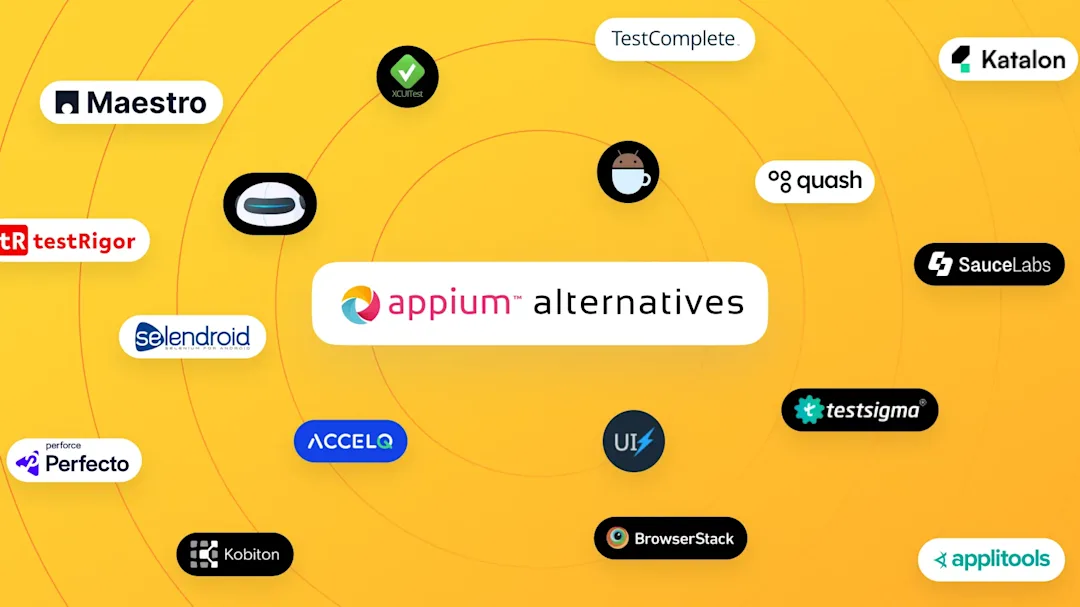
The best Firebase Test Lab alternatives depend on what you are replacing: managed device execution, hands-on device access, framework support, or the work of creating and maintaining tests. AWS Device Farm, BrowserStack, TestMu AI, Sauce Labs, and Kobiton are device-testing options with different commercial models. Quash addresses a different but related problem: test authoring and execution workflow.
Start with the Firebase Test Lab baseline
Firebase Test Lab is the reference point here because its published allowance and paid rates are unusually explicit. On the Spark plan, Google permits up to 15 test runs per day: 10 on virtual devices and five on physical devices. On the Blaze plan, Google lists daily no-cost allowances of 60 virtual-device minutes and 30 physical-device minutes; usage beyond those allowances is listed at $1 per virtual-device hour and $5 per physical-device hour. Google’s Test Lab quota and pricing documentation is the source for those limits and rates.
That baseline does not make Firebase the cheapest or the most suitable option. The alternatives use different units: device minutes, included-minute bundles, subscriptions tied to parallel tests, or custom commercial terms. Do not turn those into a single cost ranking without running your own workload through each vendor’s current plan.

Get the Mobile Testing Playbook Used by 800+ QA Teams
Discover 50+ battle-tested strategies to catch critical bugs before production and ship 5-star apps faster.
Compare Firebase Test Lab alternatives at a glance
Product | Device and access position | Automation and manual model | Published pricing unit | Best for | Key trade-off versus Firebase Test Lab |
AWS Device Farm | Real mobile devices; AWS also describes desktop-browser testing | Framework or built-in tests, manual remote access, CI integrations | $0.17 per real-device minute; one-time 1,000-minute trial | AWS-centered delivery workflows | Usage billing still needs workload modelling |
BrowserStack App Automate | BrowserStack claims 30,000+ real iOS and Android device units | Appium, Espresso, XCUITest, and Maestro automation | Current vendor pricing page; confirm applicable App Automate tier | Broad public device access and framework choice | Plan and concurrency terms are not Firebase-style device-hour pricing |
TestMu AI | TestMu AI claims 10,000+ real iOS and Android devices | Parallel Appium, Espresso, and XCUITest; live-device access | Named live-device plans from $15/month, billed annually | Parallel cloud testing and live sessions | Live-testing plan prices are not a complete automation quote |
Sauce Labs Real Device Cloud | Sauce Labs claims 10,000+ real Android and iOS devices | Manual and automated workflows across listed mobile frameworks | $199/month annually or $249 month to month for one parallel test | A subscription model with manual and automated testing | Subscription capacity can be a poor fit for irregular use |
Kobiton | Real-device mobile testing | Manual sessions plus scripted automation | $83/month for 500 minutes; $399/month for 3,000 minutes | Predictable usage that suits included-minute bundles | You need to forecast minutes before choosing a tier |
Quash | Mobile testing workflow layer; infrastructure is scoped to the environment | Intent-driven test creation and execution | Custom pricing, primarily by execution volume | Reducing script and selector maintenance | Not a like-for-like replacement for every Google-native device-lab workflow |
The device counts in this table are vendor claims, not independently audited inventories. Prices and plan terms can change, so use the linked vendor pages when you are building a purchase case.
Is AWS Device Farm the best fit for an AWS workflow?
AWS Device Farm is Amazon’s managed service for testing web and mobile applications across desktop browsers and real mobile devices without operating the testing infrastructure yourself. AWS describes concurrent testing, built-in and framework-based test options, manual remote access, CI integrations, and private device labs as available capabilities.
Best fit: You already run builds, identity, and delivery workflows in AWS and want a usage-oriented real-device option that belongs in that environment. Manual remote access also matters when your release process includes hands-on reproduction rather than automated runs alone.
Capabilities to validate: AWS presents both automated and manual paths, but you should confirm that its current device availability, operating-system versions, framework support, and concurrency fit the Android and iOS matrix you actually ship.
Pricing: AWS lists pay-as-you-go real-device testing at $0.17 per device minute. Its 1,000 device-minute offer is a one-time free trial, not a monthly recurring allowance, according to the AWS Device Farm pricing page.
Where it falls short: It does not create a universal pricing advantage over Firebase Test Lab. Firebase’s published rate is hourly and separates physical from virtual devices; AWS uses device minutes. Price the same representative suite and run frequency before deciding which model is lower for you.
When should you choose BrowserStack App Automate?
BrowserStack App Automate is a mobile automation service for Appium, Espresso, XCUITest, and Maestro tests on real devices. Its current pricing page says BrowserStack has 30,000+ real iOS and Android device units; treat that as the vendor’s stated inventory, not an independent measurement.
Best fit: You need a public real-device catalog and support for several established native mobile automation frameworks. That is particularly relevant if different products or squads have different framework commitments.
Capabilities to validate: BrowserStack’s framework list is useful only if the plan you select includes the concurrency, device and operating-system combinations, and CI capacity your test suite requires. A large catalog does not guarantee that every device is available at the moment your release job starts.
Pricing: BrowserStack publishes plans on its current App Automate pricing route. The vendor page should be your source for the exact tier because an unambiguous App Automate price mapping was not retained in the available evidence.
Where it falls short: A BrowserStack plan cannot be compared directly with Firebase’s device-hour rates from a headline price. Confirm the automation tier, parallel capacity, and billing terms first, then compare them against your own usage pattern.
What changed from LambdaTest to TestMu AI?
TestMu AI is the current name of the platform formerly known as LambdaTest. The vendor says the change took effect on January 12, 2026. Mentioning the former name once is useful if your procurement notes or existing documentation still use it, but use TestMu AI when assessing its current plans.
Best fit: You want a real-device cloud that combines live access with parallel mobile automation. TestMu AI’s real-device cloud page says it supports parallel Appium, Espresso, and XCUITest execution on 10,000+ real iOS and Android devices. That device figure is TestMu AI’s claim.
Capabilities to validate: Check whether the automation product, rather than a live-testing product, covers your framework, parallel-run needs, local-network requirements, and CI workflow. “Real devices” describes infrastructure; it does not settle the question of what is included in a particular subscription.
Pricing: TestMu AI lists Live Testing at $15 per month billed annually and Real Device Plus Live at $39 per month billed annually on its pricing page. Those are named live-device plans, not a complete price for every automation workload.
Where it falls short: The plan structure does not map neatly to Firebase Spark quotas or Blaze device-hour pricing. If CI automation is the deciding use case, get the vendor’s current automation-tier terms before treating either live-device price as your expected monthly spend.
When does Sauce Labs Real Device Cloud make sense?
Sauce Labs Real Device Cloud is a subscription-based mobile testing offering. Sauce Labs says it provides access to 10,000+ real Android and iOS devices. It also lists Appium, Espresso, XCUITest, Robotium, native Flutter integration testing, and XCTest/XCUITest among its supported mobile testing paths. Those capability and device-catalog statements are Sauce Labs’ own product claims.
Best fit: You need both automated testing and manual device access, and a subscription based on parallel-test capacity aligns with how your QA organization plans capacity. It is worth considering when debugging sessions are part of normal release work rather than an exception.
Capabilities to validate: Ask which of the listed frameworks, devices, operating-system versions, integrations, and parallel slots are available in the plan you would buy. This avoids treating a product-level capability list as an entitlement list.
Pricing: Sauce Labs lists Real Device Cloud at $199 per month when billed annually, or $249 month to month, for one parallel test on its pricing page. The “one parallel test” qualifier is part of the price, not fine print to drop in a comparison.
Where it falls short: A subscription tied to parallel capacity can be a weak match for low-volume or highly variable testing. Firebase’s daily allowance and usage rates may be easier to trial for sporadic work; conversely, a subscription can be easier to budget when parallel demand is steady. Your run pattern decides which trade-off matters.
Is Kobiton better for included-minute planning?
Kobiton is a mobile testing platform that combines manual testing with scripted Appium, Selenium, Espresso, and XCUITest automation. Its visible pricing offers a Startup plan from $83 per month for 500 minutes per month and an Accelerate plan from $399 per month for 3,000 minutes per month.
Best fit: You can estimate monthly testing demand and prefer a stated bundle of minutes to open-ended device-hour billing. The combination of manual access and several scripted automation options can also suit a workflow where developers and QA use the same service differently.
Capabilities to validate: Confirm how minutes are counted for your intended sessions, what happens when you exceed the included bundle, and whether the plan includes the devices and automation concurrency you need. Included minutes are only comparable with Firebase’s rates after you translate your own tests into each vendor’s metering rules.
Pricing: The $83/500-minute and $399/3,000-minute figures are monthly plan prices and included-minute allocations, respectively. They are not per-test prices.
Where it falls short: Bundles introduce a forecasting problem. If releases create sharp peaks in device use, an apparently clear monthly package can be harder to operate than a pay-as-you-go service. Do not call Kobiton cheaper than Firebase without a common test population and period.
Where does Quash fit among Firebase Test Lab alternatives?
Disclosure: Quash is our product.
Quash is relevant when your Firebase Test Lab evaluation is really about the broader testing workflow, not device execution alone. Quash is a commercial testing platform that can generate editable test cases from product context and plain-English requirements, then execute mobile flows. Its test-generation product page says those cases can run on real Android and iOS devices or in a browser without Appium setup.
Best fit: You want to reduce the maintenance burden of scripts and selectors while creating, running, and managing mobile tests. If you are separating infrastructure questions from authoring questions, the broader mobile testing tools guide can help you distinguish device clouds, frameworks, and AI-native testing platforms.
Capabilities to validate: Quash supports mobile, web, and backend validation workflows, but you should scope the environment, device infrastructure, execution volume, and integration needs for your application. Its platform pricing is custom and primarily sized around expected execution volume; dedicated device infrastructure is separately scoped, as described on the Quash pricing page.
Pricing: Quash does not publish a self-serve platform tier or a starting price. A guided evaluation is free, while commercial terms are monthly or annual and tailored to the required execution capacity.
Where it falls short: Quash is not a like-for-like replacement for every Firebase Test Lab device-lab, quota, or Google-native workflow. No first-party Quash benchmark in the available evidence compares it with Firebase. Consider it when authoring and maintaining mobile tests is the constraint; do not assume it replaces a managed device service in every architecture.
Choose by the problem you need to solve
Use the same shortlist question for every vendor: what must change from your current Firebase Test Lab workflow?
For an AWS-centered workflow: Start with AWS Device Farm if AWS integration and real-device usage billing are your main requirements.
For broad framework coverage on public real devices: Evaluate BrowserStack App Automate if Appium, Espresso, XCUITest, or Maestro support is central to your existing suite.
For live access plus parallel cloud automation: Evaluate TestMu AI, while separating live-testing plan prices from automation-plan requirements.
For manual and automated work under a parallel-test subscription: Consider Sauce Labs Real Device Cloud, especially if consistent parallel capacity matters more than occasional usage.
For a predictable monthly minute budget: Evaluate Kobiton if your release cadence lets you forecast testing minutes with confidence.
For less script and selector maintenance: Consider Quash when test creation and maintenance, rather than device-lab access alone, are slowing your releases.
You can also run a short proof of concept that uses the same application build, representative test suite, release cadence, and required device matrix with each finalist. Record pass/fail evidence, queue time, debugging experience, device availability, and the quote or invoice structure. That is more useful than extrapolating from unlike public pricing units.
How we evaluated these options
This comparison uses each vendor’s product and pricing pages for that vendor’s own features, device statements, and commercial terms. Device counts and capability lists are vendor-authored claims; they are not independent reliability benchmarks or inventory audits. No independent cross-vendor benchmark is used here.
That distinction matters. A service saying it offers 10,000+ devices does not prove it will be more reliable for your application than a service with a differently measured catalog. Validate the specific devices, framework versions, parallel capacity, support terms, and cost model that apply to your release process.
Conclusion
There is no universal replacement for Firebase Test Lab because these products solve overlapping, not identical, problems. Start with AWS Device Farm when your workflow is anchored in AWS; BrowserStack or TestMu AI when device-cloud breadth and framework options lead the decision; Sauce Labs when a parallel-test subscription suits your capacity plan; and Kobiton when included minutes fit predictable demand.
Choose Quash when the decision extends beyond where tests run to how your team creates and maintains them. Your best next step is to test the two options whose pricing unit and workflow most closely match the way you release software—not the one with the most impressive standalone number.
Continue reading
More articles from the Quash editorial desk.