What Is Automation Testing? Complete Guide (2026)


Software teams are shipping faster than ever. A startup that once released monthly now deploys multiple times a day. At that pace, manual testing becomes the bottleneck: it is slow, prone to human error, and impossible to scale. Automation testing solves this. It lets teams validate software continuously, accurately, and at a speed no human tester can match.
Teams defining an initial strategy can use automation testing foundations to connect continuous validation goals with practical adoption decisions.
This guide covers everything you need to know about automation testing, from its definition and how it works, to tools, frameworks, and best practices for 2026.
What Is Automation Testing?
Before evaluating agentic approaches, automation testing foundations clarify the baseline practices they augment rather than replace.
Automation testing is the process of using software tools and scripts to execute test cases on an application automatically, without manual intervention. The tests validate that the software behaves as expected and report any failures.
TL;DR Definition: Automation testing uses pre-written scripts and testing tools to run tests on software automatically, compare actual results to expected results, and flag defects without requiring a human to perform each step manually.
In simple terms: instead of a QA engineer clicking through your app to verify a login flow works, a script does it in seconds, every time, consistently.
Automation testing sits at the heart of modern QA strategy and is a prerequisite for any team practicing CI/CD.

Get the Mobile Testing Playbook Used by 800+ QA Teams
Discover 50+ battle-tested strategies to catch critical bugs before production and ship 5-star apps faster.
How Automation Testing Works
Automation testing follows a repeatable, structured cycle:
1. Test Case Identification The team identifies which tests are worth automating. Repetitive, high-risk, and regression-heavy tests are prioritized.
2. Script Creation Testers or developers write test scripts using a testing framework (such as Selenium, Playwright, or Appium). The script defines the steps, inputs, and expected outputs.
3. Test Execution The automation tool runs the scripts against the application, either locally or in a CI/CD pipeline. Execution can happen on demand or on every code commit.
4. Result Validation The tool compares actual outcomes to expected outcomes. Any mismatch is flagged as a failure.
5. Reporting Results are compiled into a report showing which tests passed, which failed, and where failures occurred. Teams act on failures before shipping.
Types of Automation Testing
Unit Testing
Tests the smallest individual pieces of code, typically a single function or method. Unit tests are fast, isolated, and the first line of defence against bugs.
Example: Testing that a calculateDiscount() function returns the correct value for a given input.
Integration Testing
Validates that multiple components or services work correctly together. It catches issues that unit tests miss because they test parts in isolation.
Example: Testing that a payment service correctly communicates with the order management system after a purchase.
Functional Testing
Verifies that the application behaves according to its functional requirements from the user's perspective.
Example: Testing that a user can successfully register an account, receive a confirmation email, and log in.
Regression Testing
Re-runs a suite of existing tests after every code change to confirm that new updates have not broken previously working functionality. This is one of the highest-value use cases for automation testing tools.
Example: Running the full test suite after merging a new feature branch.
UI Testing
Simulates user interactions with the graphical interface, validating buttons, forms, navigation, and visual flows.
Example: Testing that clicking "Add to Cart" updates the cart count and displays the correct item.
API Testing
Validates that application programming interfaces return correct responses, handle edge cases, and perform within acceptable limits, without involving the UI layer.
Example: Sending a POST request to a login endpoint and confirming the response returns a valid authentication token.
Performance Testing
Measures how the application behaves under load: response times, throughput, and stability under concurrent users.
Example: Simulating 10,000 simultaneous users on a checkout page to identify at what point the server degrades.
Automation Testing vs Manual Testing
Both approaches have their place. The key is knowing when to use each.
Factor | Automation Testing | Manual Testing |
Speed | Executes in seconds or minutes | Hours to days for large suites |
Cost | High upfront investment, low long-term cost | Low upfront, high recurring cost |
Accuracy | Consistent, no human error | Subject to human fatigue and oversight |
Scalability | Runs thousands of tests in parallel | Cannot scale without adding headcount |
Maintenance | Scripts must be updated when the UI or logic changes | Flexible, adapts to changes quickly |
Best For | Repetitive, regression, and load tests | Exploratory, usability, and one-off tests |
Feedback Speed | Immediate, integrated into CI/CD pipelines | Delayed, dependent on tester availability |
The most effective QA automation strategies combine both: automate what is stable and repetitive, apply manual testing where human judgment and exploration add unique value.
That same balance should guide how teams choose between data-driven and keyword-driven architectures as their automation portfolio matures.
Benefits of Automation Testing
Speed Automated test suites complete in minutes what would take a manual tester hours. This is essential for teams releasing multiple times per day.
Accuracy Scripts execute the same steps identically every run. There is no risk of a tester skipping a step due to fatigue or distraction.
Reusability A test written once can be run across browsers, operating systems, and devices without rewriting it. This is particularly valuable for mobile automation testing.
CI/CD Compatibility Automated tests integrate directly into continuous integration pipelines. Every code commit triggers a test run, giving developers immediate feedback before code reaches production.
Scalability You can run hundreds of tests in parallel across multiple environments simultaneously. Scaling a manual team to match that would be cost-prohibitive.
Reduced Human Error Automation eliminates the inconsistencies that come with manual execution, producing reliable, repeatable results.
When to Use Automation Testing
Automation testing delivers the highest return on investment in these scenarios:
Regression Testing at Every Release If your application has a large existing feature set that must remain stable as new code ships, automate your regression suite. The cost of manually re-testing everything on each release is unsustainable.
Repetitive, Data-Heavy Tests Tests that require the same steps executed with dozens of different data inputs are ideal for data-driven automation.
CI/CD Pipelines Any team practicing continuous delivery needs automated tests to gate releases. Manual testing cannot provide feedback at the speed of a modern deployment pipeline.
Cross-Platform Validation Testing your application across multiple browsers, operating systems, or mobile devices manually is exponentially expensive. Automation makes it practical.
Performance and Load Testing Simulating thousands of concurrent users is only possible through automation.
Popular Automation Testing Tools
Tool selection becomes more practical with Playwright vs Selenium: 2026 comparison guide which clarifies where these two web frameworks fit among broader automation options.
When selecting a web testing approach, this Selenium vs Cypress framework comparison helps distinguish the workflows each framework supports.
Selenium
The most widely used open-source web UI automation framework. Selenium supports multiple programming languages (Java, Python, JavaScript) and browsers. It requires coding knowledge and has a high setup cost but offers unmatched flexibility.
Playwright
A modern open-source framework from Microsoft that supports Chromium, Firefox, and WebKit. Playwright handles asynchronous actions well and has become a strong alternative to Selenium for web automation.
Appium
The leading open-source framework for mobile automation testing. Appium supports native, hybrid, and mobile web apps on both iOS and Android using a single API.
Cypress
A JavaScript-based end-to-end testing framework built specifically for the modern web. Cypress runs directly in the browser and is known for fast execution and developer-friendly tooling.
A practical Playwright vs Cypress helps map browser-engine and execution-model needs to each framework.
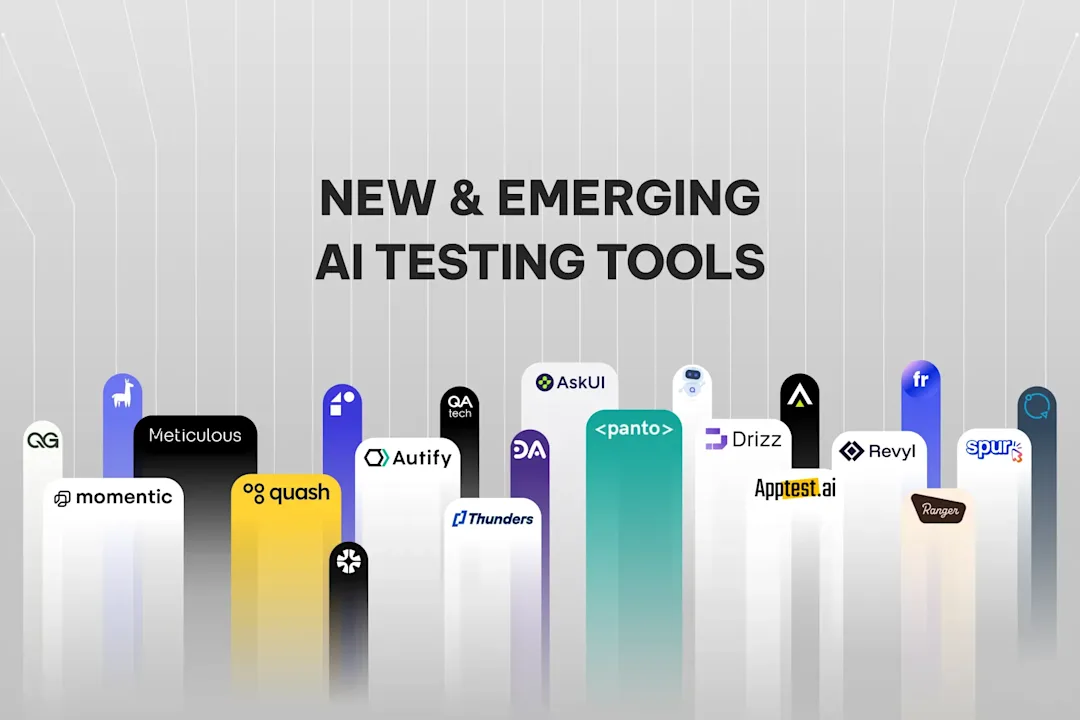
Quash
Quash is an AI-native, no-code testing platform built for mobile-first teams. Rather than writing scripts manually, testers describe test intent in natural language and Quash generates and executes the tests. It is designed for teams that want the benefits of automation without the overhead of maintaining large script libraries. Quash integrates into CI/CD workflows and focuses on intent-driven testing, where the goal of a test matters more than the implementation details of how it runs.
Automation Testing Frameworks
A testing framework provides the structure, rules, and tools for organising and executing automated tests. The choice of framework shapes how your test suite scales.
Data-Driven Framework
Tests are separated from their data. The same test script runs multiple times using different data sets stored in external files (CSV, Excel, databases). This is ideal for validating forms, APIs, and input validation logic across many combinations.
Keyword-Driven Framework
Test logic is expressed as human-readable keywords (such as "Click," "EnterText," "VerifyText") that map to underlying automation functions. Non-technical team members can write or review tests without reading code.
Hybrid Framework
Combines data-driven and keyword-driven approaches. Most enterprise test suites use a hybrid model to get the flexibility of both while managing complexity. This is the most common pattern in mature automation testing practices.
Real-World Examples of Automation Testing
Login Flow Testing A test script navigates to the login page, enters valid credentials, submits the form, and verifies the user is redirected to the dashboard. It then repeats with invalid credentials and confirms the appropriate error message appears.
Checkout Flow Testing An end-to-end test adds a product to the cart, applies a discount code, enters payment details, and confirms the order confirmation screen displays the correct order number and total.
API Validation A test sends a series of API requests (GET, POST, PUT, DELETE) to a REST endpoint and validates response codes, response body structure, and performance under repeated calls.
Mobile App Flows Using Appium or a platform like Quash, a test installs the app on a device, completes an onboarding flow, and verifies key screens render correctly across different screen sizes and OS versions.
Challenges of Automation Testing
Test Maintenance Every time the UI changes, scripts that depend on element selectors or page structure may break. Maintenance is a significant ongoing cost that teams often underestimate.
Flaky Tests Tests that pass and fail inconsistently due to timing issues, network delays, or environment differences erode trust in the test suite and slow down development teams.
Initial Setup Cost Building a reliable automated test suite requires tooling investment, framework decisions, and skilled engineers. The upfront cost is real.
Skill Requirements Writing and maintaining test scripts requires engineering competence. Teams without dedicated QA engineers may struggle to build and sustain automation without tooling that abstracts the complexity, such as no-code or AI-assisted platforms.
Best Practices for Automation Testing
Start Small, Target High ROI Begin by automating your most-run, highest-risk tests: login, checkout, critical API endpoints. Prove the value before expanding the suite.
Maintain Test Stability Write tests that are resilient to minor UI changes. Use stable selectors, avoid hard-coded waits, and design tests to be independent of each other.
Integrate with CI/CD Early Connect your test suite to your CI/CD pipeline from the start. Automated tests only provide continuous feedback if they run on every commit.
Avoid Over-Automation Not every test should be automated. Exploratory testing, usability testing, and one-off verifications are often better done manually. Automate what earns the investment.
Review and Refactor Regularly Treat your test suite like production code. Remove obsolete tests, refactor brittle scripts, and review coverage gaps on a regular cadence.
The Future of Automation Testing
The next generation of automation testing is being shaped by artificial intelligence.
Self-Healing Tests AI-powered tools detect when a UI change breaks a selector and automatically update the test to match the new element, without human intervention. This directly addresses the maintenance problem.
Agentic Testing Systems Rather than writing scripts that encode specific steps, agentic testing systems receive a goal, reason about how to achieve it, and generate and execute test plans autonomously. This is a fundamental shift from script-based to intent-based testing.
Natural Language Test Execution Teams are increasingly able to describe what they want to test in plain English. The platform interprets the intent and handles execution. Quash is built around this model: express what the test should verify, not how to verify it.
AI-Generated Test Coverage AI systems analyse codebases and user behaviour data to identify untested paths and generate test cases that humans might miss, improving overall coverage without additional manual effort.
These trends point toward a future where the cost of maintaining and expanding a test suite drops significantly, making high-quality automation accessible to teams of any size.
Conclusion
Automation testing is no longer optional for software teams that ship at modern pace. It enables faster releases, more reliable software, and continuous quality validation across every stage of development.
The fundamentals are stable: write good tests, integrate them into your pipeline, automate what is repetitive, and apply human judgment where it counts. What is changing is how those tests are written and maintained. AI-native platforms are removing the scripting overhead that has historically made automation expensive to build and hard to sustain.
For teams building mobile applications or operating at scale, the gap between traditional script-based automation and modern intent-driven platforms is becoming the key differentiator in release velocity and product quality.
Frequently Asked Questions
What is automation testing in software testing? Automation testing in software testing is the practice of using scripts and tools to execute test cases on a software application automatically. It replaces or supplements manual test execution to improve speed, consistency, and coverage.
Why is automation testing important? Automation testing is important because it enables teams to validate software quickly and consistently across multiple releases, environments, and devices. It is essential for CI/CD pipelines, where manual testing cannot keep pace with deployment frequency.
What are the types of automation testing? The main types of automation testing are unit testing, integration testing, functional testing, regression testing, UI testing, API testing, and performance testing. Each targets a different layer of the application.
What is the difference between manual and automation testing? Manual testing is performed by a human tester interacting with the application. Automation testing uses scripts and tools to execute tests programmatically. Automation is faster, more consistent, and scalable; manual testing is more flexible for exploratory and usability scenarios.
What tools are used for automation testing? Widely used automation testing tools include Selenium, Playwright, Cypress, and Appium for mobile. AI-native platforms like Quash offer no-code, intent-driven alternatives for teams that want automation without heavy scripting overhead.
When should you use automation testing? Use automation testing for repetitive tests, regression suites, performance testing, cross-platform validation, and any scenario where tests need to run continuously inside a CI/CD pipeline.
What are examples of automation testing? Common examples include automated login flow tests, checkout flow validation, API endpoint verification, mobile app onboarding tests, and regression suites that run on every code commit.
What is an automation testing framework? An automation testing framework is a set of guidelines, tools, and conventions that structure how automated tests are written and executed. Common types include data-driven, keyword-driven, and hybrid frameworks.
That structure matters because automation testing foundations shifts decision ownership from scripted execution to systems that choose and adapt tests.
Is automation testing the same as QA automation? QA automation is a broader term that refers to automating quality assurance processes in general, which includes automation testing as its core component. The two terms are often used interchangeably in practice.
Can automation testing replace manual testing entirely? No. Automation testing excels at repetitive, well-defined test scenarios. Manual testing remains valuable for exploratory testing, usability assessment, and any case where human judgment and intuition are required to identify issues a script would miss.
Continue reading
More articles from the Quash editorial desk.