Robot Framework vs Selenium in 2026: Which Stack Fits Your Team?

Your browser tests have outgrown a handful of scripts, and now the decision has consequences. Your QA reviewers may need to understand a checkout flow without reading Python or Java. Your automation engineers may need direct control over fixtures, waits, browser APIs, and the code conventions already used in your product.
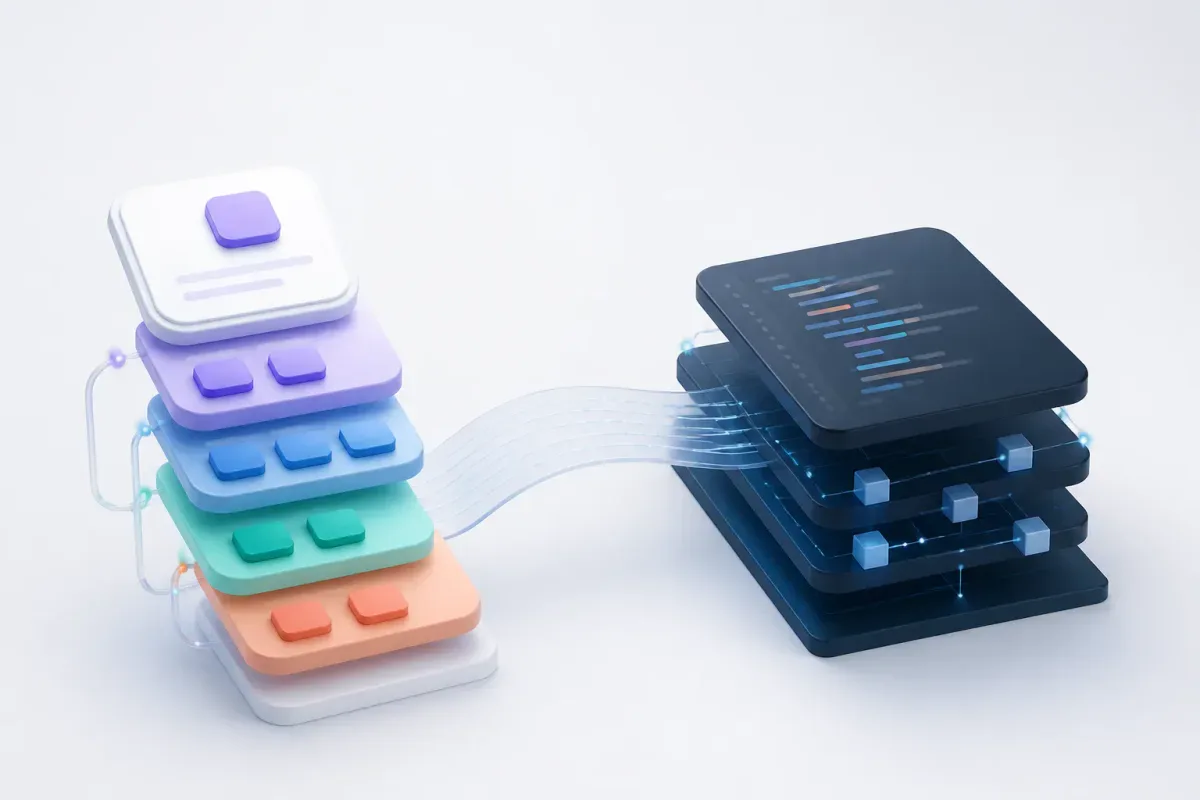
The short answer: Robot Framework and Selenium operate at different layers. Robot Framework is a keyword-driven test framework that can use Selenium through SeleniumLibrary; Selenium WebDriver is the browser-control API beneath a coded test stack. Choose Robot Framework + SeleniumLibrary when a shared, workflow-like test language is the priority. Choose direct Selenium when code-first control and an established language ecosystem are the priority. Using Robot with Selenium underneath is normal, not contradictory (SeleniumLibrary’s official guide).
Robot Framework vs Selenium at a glance
Dimension | Robot Framework + SeleniumLibrary | Selenium WebDriver in a coded stack | Decision implication |
Primary layer | Test authoring, suite execution, keywords, libraries, and Robot output | Browser-control API; your runner supplies the rest | You are choosing an authoring and ownership model, not just a browser tool |
Test authoring | Plain-text, keyword-driven test cases | Host-language code | Pick the form your test owners can review and maintain |
Browser control | Selenium-backed keywords through SeleniumLibrary | Direct WebDriver binding | Both paths can use Selenium for browser actions |
Test lifecycle | Robot suite/test setup and teardown | Runner-specific fixtures and lifecycle conventions | Coded stacks need an explicit runner choice |
Reporting | Robot output model, logs, reports, and XML output | Selected runner and reporting tools | Robot gives you a framework-level output convention |
Utilities | Core-distributed Robot libraries plus custom libraries | Host-language packages and project helpers | Robot standardizes a keyword surface; code stacks retain native flexibility |
Remote browsers | Selenium Grid can supply the remote browser layer | Selenium Grid can supply the remote browser layer | Grid does not decide how you structure tests |
Advanced WebDriver access | Depends on what SeleniumLibrary exposes or what you wrap | Direct access through your language binding | Direct Selenium reduces the distance to new WebDriver features |
Best fit | Shared workflow review and Robot-native suite conventions | Existing coded architecture and substantial custom logic | The better option depends on who owns the suite |
A direct Selenium project is not just Selenium. You will select a runner, assertions, fixtures, reporting, test-data conventions, and CI behavior around WebDriver. That is a deliberate architectural choice, not a Selenium defect.

Get the Mobile Testing Playbook Used by 800+ QA Teams
Discover 50+ battle-tested strategies to catch critical bugs before production and ship 5-star apps faster.
What is Robot Framework?
Robot Framework is an open-source automation framework for acceptance testing, acceptance test-driven development, and RPA. It is implemented in Python, uses plain-text test data, and is extended through libraries. The current package metadata requires Python 3.8 or newer and identifies the Apache-2.0 license.
Robot’s core job is to process test data and delegate interaction with the system under test to libraries. Its User Guide covers test-data syntax, variables, libraries, setup and teardown, execution, and output processing. In practical terms, Robot gives you a language for describing the test plus a framework for organizing and reporting it.
The readability benefit is conditional. A keyword-based test can be easier for QA, product, and engineering reviewers to discuss as a workflow. It is not proof that every team will write faster tests or have lower maintenance. If your suite needs complex data shaping, custom synchronization, or extensive service setup, those details still need implementation somewhere—often in a custom Python library.
Where Robot Framework is strong
Readable test intent. Robot cases can express browser flows through named keywords rather than host-language syntax. This helps when your review process includes people who need to validate behavior but do not maintain application code.
A framework-owned suite model. Robot documents suite and test setup/teardown, resource files, execution outputs, logs, reports, and XML output. That gives your suite a common shape without asking every project to invent its own conventions.
Reusable utilities and extensions. Robot’s Standard Library documentation lists libraries such as BuiltIn, Collections, OperatingSystem, Process, String, DateTime, and XML. BuiltIn is available automatically; other standard libraries are imported. You can also expose project-specific Python code as custom keywords.
An editor path built around Robot files. Robot’s official IDE guide recommends RobotCode for VS Code and describes editor support ranging from syntax help and completion to execution and debugging (Robot IDE guidance). That does not make RobotCode inherently more productive than your language IDE; it means Robot has a documented workflow for its own file format.
Where Robot Framework needs discipline
Keywords can conceal complexity. A keyword is only as clear as its name and implementation. If you create layers of vague keywords, debugging can become a trip through Robot files and Python libraries rather than a simpler experience.
Custom logic does not disappear. Robot is extensible, not code-free. Tests with substantial branching, data setup, API coordination, or domain-specific behavior may push more work into custom libraries. At that point, decide whether the keyword layer improves collaboration enough to justify maintaining it.
Library choice shapes browser capability. Robot does not itself drive a browser. SeleniumLibrary, Browser library, or another library determines the browser automation path. Treat the framework and its browser library as separate decisions.
What is Selenium?
Selenium is an umbrella project for browser automation. Its core WebDriver interface drives a browser locally or remotely, using language bindings and the WebDriver protocol. Selenium’s WebDriver documentation describes it as a compact object-oriented API for browser control.
A direct Selenium test lives in a programming language and uses that ecosystem’s test runner. For example, a Python project might combine Selenium with pytest; a Java project may use JUnit; a JavaScript project may choose its own runner and assertion tools. Those runner capabilities belong to the selected stack, not to WebDriver alone.
Where Selenium is strong
Direct browser API access. Your tests and helpers call WebDriver through the chosen language binding. This works well when your automation engineers want code-level abstractions, native debugging, typing where their language supports it, and direct control over lifecycle design.
A flexible surrounding ecosystem. You choose the runner, fixtures, assertion library, reporting, page or domain abstractions, and CI conventions that fit your product. If you already use Python, compare the fixture and test-organization implications of your preferred runner; this pytest vs unittest guide is useful background when your direct Selenium stack will be Python-based.
Remote execution through Grid. Selenium Grid routes WebDriver commands to remote browser instances and is designed to support execution across machines, browser versions, and platforms. You can use Grid beneath either Robot + SeleniumLibrary or a direct Selenium suite.
Access to current Selenium features. Selenium documents relative locators such as above, below, and near in its locator strategies guide. It also exposes Chrome DevTools Protocol access where applicable, while warning that this support is temporary, browser-version dependent, and not intended as a stable testing API before WebDriver BiDi matures (Selenium’s CDP guidance).
Where Selenium needs deliberate architecture
WebDriver does not prescribe a full test framework. Direct Selenium does not choose your fixture scope, retries, assertions, reports, test-data strategy, or result-merging behavior. Mature runners can handle many of these jobs well, but your team owns the integration and conventions.
Code readability follows your engineering practices. Page objects, domain-specific helpers, naming, and review standards determine whether a Selenium suite remains understandable. WebDriver gives you browser control; it does not prevent a codebase from becoming hard to navigate.
The language choice is part of the decision. Selenium supports multiple languages, so your experience with debugging, refactoring, dependency management, and parallel execution depends on the binding and runner you select. Do not compare Robot’s integrated output with an undefined Selenium experience. Compare it with the coded stack you would actually operate.
Why Robot Framework and Selenium are often used together
The phrase “Robot Framework vs Selenium” suggests two replacements, but the most common Robot web-testing route uses both. The official SeleniumLibrary page describes SeleniumLibrary as a Robot Framework web-testing library that uses Selenium internally.
That creates a clean ownership split:
Robot Framework owns test syntax, keyword composition, suite organization, and Robot output.
SeleniumLibrary translates browser-oriented Robot keywords into Selenium-backed behavior.
Selenium supplies the browser-control layer.
Your team still owns drivers, test data, custom libraries, CI configuration, and the policies around failures and retries.
So replacing Robot with direct Selenium does not remove Selenium. It removes Robot’s test-language and suite layer. Conversely, adopting Robot + SeleniumLibrary does not make Selenium irrelevant; it places a Robot interface above it.
Compare the authoring and maintenance models
The meaningful difference is less about whether either option can click a button and more about how your team changes a test six months later.
Test readability and review
Robot makes the test file itself a keyword-driven workflow. That can suit teams where QA authors tests and engineering reviews the behavior, or where acceptance criteria need a readable form close to the automation suite.
Direct Selenium makes the test file normal application-language code. That can suit teams whose test owners already work comfortably in that language and expect code review, refactoring, helper modules, and debugging to follow familiar conventions.
Neither model automatically creates maintainable tests. In Robot, maintainability depends on meaningful keyword names and small, well-owned custom libraries. In direct Selenium, it depends on sound abstractions and avoiding duplicated locator and synchronization code.
Fixtures, test data, and lifecycle
Robot provides test and suite setup/teardown conventions. A direct Selenium project delegates comparable lifecycle behavior to the selected runner. In a Python pytest stack, for example, fixtures may create drivers, seed data, or clean up state; that behavior is runner architecture, not Selenium itself.
Choose Robot when a consistent framework-level lifecycle model is valuable to your contributors. Choose direct Selenium when your existing fixture architecture is already a strong fit and you need to keep lifecycle code close to the rest of the system.
Reporting and failure evidence
Robot’s output-processing model includes logs, reports, and XML output. That offers a predictable baseline for a Robot suite.
A direct Selenium stack can produce excellent reporting, but the implementation depends on your runner and reporting tools. This is not a “Robot has reports; Selenium has none” comparison. It is a choice between Robot’s defined output model and a coded stack where you select the output model.
Browser scale and parallel execution
Selenium Grid can be the remote-browser layer in both approaches. Grid distributes browser sessions; it does not decide how your suite partitions tests, manages shared data, retries failures, or merges results.
Robot projects can add Robot-compatible parallel tooling. Coded Selenium projects can use runner-specific parallel mechanisms. Your practical decision should begin with the browser matrix, test isolation, CI capacity, and artifact needs you actually have—not an assumption that one file format makes parallel execution easier.
Robot Browser library is a separate browser-engine choice
Robot Framework also has an official Browser library powered by Playwright. It requires robotframework-browser, Node.js, and browser dependency initialization using rfbrowser init. Its documentation describes this as a distinct browser library, not an alternative implementation of SeleniumLibrary.
This matters because you may encounter a comparison with three configurations: direct Selenium, Robot + SeleniumLibrary, and Robot + Browser. The third setup changes two variables at once: the browser engine/integration and the framework stack.
If your actual question is whether to retain Selenium as your browser layer, compare the appropriate Selenium and Playwright stacks. If your question is whether tests should be expressed in Robot files or in code, keep the underlying browser layer consistent while you evaluate it.
What the available performance benchmark can tell you
One public comparison by Yuri Kan reported an 80-test e-commerce checkout suite run on GitHub Actions. It reported these configurations, each with four-way parallel execution (Kan’s full comparison):
Configuration in the reported setup | Reported run time | Reported overhead per test |
Selenium + pytest | 3m 20s | ~12ms |
Robot Framework + SeleniumLibrary via pabot | 4m 05s | ~45ms |
Robot Framework + Browser (Playwright) | 3m 10s | ~15ms |
This is useful evidence about one author’s suite, runner configuration, CI environment, browser arrangement, and test design. It is not an independent replication or a general performance ranking. The Browser-library row also cannot prove that Robot + SeleniumLibrary is slower because it changes the browser layer.
Kan’s conclusion is that the reported overhead is negligible for most teams and that readability is usually the more consequential choice. Treat that as a reason to measure representative tests in your CI environment and browser matrix, rather than as a reason to declare a universal winner.
What will each option cost?
Robot Framework, SeleniumLibrary, and Selenium are open-source projects with Apache-2.0 licensing identified on their respective project pages (Robot Framework package metadata, SeleniumLibrary package metadata, and the Selenium repository). That licensing fact does not make either stack free to operate.
Your total ownership cost includes:
CI minutes or self-hosted runner capacity;
local browsers, Selenium Grid, or a hosted browser provider;
screenshots, logs, videos, and artifact storage;
time spent maintaining test data, fixtures, waits, libraries, and abstractions;
onboarding and review time for the people who own the suite; and
optional commercial support or browser infrastructure.
No comparable current pricing or maintenance-labor dataset establishes that Robot or Selenium costs less overall. Use a small pilot to measure your own authoring time, failure diagnosis path, CI duration, and review friction. License cost is only one line in that decision.
How to choose between Robot Framework and Selenium
Use this decision framework to choose the stack your team can support, rather than the one that looks simpler in an isolated example.
Choose Robot Framework + SeleniumLibrary when you need shared workflow ownership
Robot is a strong fit when your test cases should be read and reviewed as workflows by QA, product, and engineering stakeholders. It also fits when you want Robot-native suite organization and outputs, and browser interactions can stay cleanly expressed through SeleniumLibrary keywords plus a focused custom-library layer.
Before committing, test an example that includes your difficult cases: authentication, test-data setup, asynchronous UI states, and failure reporting. If those flows produce sprawling custom keywords, direct code may be a better ownership model.
Choose direct Selenium when your automation is already code-first
Direct Selenium is a strong fit when automation engineers or developers already own a mature runner and fixture architecture. It is also a good fit when tests need substantial programming logic, custom data setup, service interactions, domain abstractions, or immediate access to WebDriver capabilities.
You are accepting responsibility for the surrounding test framework, but that may be an advantage when it aligns with the language tools and review habits your team already uses.
Use Robot and Selenium together when the layers solve different problems
Use Robot + SeleniumLibrary when you want Robot’s keyword-driven test language and output model while keeping Selenium as the browser-control implementation. This can work well when the team is explicit about who maintains keywords, custom libraries, browser drivers, Grid, and CI splitting.
The risky version is adopting both without that boundary. A Robot file that simply hides an unowned Selenium helper library does not make the suite easier to maintain.
Final verdict
For Robot Framework vs Selenium, do not start by asking which one is faster or more popular. Start by asking which layer your team needs.
Choose Robot Framework + SeleniumLibrary when readable workflow tests, shared review, and Robot’s framework conventions solve a real collaboration problem. Choose direct Selenium in a coded test framework when your team already has strong language-native tooling and needs direct, flexible control over browser automation. Use both when Robot improves the way you author tests while Selenium remains the browser layer you want.
Your best next step is a small, representative pilot: implement the same critical flow with the runner, reporting, browser matrix, and CI conditions you would actually use. The stack that gives your owners the clearest failures and the least painful change path is the one to standardize on.
Continue reading
More articles from the Quash editorial desk.