Playwright vs Cypress in 2026: Which Should You Choose?

Your existing end-to-end suite may be productive right up until a release requirement exposes its boundary: a cross-origin payment flow, a browser-engine gate, or a CI failure that nobody can replay locally. Starting from scratch brings a different risk—choosing the framework that feels best in a demo but mismatches how your app actually behaves.
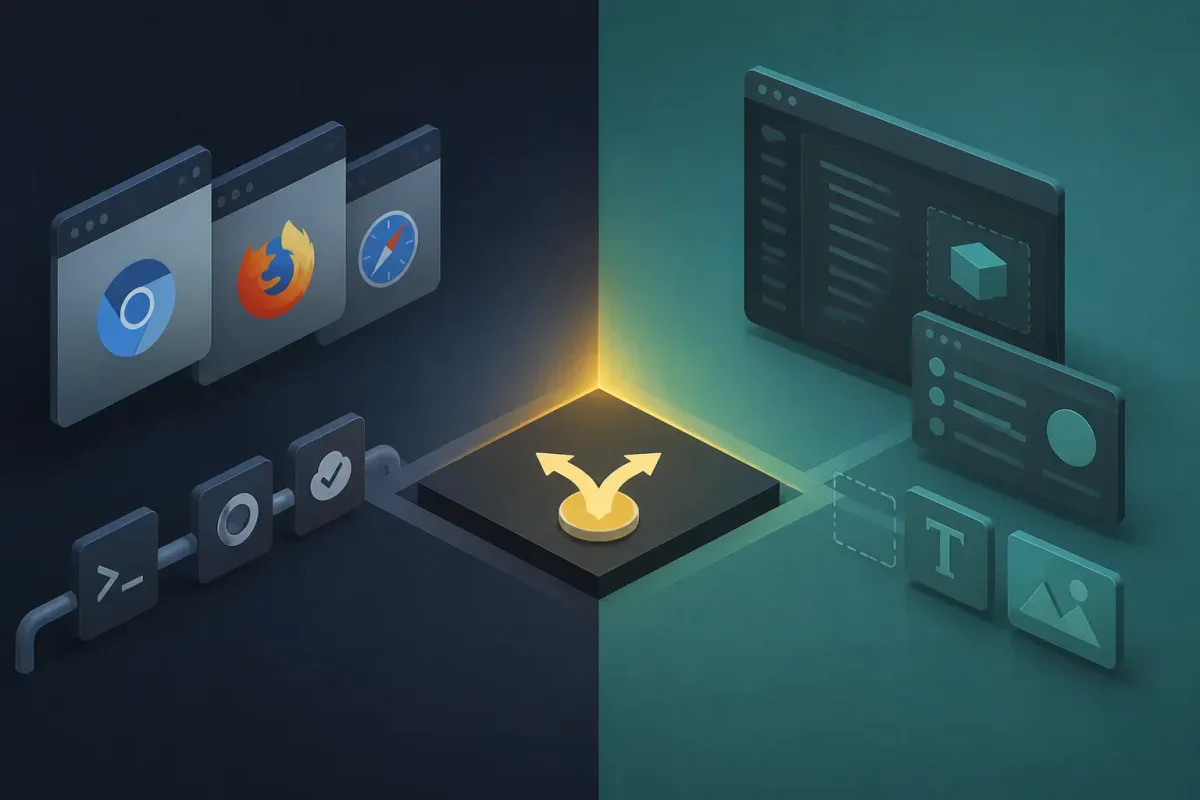
The short answer: choose Playwright when cross-engine coverage, multi-page workflows, multiple language bindings, or CI-first investigation are hard requirements. Choose Cypress when your work is centered on a JavaScript frontend and you value an interactive browser runner plus real-browser component testing. If your current suite meets the browser matrix and workflows your release needs, migration is unlikely to be the highest-value project.
Playwright vs Cypress at a glance
Decision area | Playwright | Cypress |
Browser engines | Chromium, Firefox, and WebKit; Chrome and Edge channels are also supported (docs) | Chrome-family browsers and Firefox; WebKit is experimental and opt-in (docs) |
Safari requirement | WebKit-based testing, not Apple’s branded Safari.app (docs) | Experimental WebKit, not Apple’s branded Safari.app (docs) |
Test languages | JavaScript/TypeScript, Python, Java, and .NET (docs) | JavaScript-focused authoring and browser execution (docs) |
Execution model | Playwright Test uses worker processes; test files run in parallel by default (docs) | Commands run in the browser; CI distribution works at the spec-file level (docs) |
Multi-page and origin-heavy flows | A stronger fit when journeys need multiple pages or isolated browser contexts | More constraints: Cypress cannot drive two browsers simultaneously and applies a single-superdomain rule by default (docs) |
Local UI investigation | Trace Viewer is geared to inspecting recorded runs | Interactive browser workflow, DevTools access, and Time Travel are central to component testing (docs) |
Mobile-web check | Browser-context device emulation, not real-device testing (docs) | Web testing framework; not a real-device mobile-app testing solution |
Framework and hosted-service model | Apache License 2.0 framework (license) | Cypress App is open source; Cypress Cloud is a separate hosted product with paid plans (pricing) |
Neither framework wins every row. The useful comparison is not “which tool is modern?” It is which constraints you cannot compromise on before a release.

Get the Mobile Testing Playbook Used by 800+ QA Teams
Discover 50+ battle-tested strategies to catch critical bugs before production and ship 5-star apps faster.
Where Playwright is the stronger fit
Playwright bundles a test runner, assertions, isolation, parallelization, and supporting tooling into Playwright Test (Playwright documentation). That integrated runner matters when you want the same framework to define projects, execute tests, capture artifacts, and scale work across workers.
Cross-engine coverage is a release requirement
Playwright supports Chromium, Firefox, and WebKit projects, alongside branded Chrome and Edge channels. That gives you a direct path to testing across the three major browser-engine families from one framework (Playwright browser documentation).
The Safari distinction still matters. Playwright’s WebKit build is derived from WebKit sources; the documentation explicitly says Playwright does not automate branded Safari. If a stakeholder asks for “Safari testing,” turn that into a concrete acceptance criterion before selecting either framework: WebKit behavior, mobile-browser emulation, or the Safari.app application are different targets.
Complex journeys need room for contexts and pages
A test suite becomes difficult when a journey needs a new tab, a second authenticated state, or clean isolation between users. Playwright’s browser model exposes browser contexts and pages directly, and its project configuration supports running the same tests against different browser or device configurations (Playwright projects).
That does not make every single-page application a Playwright case. It does make Playwright the lower-friction option when your release-critical workflow regularly crosses boundaries that are awkward to model in a single browser session.
CI debugging benefits from captured evidence
Playwright Trace Viewer lets you inspect a recorded run after it finishes. A trace can show the timeline, DOM snapshots, source, console output, network activity, metadata, and attachments (Playwright Trace Viewer).
This workflow is especially useful when a failure appears on CI but not on a developer laptop. Rather than trying to recreate the machine and timing conditions immediately, you can first inspect the evidence from the failed run.
Parallelism is built into the runner
Playwright Test runs work in worker processes. By default, test files run in parallel, while tests within a file run in order unless you configure fully parallel mode (Playwright parallelism documentation).
That model gives you control, not guaranteed linear speed. Your CI capacity, shared test data, serial setup, browser startup time, and external dependencies still determine whether extra workers reduce wall-clock time.
Playwright’s limitations and costs
Playwright’s broader model creates operational work. You still need to manage CI capacity, browser binaries, artifact retention, test data, and the engineering time required to keep the suite reliable. Apache 2.0 licensing does not turn those costs into zero.
WebKit coverage also should not become a proxy for Safari.app certification. If Apple’s branded browser is part of a contractual or release gate, validate the required target and environment directly rather than treating “WebKit” as a substitute.
Migration is another real cost. A stable Cypress suite that already covers your product’s critical paths may be worth keeping. Framework migration should solve a demonstrated browser, workflow, or maintenance problem—not satisfy a preference for newer tooling.
Where Cypress is the stronger fit
Cypress is deliberately focused on an in-browser development workflow. Its commands run inside the browser, and its model can feel natural when your testing work sits close to a JavaScript frontend rather than spanning many browser contexts or language ecosystems (Cypress trade-offs).
Component testing has an interactive workflow
Cypress Component Testing mounts components in a real browser. Its documentation highlights visual rendering, DevTools inspection, and Time Travel, which lets you inspect how the interface reached a particular state (Cypress Component Testing).
That is a meaningful strength, not a consolation prize. If your daily work is validating UI states, event handling, and component behavior with frontend developers, immediate visual feedback can shorten the loop between failure and diagnosis.
JavaScript-first teams may prefer the narrower model
Cypress test code is evaluated in the browser, while Node-side mechanisms such as cy.task() support work outside that browser context (Cypress trade-offs). For a team already standardized on JavaScript, that boundary can be easier to teach and maintain than a broader multi-language framework.
A narrower model is only a disadvantage when it conflicts with your application. For a focused web product that stays inside Cypress’s workflow constraints, it can be an advantage because the tool asks your team to make fewer architectural choices.
Cypress Cloud is optional, not the framework price
Cypress separates its open-source App from Cypress Cloud, its hosted service for results, orchestration, replay, analytics, and related workflow features. That product boundary matters in procurement: paying for Cloud is not the same as paying to use the local framework.
On Cypress’s pricing page observed on September 10, 2026, Starter was free; Team started at $67 per month billed annually ($799 annually); Business started at $267 per month billed annually ($3,199 annually); and Enterprise was custom-priced (Cypress Cloud pricing). Those are time-sensitive Cypress Cloud plan prices, not total cost of ownership for Cypress testing.
Cypress’s limitations are workflow blockers for some apps
Cypress documents that it cannot drive two browsers at the same time and that each test is bound to a single superdomain by default (Cypress limitations). Those limits deserve an early proof of concept if your app uses third-party identity, payment providers, embedded content, or cross-origin handoffs.
Cypress supports Chrome-family browsers and Firefox. Its WebKit path requires experimentalWebKitSupport and a separate playwright-webkit package; Cypress labels experimental features as subject to change or removal (Cypress experimental features).
The documented experimental-WebKit gaps are specific: cy.origin() is unsupported, Test Replay is unavailable, and cy.intercept() cannot use forceNetworkError there (Cypress WebKit support). Treat this as a flow-by-flow validation target, not equivalent coverage for a release gate.
Compare the blockers before you compare preferences
Browser coverage and Safari requirements
Choose Playwright when your release requires Chromium, Firefox, and WebKit coverage as standard projects. Cypress can cover Chrome-family browsers and Firefox well, but its WebKit support remains experimental.
Choose neither on the strength of a vague Safari requirement. Ask whether you need WebKit behavior, an emulated mobile-browser profile, or Apple’s branded Safari application. The answer changes the test environment you must validate.
Cross-origin workflows and multiple pages
Cypress’s single-superdomain default is not automatically a deal-breaker. It is a reason to test your real authentication, checkout, and third-party integration paths early. A lightweight demo application rarely exposes the same boundaries as production flows.
Playwright is typically the more comfortable choice when those boundaries are central to your product. Its contexts and page model are designed for workflow shapes that require separation rather than a single continuous origin.
Local investigation versus CI reconstruction
Cypress is a strong fit when your most expensive failures are discovered and resolved during local frontend development. Its live browser experience, component rendering, and Time Travel keep the investigation close to the interface.
Playwright is a strong fit when failures arrive from CI, different browsers, or parallelized runs. Trace artifacts let you investigate the completed run without reducing every failure to a local reproduction exercise.
Parallel execution and suite design
Both products can help you finish suites sooner, but they divide work differently. Playwright’s worker model is part of its test runner. Cypress distributes entire spec files across CI machines, and Cypress warns that one long spec can leave other machines idle (Cypress performance guidance).
If you choose Cypress, keep spec duration balanced enough for the distribution model to use your CI machines well. If you choose Playwright, still remove shared-state bottlenecks before increasing worker counts. Parallel settings cannot repair tests that compete for the same account, database record, or external rate limit.
Mobile-web validation is not mobile-app testing
Playwright can emulate devices through browser-context settings, including viewport, user agent, and related browser parameters (Playwright emulation documentation). This is useful for responsive web checks and mobile-browser-oriented journeys.
It is not real-device testing, and it is not native iOS or Android app automation. If your release decision is about a mobile app rather than a website, evaluate a testing approach built for that target instead of stretching this Playwright vs Cypress comparison beyond its scope.
What do the performance experiments show?
The available head-to-head numbers are useful as experiments, not as a universal scorecard.
SoftwareTestPilot ran the same 100 tests across five journeys on a GitHub Actions runner with 4 vCPU and 16 GB RAM. It reported Cypress 14 at 4m32s and Playwright 1.48 at 1m8s sequentially; with four workers, it reported Cypress 14 at 1m18s and Playwright 1.48 at 21s (SoftwareTestPilot’s experiment). This is author-run evidence from a specific suite and CI configuration.
QASkills tested a 412-test Next.js 15 e-commerce dashboard on GitHub Actions with 4 vCPU, 16 GB RAM, and Node 20. It reported Playwright 1.55 at 9m12s versus Cypress 14.6 at 14m33s serially, and 2m48s versus 5m02s in its parallel configuration; the Cypress result used Cypress Cloud (QASkills’ experiment). The hosted orchestration difference means that parallel result is not a framework-only comparison.
Both experiments favored Playwright in their tested configurations. They do not establish a speed multiplier for your suite, and neither measures current Cypress 16 performance.
Cypress 16.0.0 was released on September 1, 2026. Its changelog records native browser networking changes for Chrome, Chromium, and Edge, including HTTP/2 by default; it also records a faster visibility algorithm, removal of the default 10 ms cy.type() delay, and default browser-memory management for Chromium-based browsers (Cypress 16 changelog). Benchmark your own critical journeys on the versions, browsers, CI machines, retries, and test-data conditions you plan to ship.
Make the decision with a short proof of concept
Before migrating or standardizing, build a small evaluation suite around the flows most likely to fail in production. Do not use only login and a happy-path form.
Define the browser target. List required engines and specify whether “Safari” means WebKit behavior or Safari.app.
Choose two hard workflows. Include the cross-origin, multi-tab, third-party, or authentication path that creates the most test risk.
Add one failure-investigation task. Trigger a controlled failure and ask how quickly you can diagnose it locally and from CI artifacts.
Run with your intended CI shape. Use realistic workers, spec sizes, retries, test accounts, and artifact retention.
Price the operating model. Separate framework licensing from CI usage, storage, hosted orchestration, and engineer time.
If you are also comparing these frameworks with older browser automation stacks, this broader guide to modern Selenium alternatives provides the surrounding decision context. Keep that broader comparison separate from this head-to-head: the question here is whether Playwright or Cypress fits your release constraints.
Verdict
Choose Playwright when cross-engine browser coverage, complex page or origin boundaries, worker-based execution, polyglot support, and CI artifact investigation are requirements you cannot trade away.
Choose Cypress when an interactive JavaScript frontend workflow and real-browser component testing are central to how you build and debug, and your critical flows fit its browser and origin constraints.
The final decision should come from a proof of concept built around your riskiest release path. If the tool you already use clears that test, keep the suite and spend your migration budget on a problem your users can actually feel.
Continue reading
More articles from the Quash editorial desk.