Smoke Testing vs Sanity Testing: The Definitive Difference, Examples & When to Use Each


Most QA engineers have been there. A new build just dropped, you run a few quick checks, nothing obvious breaks, and you give the green light. But here is the problem — was that a smoke test or a sanity test? And does the distinction actually matter?
It does. More than most teams realize.
Smoke testing and sanity testing look almost identical on the surface. Both are fast. Both are focused on critical functionality. Both happen before anyone runs a full regression suite. But they answer completely different questions, they run at different points in the cycle, and mixing them up leads to wasted effort, missed bugs, and — worst case — broken builds reaching production.
This guide breaks down the difference between smoke testing and sanity testing with clear definitions, real-world examples, a proper comparison, and practical guidance on when to use each.
Definitions at a Glance
Before going deeper, here are the plain-English definitions that matter:
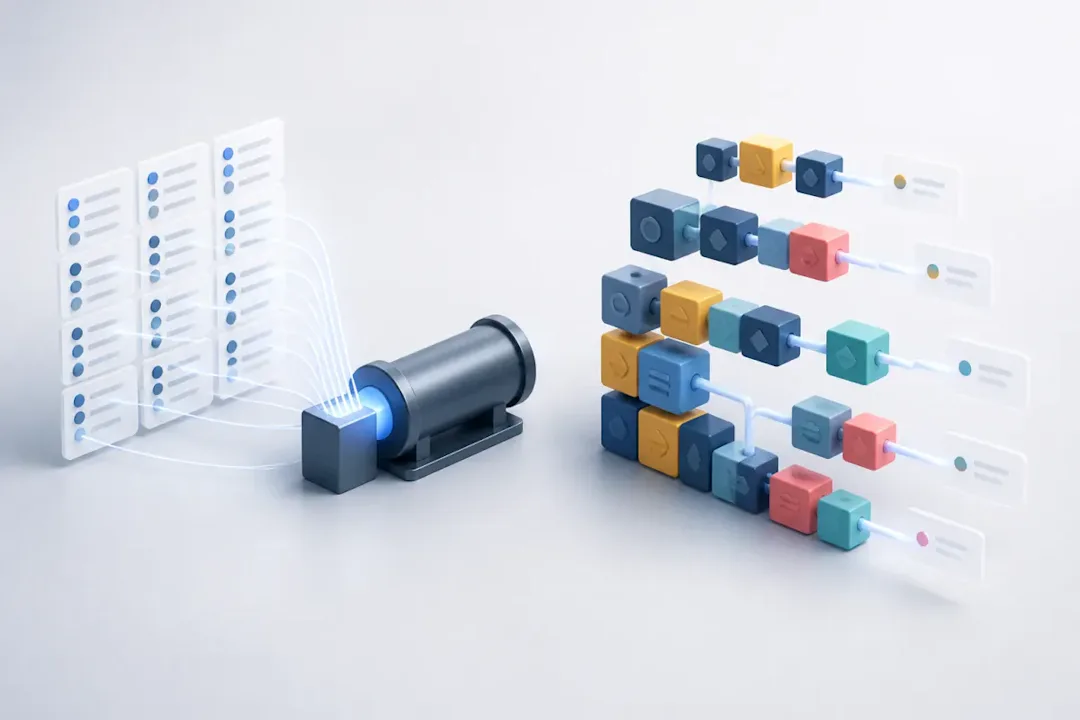
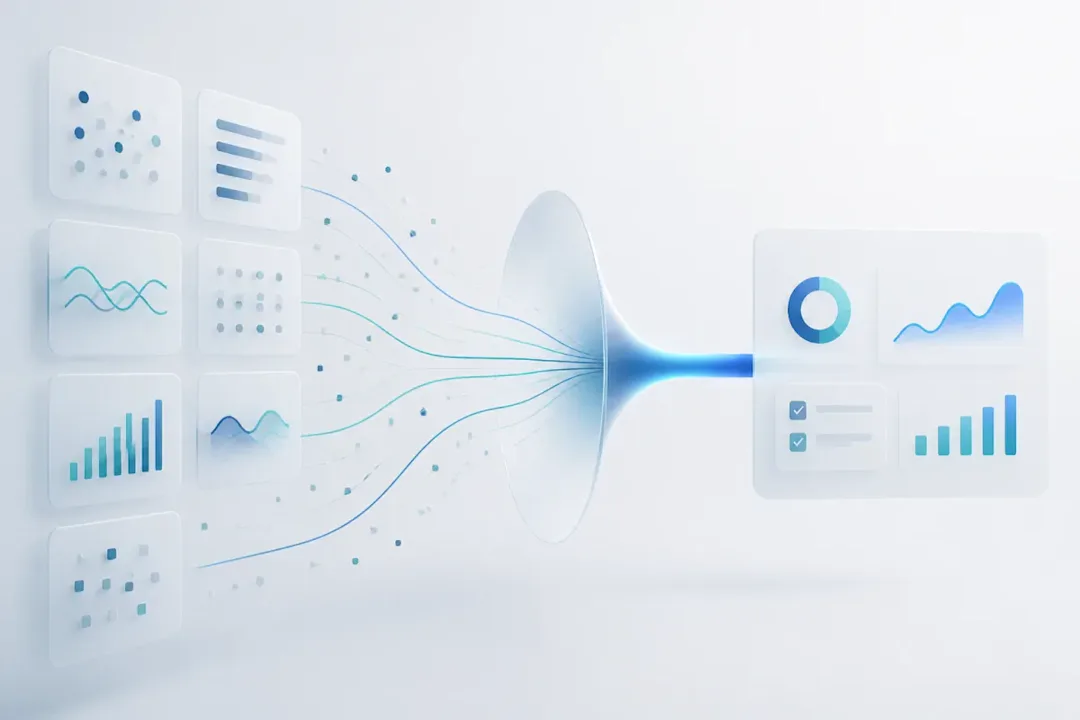
Smoke testing is a broad, shallow test performed on a new build to verify that the core functionality works before detailed testing begins. It answers one question: Is this build stable enough to test?
Sanity testing is a focused, narrow test performed after a bug fix or minor change to verify that the specific functionality works correctly and nothing nearby broke. It answers a different question: Did this specific fix actually work?
Smoke testing checks whether the entire build is stable enough for testing. Sanity testing checks whether a specific fix or feature works correctly.
That single distinction — build stability vs. change verification — is the foundation of everything else in this article.
At a Glance: Key Comparison
Smoke Testing | Sanity Testing | |
Scope | Broad and shallow | Narrow and focused |
When | Done on new builds | Done after bug fixes |

Get the Mobile Testing Playbook Used by 800+ QA Teams
Discover 50+ battle-tested strategies to catch critical bugs before production and ship 5-star apps faster.
What Is Smoke Testing?
Smoke testing, also called build verification testing (BVT), build acceptance testing, or confidence testing, is a preliminary check run immediately after a new software build is deployed. The goal is simple: confirm that the most critical parts of the application still function before anyone invests time in deeper testing.
The term itself comes from hardware engineering. When a new circuit board was powered on, engineers would watch for actual smoke — if something started burning, testing stopped immediately. Software borrowed the same logic. If a build cannot perform basic operations, there is no point running a thousand test cases against it.
Steve McConnell's Code Complete highlights daily builds and smoke tests as hallmarks of mature continuous integration practices — and that observation has aged very well.
What Smoke Testing Checks
The exact scope depends on the application, but smoke tests typically cover:
Does the application start without crashing?
Can a user register and log in?
Does the homepage and primary navigation load?
Are the main API endpoints returning responses?
Can users complete the core workflow (add to cart, submit a form, send a message — whatever the app's primary function is)?
That is it. Smoke testing in software testing does not dig into edge cases, validation rules, or performance. It is not supposed to. The moment any of those core checks fail, the build is rejected and sent back to development. No further testing happens.
Key Characteristics
Covers the
entire application
— but only at the surface
Typically
scripted and documented
— repeatable by design
Runs on
every new build
, including in CI/CD pipelines
Usually automated in modern development environments
Produces a clear
go/no-go
outcome
Should complete in
15 to 30 minutes
(under 10 minutes if automated)
What Is Sanity Testing?
Sanity testing is a targeted check performed on an already-stable build after a specific change — a bug fix, a patch, a minor enhancement, or a configuration update. It does not test everything. It zeroes in on the area that changed and asks: did this work, and did it break anything next to it?
Think of it this way. A plumber fixes a leaking pipe under your kitchen sink. Before they leave, they run the tap, check the drain, and make sure the cabinet underneath is dry. They do not inspect every other pipe in the house. That is sanity testing in software testing — confirm the fix worked, check the immediate surroundings, move on.
Sanity testing is considered a subset of regression testing — it covers regression for a specific, narrow area rather than the whole application.
What Sanity Testing Checks
Is the reported bug actually fixed?
Does the fixed feature work in the original failing scenario?
Does it still work in related scenarios?
Have adjacent features been affected by the change?
If any of those checks fail, the build goes back to the developer. If they all pass, the team proceeds — either to a broader regression run or directly toward release, depending on the timeline.
Key Characteristics
Covers a
specific module or feature
— not the whole system
Often
unscripted
— testers use their knowledge of what changed
Performed
after a bug fix or patch
on a stable build
Performed by
QA engineers familiar with the affected area
Faster than regression testing, more focused than smoke testing
Does not replace a full regression cycle — it supplements it
Smoke Testing vs Sanity Testing: Key Differences
1. The Core Purpose
This is the clearest separator. Smoke testing validates the entire build. Sanity testing validates a single change. You would never run sanity testing to check if a build is stable — that is not what it is designed for. And you would not rely on smoke testing to confirm that a bug fix worked — it is too shallow for that.
2. Scope: Wide vs. Narrow
Smoke testing touches every major module in the application — briefly. Sanity testing touches one specific module — more carefully. The scope of smoke testing is intentionally wide; the scope of sanity testing is intentionally narrow.
3. Where They Sit in the Testing Cycle
Smoke testing always comes first, right after a build is deployed to the test environment. Sanity testing comes later — after smoke has passed and a specific change or fix has been delivered. The sequence matters: you cannot run sanity testing on an unstable build, and running smoke testing after a bug fix is overkill when you only need to verify one thing.
4. How Deep They Go
Smoke testing is deliberately shallow. It checks whether things work, not how well or in what detail. Sanity testing goes deeper — at least for the specific area being tested. It needs to confirm not just that a feature is accessible, but that it behaves correctly in the relevant scenario.
5. Documentation and Repeatability
Smoke test cases are typically written down in advance. They are repeatable and automatable. Sanity tests, on the other hand, are often run based on a tester's understanding of what changed. This makes them quicker to execute but harder to replicate across different testers or future builds.
6. Who Runs Them
Smoke testing is usually automated and executed by CI/CD systems, developers, or QA engineers. Sanity testing is usually performed by QA engineers or testers familiar with the affected functionality — someone who understands enough about the code change to know what to look for and where collateral damage might appear.
7. What Failure Means
If smoke testing fails, the entire build is rejected. Period. No further testing happens on it. If sanity testing fails, only the specific fix is incomplete — the rest of the build may still be stable and testable.
Full Comparison Table
Parameter | Smoke Testing | Sanity Testing |
Also Known As | Build Verification Testing, Confidence Testing | Surface-Level Testing, Subset of Regression |
Core Question | Is this build stable enough to test? | Did this specific change work correctly? |
Scope | Broad — entire application | Narrow — specific feature or module |
Depth | Shallow | Moderate |
When Performed | After every new build or release | After a bug fix, patch, or minor change |
Precondition | New build available | Smoke test already passed |
Build Stability Required | No — run on potentially unstable builds | Yes — performed on already stable builds |
Performed By | CI/CD systems, developers, or QA engineers | QA engineers familiar with affected area |
Scripted? | Yes — predefined, documented | Often no — based on tester's knowledge |
Automation Potential | High | Moderate |
Part of | Functional testing | Regression testing (subset) |
Failure Outcome | Entire build rejected | Specific fix sent back to dev |
Execution Time | 15–30 minutes (3–10 min if automated) | 10–20 minutes |
Frequency | Every build | After targeted changes only |
Goal | Go/No-Go on the entire build | Go/No-Go on a specific change |
Real-World Examples
Smoke Testing Example: E-commerce Platform
A team deploys a new build of an online shopping platform. The QA lead triggers the automated smoke suite before allowing any tester to begin work. Here is what it checks:
Homepage loads in under 3 seconds
User can register with a new email
Login with valid credentials succeeds
Product search returns results
Product detail page renders correctly
Add-to-cart updates the cart count
Checkout page is reachable
Payment gateway page throws a 500 Internal Server Error
The build is rejected immediately. The smoke test did its job — it found a showstopper in under 20 minutes. No tester spends the rest of the day working on a build that cannot process payments.
Sanity Testing Example: Bug Fix on the Same App
The payment gateway bug is fixed, and the dev team delivers a patched build. The build is confirmed stable from the previous smoke run (minus the payment issue). Now a QA engineer runs a sanity test — not on everything, just the payment flow:
Payment gateway page loads correctly
Valid card details are accepted
Discount code field applies correctly
Order total reflects the discount
Payment confirmation screen appears
Confirmation email arrives in the test inbox
Cart is cleared after successful purchase
Order appears in the "My Orders" dashboard (adjacent feature check)
The sanity test passes. The fix is verified. The team now proceeds to regression testing. Without sanity testing here, the team would either skip verification (risky) or re-run the entire regression suite (slow and unnecessary).
Smoke Testing Example: Calculator Application
Classic smoke testing vs sanity testing example, and it works well for a reason. A smoke test on a calculator app asks just one thing: does 1 + 1 = 2? If the result comes back as 3, there is no point testing whether the quadratic formula or scientific notation works — the core arithmetic logic is broken. The build goes back. That is the essence of smoke testing.
When to Use Smoke Testing
After every new build is deployed. This is the most common and most important scenario. Any time code is merged, compiled, and deployed to a test environment, a smoke test should fire — ideally automatically.
After a major release goes to staging. Before the QA team begins formal test execution, confirm the build is worth testing. A 20-minute smoke run saves hours of wasted effort on a broken release.
After a pull request is merged into the main branch. In fast-moving teams, multiple developers are committing code constantly. Smoke tests after each merge catch integration issues close to the point where they were introduced.
When testing time is limited. Sometimes there is not time for a full regression run before a deadline. Smoke testing at least tells you whether the critical paths are intact.
When you are starting a new testing cycle. The smoke test is a natural starting point — it maps the landscape and tells you where the build stands.
When NOT to Use Smoke Testing
This section does not get talked about enough.
Do not use smoke testing to verify a specific bug fix. That is what sanity testing is for. Running a full smoke suite to confirm one particular defect is resolved is inefficient and misses the point.
Do not use smoke testing as a substitute for deep workflow validation. If you need to confirm multi-step business logic, edge case handling, or complex user journeys, smoke testing will not give you that confidence.
Do not use smoke testing when regression coverage is the priority. If the goal is to confirm that nothing previously working has broken after a large code change, you need a regression suite — not a smoke run.
When to Use Sanity Testing
After a high-priority bug is fixed. A bug blocked testing or impacted real users. The fix is delivered. Run a sanity test to confirm the fix holds before doing anything else.
After a minor patch or configuration update. Not every change warrants a full regression. A targeted sanity check on the affected area is faster, smarter, and plenty sufficient for small, isolated changes.
After a hotfix goes to production or pre-production. Hotfixes are time-sensitive. You need fast confirmation that the fix works without running a suite that takes hours.
Late in a release cycle when time is running out. Full regression is not realistic in the last few hours before a release. Sanity testing lets you focus your limited time on the highest-risk recent changes.
After a user-reported issue is resolved. Close the loop on customer complaints quickly by running a sanity test on the exact scenario they reported.
When NOT to Use Sanity Testing
Do not run sanity testing on an unstable or untested build. If the build has not passed smoke testing, there is no point running sanity checks. Fix the fundamentals first.
Do not run sanity testing when multiple major modules changed. If a large chunk of the application has been reworked, a narrow sanity check is not going to give you confidence. You need broader regression coverage.
Do not use sanity testing as a substitute for full regression. It is quick by design. It does not cover the full breadth of an application, and it should not be expected to.
Smoke Testing in CI/CD Pipelines
In modern Agile and DevOps workflows, automated smoke testing has become one of the most automated parts of the entire development process. Here is what a typical CI/CD smoke test flow looks like:
Developer pushes code↓CI system triggers a build↓Build deploys to staging/test environment↓Smoke tests run automatically↓PASS ──────────────────→ Full QA testing begins↓FAIL → Build rejected → Dev team notified with failure logs
The value here is speed. Developers find out in minutes — not hours — whether their push broke something fundamental. That tight feedback loop is exactly what CI/CD is built around.
Popular CI/CD Platforms for Smoke Testing
Jenkins
— post-build stage that blocks the pipeline on failure
GitHub Actions
— workflow triggered on every push or pull request
GitLab CI/CD
— smoke test jobs defined in
.gitlab-ci.ymlAzure DevOps
— smoke test tasks in release pipelines
CircleCI
— jobs in the deploy stage
Harness CD
— environment promotion gates tied to smoke test results
One practical rule: keep automated smoke tests under 10 minutes. Past that threshold, engineers start working around them rather than with them.
Sanity Testing in CI/CD Pipelines
Automated sanity testing is a little more selective in CI/CD compared to smoke testing. It does not fire on every commit — it is triggered by specific events:
Bug fix merged → Build created↓Smoke test confirms build is stable↓Sanity tests run on affected area↓PASS → Cleared for regression and release↓FAIL → Fix incomplete, back to development
You can configure sanity test jobs to run when specific labels are applied to a pull request (like bug-fix or patch), or trigger them manually after a hotfix deployment. Some teams tag their test cases by feature area, which makes it easy to run a targeted subset without setting up entirely separate test suites.
Can Smoke and Sanity Testing Be Automated?
Smoke testing: absolutely yes. Automated smoke testing is one of the best candidates for automation in the entire testing lifecycle. Once you have defined the critical paths, scripting those into an automated suite is straightforward. Tools like Selenium, Playwright, and Cypress handle UI automation well. For API-based applications, tools like Postman (with Newman) or k6 are faster and more reliable.
The main benefit of automating smoke testing is consistency. Manual smoke runs depend on whoever is doing them on a given day. Automated runs are identical every time, which is exactly what a build gate needs to be.
Sanity testing: it depends. Because sanity testing is often unscripted and driven by the specifics of a particular change, full automation is harder. That said, if your team repeatedly runs sanity checks on the same areas — the login flow, the payment module, the notification system — those recurring checks are absolutely worth automating as automated sanity testing.
A practical middle ground: automate the sanity tests that you find yourself running over and over. Leave the one-off, change-specific checks to experienced QA engineers who can read the bug report and adapt.
Smoke Testing vs Sanity Testing in Agile Teams
In Agile, things move fast. Sprints are short, builds are frequent, and the window between a bug report and a fix can be as short as a few hours. Both types of testing fit naturally into this rhythm — but in different ways.
Smoke testing in Agile is a constant background process. Every sprint generates new builds. Automated smoke tests run on each one and give the team confidence before they begin sprint testing. They are not something the team thinks about — they just run.
Sanity testing in Agile is more deliberate. When a tester picks up a bug fix story for verification, they are essentially running a sanity test — checking that the fix works, checking adjacent stories, and confirming nothing regressed in that area before marking the ticket done. Many teams do this without even calling it "sanity testing."
In practice, distinguishing the two in Agile is not about vocabulary — it is about recognizing which question you need to answer at any given moment. Stable build? Run a smoke test. Specific fix landed? Run a sanity test.
Smoke Testing vs Sanity Testing for Mobile Apps
Mobile adds some extra wrinkles that are worth calling out.
For smoke testing mobile apps, the core questions are the same — does the app launch, can users log in, do the key screens render — but the environment multiplies. A smoke test that passes on Android 14 might fail on Android 11. An app that works on a Pixel might crash on a Samsung device with a manufacturer skin. This is why running smoke tests on real device clouds (BrowserStack, Sauce Labs, or Quash's own device testing) rather than emulators gives more reliable results.
For sanity testing on mobile, the same principle applies. If a bug was reported specifically on iOS 16 with a particular device form factor, verify the fix on that exact configuration first. Then spot-check a couple of adjacent device/OS combinations to make sure the fix did not create a regression somewhere else.
Emulators are fine for development-level checks, but sanity testing in mobile QA really needs real devices — especially if the original bug was device-specific.
Smoke Testing vs Sanity Testing vs Regression Testing
These three are frequently lumped together or confused. Here is how they actually relate:
Smoke Testing | Sanity Testing | Regression Testing | |
Purpose | Build stability check | Specific change verification | Ensure no existing functionality broke |
Scope | Full application, surface level | Specific module, focused depth | Full application, comprehensive depth |
When | After every new build | After a specific bug fix or patch | After any significant code change |
Depth | Very shallow | Moderate | Comprehensive |
Time Required | 15–30 minutes | 10–20 minutes | Hours to days |
Scripted? | Yes | Usually no | Yes |
Subset of | Functional testing | Regression testing | Full test suite |
Failure Means | Entire build rejected | Specific fix returned to dev | Specific regressions found and logged |
The practical order looks like this:
New Build Arrives↓Smoke Testing ← First gate. Is the build testable?↓ (Pass)Functional / Feature Testing↓Bug Found and Fixed↓Sanity Testing ← Second gate. Did the fix work?↓ (Pass)Regression Testing ← Third gate. Is everything else still intact?↓ (Pass)Release
Regression testing and sanity testing are not interchangeable. Sanity is a fast checkpoint. Regression is the full audit.
Tools for Smoke and Sanity Testing
No single tool is designed only for smoke testing or sanity testing. Instead, teams use general-purpose automation frameworks and decide whether the test being written is a smoke test, sanity test, or regression test. Here are the most commonly used options:
Test Automation Frameworks
Tool | Best Used For |
Selenium | UI automation for web applications |
Playwright | Cross-browser, modern web apps |
Cypress | Fast, JavaScript-native web testing |
Appium | Native mobile app testing (iOS & Android) |
Katalon Studio | All-in-one automation with CI integration |
Postman / Newman | API smoke and sanity test execution |
k6 | API and load testing |
JUnit / TestNG | Java test frameworks for unit-level smoke checks |
pytest | Python-based test automation |
Robot Framework | Keyword-driven, framework-agnostic automation |
CI/CD Integration
Jenkins, GitHub Actions, GitLab CI/CD, CircleCI, Azure DevOps, Harness, TeamCity
Real Device / Cross-Browser Testing
BrowserStack, Sauce Labs, Quash — for running smoke and sanity tests on real devices and browsers rather than simulators
Advantages and Disadvantages
Smoke Testing
Advantages
Catches critical build failures in minutes, before any QA time is wasted
Integrates cleanly into CI/CD pipelines for full automation
Consistent and repeatable when scripted
Reduces the cost of fixing issues by catching them early
Gives the QA team confidence before they begin detailed work
Disadvantages
Does not find deep or edge-case bugs — it is not designed to
False negatives are possible: a build passes smoke but still has major issues in untested areas
Test environments that are unreliable can cause failures unrelated to the build itself
Smoke suites can grow bloated over time if not actively managed
Sanity Testing
Advantages
Fast confirmation that a specific fix landed correctly
Saves time compared to running a full regression after every small patch
Catches regressions in adjacent functionality that developers might not anticipate
Works well under time pressure near a release
Disadvantages
Often undocumented, which makes it hard to reproduce or audit
Relies heavily on the tester's understanding of the affected area
Does not catch bugs in areas that were not recently changed
Can give false confidence if the tester's scope is too narrow
Common Mistakes Teams Make
Getting smoke and sanity testing wrong is more common than it should be. Here are the patterns that come up again and again:
1. Treating smoke testing like a full regression run. Smoke tests should stay lean — critical paths only. The moment a team starts adding edge cases and detailed validations, the suite becomes slow, the value drops, and developers start ignoring failures.
2. Running sanity testing before smoke testing. Sanity testing assumes the build is already stable. If you have not confirmed that with a smoke test first, you could be validating a fix on a fundamentally broken build, which makes the results meaningless.
3. Making smoke test suites too large. If smoke tests take 45 minutes, they are no longer doing their job. A slow smoke suite blocks the pipeline, frustrates developers, and often gets skipped in a crunch. Keep it under 15 minutes. Under 10 if you can.
4. Not checking adjacent functionality during sanity testing. This is the one that causes the most real-world incidents. A tester confirms the bug is fixed and closes the ticket. Two days later, a user reports that a related feature broke. A good sanity test always checks what is next to the change, not just the change itself.
5. Skipping documentation on sanity tests entirely. "We just checked it quickly" is not a test record. Even a simple log of what was verified, by whom, and with what result is enough to make sanity testing repeatable and auditable.
6. Confusing the two and using the terms interchangeably. They are not the same thing. Using "smoke test" to mean "we checked a couple of things after the fix" is how teams end up with neither test doing its job properly.
7. Not automating repeatable smoke tests. If you are running the same 15 manual smoke checks after every build, that time adds up fast. Automating those checks is one of the highest-ROI investments a QA team can make.
8. Using sanity testing as an excuse to avoid regression. "We ran a sanity test, it is fine" is not sufficient justification for skipping regression when multiple areas of the codebase changed. Know what sanity testing covers — and what it does not.
Best Practices
Smoke Testing Best Practices
Keep it focused on the heartbeat of the application
— login, core navigation, primary feature, and the single most important user flow. If it is not a showstopper, it does not belong in smoke.
Automate as early as possible
— ideally before the first regression suite is even written.
Set a hard time limit and stick to it
— 10–15 minutes for automated runs; 30 minutes maximum for manual.
Define clear pass/fail criteria in advance
— the outcome should never be ambiguous.
Use API checks over UI checks where possible
— they are faster, more stable, and less prone to environmental flakiness.
Treat flaky smoke tests as bugs
— a smoke test that sometimes passes and sometimes fails provides no gate value and erodes team trust.
Review and prune the suite regularly
— every quarter, check whether tests still reflect what matters in the current version of the product.
Integrate with dashboards and alerts
— every relevant stakeholder should know within minutes whether a build passed or failed smoke testing.
Make tests safe to re-run
— smoke tests should be idempotent; running them twice should not leave the system in a different state.
Enforce the gate
— if a build fails smoke testing, it does not proceed. No exceptions.
Sanity Testing Best Practices
Read the bug report before you test
— understand exactly what broke, what was changed to fix it, and what the expected behavior is.
Reproduce the original bug first
— on a build before the fix if possible, so you are certain you understand what you are verifying.
Test the exact failing scenario
— not a similar one, the actual one.
Expand outward from the fix
— check the feature directly, then its nearest neighbors, then anything that shares the same data or service.
Keep your scope honest
— do not turn a sanity test into a full regression without acknowledging that is what you are doing.
Write down what you tested, even briefly
— a sentence or two per check is enough to make the verification traceable.
Test on the same environment where the bug was reported
— if it was an iOS 16 issue on a specific device, verify on that device.
Do not accept a fix that passes in one scenario but breaks in an adjacent one
— a partial fix is not a fix.
Coordinate with the developer
— ask what else changed beyond the obvious fix. Developers sometimes make small related adjustments that are not in the commit message.
Automate the ones you keep running
— if you are sanity testing the same payment flow after every patch, that check should become part of an automated suite.
How Quash Helps Teams Run Smoke and Sanity Testing Faster
Running smoke and sanity testing manually at speed is hard. Keeping them consistent across environments and team members is harder. This is exactly the problem Quash is built to solve.
With Quash, QA teams can:
Automate smoke test suites
that trigger after every build deployment — no manual kickoff required
Run targeted sanity tests
after specific bug fixes, tied directly to the affected feature area
Test on real devices and emulators
to catch environment-specific issues that simulators miss
Integrate natively with CI/CD pipelines
including Jenkins, GitHub Actions, and GitLab — so smoke and sanity testing become part of the delivery flow, not an afterthought
Get detailed failure logs, screenshots, and session recordings
so developers can debug issues without going back and forth with the QA team
Reduce flaky tests
through stable, AI-assisted test execution that adapts to minor UI changes
Track test results over time
so teams can see patterns — which modules keep breaking, which fixes keep regressing, where the real risk lives
The result is a QA process where smoke testing happens automatically in the background, sanity testing is fast and targeted, and the team's energy goes into finding real bugs rather than managing test infrastructure.
Similarities Between the Two
For all their differences, smoke and sanity testing have a lot in common:
Both are
fast and lightweight by design
— neither is meant to be exhaustive
Both act as
gatekeepers
— they decide whether the build moves forward or goes back
Both focus on
critical or recently-changed functionality
rather than comprehensive coverage
Both
save time and cost
by catching issues before they reach more expensive testing stages
Both can be executed
manually or with automation tools
Both result in a
clear binary outcome
— pass and proceed, or fail and fix
The key insight is that they are complementary, not competing. Teams that use both — in the right sequence, for the right reasons — catch more issues earlier and waste less time overall.
Smoke Testing vs Sanity Testing in One Sentence
For voice search, AI search, and quick reference, here is the sharpest possible summary:
Smoke testing
checks whether a build is stable enough for testing.
Sanity testing
checks whether a specific change works correctly.
If you only remember one thing from this article, make it that.
Frequently Asked Questions
Q1. What is the main difference between smoke testing and sanity testing?
Smoke testing is broad and shallow — it checks whether a new build is stable enough for further testing. Sanity testing is narrow and focused — it checks whether a specific bug fix or change worked correctly. Smoke comes first; sanity follows after a targeted change on a stable build.
Q2. Is sanity testing a type of regression testing?
Yes. Sanity testing is technically a subset of regression testing. Where full regression re-tests the entire application, sanity testing runs a targeted regression on only the area that changed. It is faster and narrower, but serves the same underlying purpose — making sure changes did not break what was already working.
Q3. Can smoke testing be automated?
Absolutely — and it should be. Automated smoke testing is one of the strongest candidates for automation in the entire QA process. Automated smoke suites run consistently, do not depend on individual testers, and integrate directly into CI/CD pipelines. Tools like Selenium, Playwright, Cypress, and Postman are all commonly used.
Q4. Is sanity testing manual or automated?
Sanity testing is often run manually, because it depends on understanding the specific change being verified and its context. That said, recurring sanity checks — particularly on high-risk areas that get patched frequently — should be automated. The more repeatable a sanity check is, the stronger the case for automating it.
Q5. Why is smoke testing called build verification testing?
Because that is precisely what it does — it verifies that a build is functional before any formal testing begins. The term "build verification testing" (BVT) is common in enterprise environments and is essentially a more formal name for the same concept. Other names include confidence testing and build acceptance testing.
Q6. What is the difference between smoke testing and user acceptance testing (UAT)?
Smoke testing is an internal QA check — it verifies that a build is stable enough for further testing by the QA team. User acceptance testing (UAT) is a business-level check — it verifies that the software meets the requirements agreed on by stakeholders and is ready for real users. Smoke testing happens early in the cycle; UAT happens at the end, usually just before production release.
Q7. Which comes first: smoke testing or regression testing?
Smoke testing always comes first. It confirms the build is stable and testable. Regression testing comes later, after functional testing is complete, to confirm that changes have not broken any existing functionality. You would never run a full regression suite on a build that has not passed smoke testing — it would be a waste of time.
Q8. Can smoke testing replace regression testing?
No — and this is a common misunderstanding. Smoke testing is too shallow to catch the kinds of bugs regression testing is designed to find. Smoke testing checks critical paths. Regression testing checks the full application in depth. They serve different purposes and should both be part of a complete testing strategy.
Q9. Can sanity testing be automated in CI/CD?
Yes, selectively. You can tag certain test cases as "sanity tests" for specific feature areas and trigger those tagged tests when a pull request marked as a bug fix is merged. This works especially well when the same areas of the app require sanity testing repeatedly. Full automation of all sanity testing is harder because some checks depend on context that changes with each fix.
Q10. What happens if smoke testing fails?
The build is rejected. No further testing happens on it. The development team is notified of the failing checks, the build is pulled from the test environment, and a corrected build is expected before testing resumes. In automated pipelines, this rejection happens automatically within minutes of deployment.
Q11. What happens if sanity testing fails?
The specific fix is considered incomplete. The build may still be stable overall, but the change that was supposed to address a bug either did not resolve it or introduced a new issue. The fix goes back to the developer for further investigation. Once corrected, another sanity test runs before regression testing proceeds.
Q12. Should I use both smoke and sanity testing in Agile?
Yes — and most Agile teams already do, even if they do not always use those exact terms. Smoke testing runs automatically after every build. Sanity testing happens when a tester verifies a bug fix story in a sprint. Understanding that these are distinct practices with distinct purposes helps teams apply them more deliberately and get more value from both.
Q13. How long should a smoke test take?
The target for automated smoke tests is 3 to 10 minutes. For manual smoke testing, 30 minutes is a reasonable ceiling. Anything longer starts to slow down the pipeline and reduce the team's trust in the process. If your smoke suite is taking an hour, it has grown beyond its purpose and needs to be trimmed.
Q14. What is the difference between smoke testing and sanity testing in one sentence?
Smoke testing checks whether the entire build is stable enough for testing. Sanity testing checks whether a specific fix or feature works correctly.
Conclusion
Here is the reality: most teams have been doing both smoke testing and sanity testing for years — they just have not always called them by the right names or applied them at the right moments.
Smoke testing and sanity testing are not competing techniques. They are sequential quality gates, each designed for a specific moment in the development cycle.
Use smoke testing every time a new build lands. Keep it automated, keep it fast, and let it make the first call on whether the build is worth testing at all. A smoke test is not looking for every bug in the product — it is looking for the one bug that means nothing else can happen.
Use sanity testing every time a specific fix or change needs to be verified. Keep it targeted, trust the QA engineer who knows the area, and make sure they check what changed and what is next to it. A sanity test is not trying to cover everything — it is trying to confirm that one thing worked, and did not break two others.
The best QA teams run them in order, treat them as two different tools for two different jobs, and automate as much of both as they can. The result is a testing process that is fast enough to support rapid releases and thorough enough to catch the things that actually matter before they reach production.
Continue reading
More articles from the Quash editorial desk.